Waalaxy: Manage lead duplicates across team accounts

 Waalaxy
Demo summary
Shows how to identify and resolve lead duplicates between different team members' accounts and how to enforce anti-duplicate security settings.
All demos from “Waalaxy Tutorial | Master the Team feature in 5 minutes (2025)”
- 1:210:31Invite and manage team members in WaalaxyShows how to invite a colleague to a Waalaxy team using their LinkedIn URL and the process for the colleague to accept the invitation.Waalaxy· Auto-connect & message safely
- 1:520:56Manage team permissions and account accessDemonstrates how to access a team member's dashboard and configure specific permissions for viewing other members, statistics, and managing duplicates.Waalaxy· Auto-connect & message safely
- 3:450:45Analyze team-wide prospecting statisticsWalks through the team statistics board, showing grouped LinkedIn and email response rates and how to filter performance by individual team members.Waalaxy· Auto-connect & message safely
- 4:300:49Manage lead duplicates across team accountsCurrentShows how to identify and resolve lead duplicates between different team members' accounts and how to enforce anti-duplicate security settings.Waalaxy· Auto-connect & message safely
- 5:220:41Import leads to a team member's Waalaxy accountDemonstrates importing prospects from LinkedIn or Sales Navigator directly into a specific team member's Waalaxy interface to launch campaigns on their behalf.Waalaxy· Scrape Sales Navigator
- Watch “Waalaxy Tutorial | Master the Team feature in 5 minutes (2025)” →
Auto-connect & message safely
 31:201:41Managing replies with the Waalaxy InboxDemonstrates the unified inbox for managing LinkedIn replies, including scheduling follow-up messages and using filters to find prospects who haven't been answered.Waalaxy | We make LinkedIn Outreach f*cking easy
- 36:031:14Automating lead imports with Auto-importExplains and shows how to set up triggers for automatic lead imports from Sales Navigator saved searches or profile visits.Waalaxy | We make LinkedIn Outreach f*cking easy
 10:513:01Setting up a LinkedIn connection sequenceA walkthrough of selecting a campaign template, writing a personalized invitation message using variables like 'first name', and launching the automated sequence.Vincent Robin
- 15:132:11Managing leads and inbox tags in WaalaxyShows how to filter leads within the Waalaxy dashboard and use tags to organize prospects based on their interest level or response.Vincent Robin
 22:181:30Extract leads from LinkedIn post reactionsWalks through the 'Auto-magnet' feature to scrape profiles of people who reacted to a specific LinkedIn post.Vincent Robin
 22:071:39Importing LinkedIn leads and starting a connection campaignDemonstrates how to import a list of prospects from LinkedIn into Waalaxy and initiate a connection request campaign.Waalaxy | We make LinkedIn Outreach f*cking easy
- 35:373:37Scraping LinkedIn post commenters for outreachShows how to use Waalaxy to automatically import and message people who have commented on a specific LinkedIn post.Waalaxy | We make LinkedIn Outreach f*cking easy
 4:181:18Set up an automated LinkedIn sequenceA step-by-step walkthrough of selecting a sequence (invitation + 2 messages), setting time delays between actions, and using AI to draft prospecting messages.Waalaxy | We make LinkedIn Outreach f*cking easy
- 5:360:26Configure safety settings and quotasShows how to manage working hours and daily action quotas to simulate human behavior and protect the LinkedIn account.Waalaxy | We make LinkedIn Outreach f*cking easy
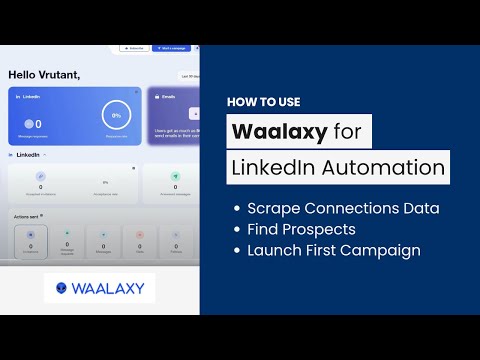 4:011:29Automate LinkedIn connection requestsA walkthrough of setting up an automated invitation campaign in the Waalaxy dashboard using a pre-defined prospect list.AIMS Consulting Services
 1:501:16Importing leads from LinkedIn to WaalaxyThe video demonstrates how to use the Waalaxy browser extension to import filtered prospects from LinkedIn Sales Navigator into a lead list.SoftSavvy
- 3:031:53Setting up an automated LinkedIn sequenceShows the process of selecting a campaign template, adding connection requests, and setting time delays between follow-up messages.SoftSavvy