OpenArt: Text-to-video generation with Google Veo 3.1

 OpenArt
Demo summary
The user demonstrates how to input a detailed text prompt into OpenArt to generate a cinematic video of a sea captain using Google Veo 3.1, comparing it to the previous 3.0 version.
Step-by-step
- Click on the Video section in OpenArt
- Go to Text settings to start from a text prompt
- Paste your detailed prompt into the text field
- Select the model version (e.g., Google Veo 3.0 or 3.1)
- Set the resolution to the highest possible setting
- Adjust the aspect ratio (e.g., 16:9)
- Set Video Motion to Normal
- Click Generate or Create
Options
- Switch between Google Veo version 3.0 and 3.1
- Change aspect ratio settings
- Adjust video motion intensity
Tips
- Include specific audio instructions like 'No background music' or 'Audio ocean waves crashing' directly in the prompt
- Define the color palette and lighting (e.g., 'Golden hour') to achieve a cinematic look
- Specify 'No subtitles' in the prompt if you want clean footage
- Take advantage of OpenArt's automatic prompt saving when switching between model versions to save time
All demos from “Google Veo 3.1 is INSANE - Full Tutorial”
- 2:001:18Text-to-video generation with Google Veo 3.1CurrentThe user demonstrates how to input a detailed text prompt into OpenArt to generate a cinematic video of a sea captain using Google Veo 3.1, comparing it to the previous 3.0 version.OpenArt· Text to Video
- 3:481:24Create video from multiple image referencesThe creator uses OpenArt's image generator to create three distinct assets (a woman, a statue, and a park) and then uses the 'elements' feature in Veo 3.1 to combine them into a single coherent video scene.OpenArt· Image to Video
- 5:531:42Animate a brand logo using a starting frameThe video shows how to upload a generated image of an infinity logo as a starting frame and use a motion prompt to animate people moving within that specific shape while maintaining visual consistency.OpenArt· Image to Video
- 7:532:03Product ad creation with start and end framesThe user demonstrates a professional product workflow by setting a starting frame of headphones on a stand and an end frame with a black background, allowing Veo 3.1 to generate a smooth transition between the two.OpenArt· AI Commercial Generator
- 10:001:18Seamless video chaining for unlimited lengthThe tutorial shows how to swap the end frame of a previous generation to be the start frame of a new one, creating a seamless multi-shot sequence of a product flying into space.OpenArt· AI Video Extender
- Watch “Google Veo 3.1 is INSANE - Full Tutorial” →
Text to Video
 1:390:49Generate motion-heavy video with SeaDance 2.0The user demonstrates selecting SeaDance 2.0 in OpenArt and entering a prompt for a breakdancer in the rain to test fluid movement generation.Affiliation
- 2:490:11Compare motion generation with Kling 3.0The creator switches the model to Kling 3.0 using the same prompt to demonstrate how it handles complex physical movements.Affiliation
 20:392:03Generate video from text with Kling 3A demonstration of creating a cinematic space video from a text prompt using the Kling 3 model within OpenArt's video suite.Wade McMaster - Creator Impact
 0:511:27Generate AI video from text with Google V3 in OpenArtThe user selects the Google V3 model within OpenArt, applies the 'autoenhance' prompt feature, and generates a cinematic video of a person walking in the rain.Affiliation
 3:180:45Generate ASMR video from text with OpenArt and VEO3The creator navigates to OpenArt, selects the video creation tool, chooses the VEO3 model, and inputs a detailed prompt to generate a video of a yellow mango being sliced with synchronized audio.unknown
 0:500:50Generate realistic video with Sora 2The creator demonstrates using Sora 2 within the OpenArt interface to generate a high-resolution, 12-second video from a complex text prompt.Youri van Hofwegen
- 2:150:16Create vlog-style content with Sora 2A demonstration of Sora 2 generating a realistic 'vlog style' video of a winter day in New York City, showcasing environmental interpretation.Youri van Hofwegen
- 4:270:18Text-to-video generation with Kling 2.6The video shows the selection of the Kling 2.6 model in OpenArt to generate a video with saturated colors and integrated audio.Youri van Hofwegen
- 5:090:23Simulate cockpit environment with Kling 2.6A demonstration of Kling 2.6 generating a stylized video of a pilot in a thunderstorm, focusing on environmental effects and audio sync.Youri van Hofwegen
 1:191:38Text-to-video generation with Google VEO 3.1The creator demonstrates how to select the Google VEO 3.1 model within OpenArt, use the 'autoenhance' prompt feature, and generate a cinematic video of an astronaut.Thomas Creates
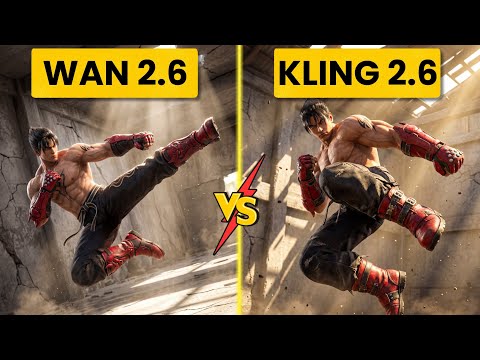 2:560:52Generate action video from text with Wan 2.6The user demonstrates selecting the Wan 2.6 model in Open Art and entering a prompt for a berserker knight smashing through a gate to generate a video with synchronized audio.Ai Chemy
 0:500:42Text-to-video generation with Veo 3.1The creator demonstrates generating an 8-second 4K video of a boxer using a text prompt and the Veo 3.1 model on OpenArt.Youri van Hofwegen