OpenArt: Generate action video from text with Wan 2.6
 OpenArt
Demo summary
The user demonstrates selecting the Wan 2.6 model in Open Art and entering a prompt for a berserker knight smashing through a gate to generate a video with synchronized audio.
Step-by-step
- Click the model selector at the top right of the window
- Select Wan 2.1 from the list of video models
- Enter your prompt in the prompt section
- Configure model-specific settings such as resolution and aspect ratio
- Toggle audio on or off
- Click generate to create the video
Options
- Choose from other models like Kling 1.5, LTX Video, Vidu 1.5, or Sora
- Select different model versions
- Adjust the aspect ratio
- Choose desired resolution
All demos from “Multi-Shot AI Videos: Wan 2.6 vs Kling 2.6 (Stress Test)”
- 2:560:52Generate action video from text with Wan 2.6CurrentThe user demonstrates selecting the Wan 2.6 model in Open Art and entering a prompt for a berserker knight smashing through a gate to generate a video with synchronized audio.OpenArt· Text to Video
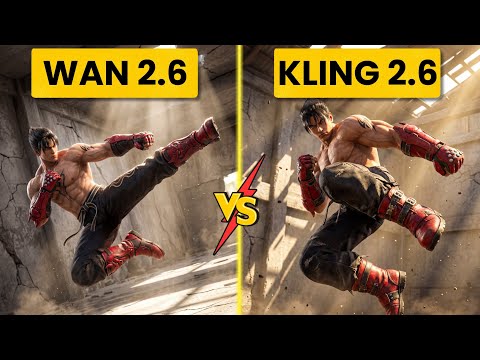
- 4:400:42Create fight scene from image with Wan 2.6The user uploads a Tekken 8 reference image and uses Wan 2.6 to animate a cinematic fight scene between two characters.OpenArt· Image to Video
- Watch “Multi-Shot AI Videos: Wan 2.6 vs Kling 2.6 (Stress Test)” →
Text to Video
 1:390:49Generate motion-heavy video with SeaDance 2.0The user demonstrates selecting SeaDance 2.0 in OpenArt and entering a prompt for a breakdancer in the rain to test fluid movement generation.Affiliation
- 2:490:11Compare motion generation with Kling 3.0The creator switches the model to Kling 3.0 using the same prompt to demonstrate how it handles complex physical movements.Affiliation
 20:392:03Generate video from text with Kling 3A demonstration of creating a cinematic space video from a text prompt using the Kling 3 model within OpenArt's video suite.Wade McMaster - Creator Impact
 3:180:45Generate ASMR video from text with OpenArt and VEO3The creator navigates to OpenArt, selects the video creation tool, chooses the VEO3 model, and inputs a detailed prompt to generate a video of a yellow mango being sliced with synchronized audio.unknown
 0:511:27Generate AI video from text with Google V3 in OpenArtThe user selects the Google V3 model within OpenArt, applies the 'autoenhance' prompt feature, and generates a cinematic video of a person walking in the rain.Affiliation
 0:500:50Generate realistic video with Sora 2The creator demonstrates using Sora 2 within the OpenArt interface to generate a high-resolution, 12-second video from a complex text prompt.Youri van Hofwegen
- 2:150:16Create vlog-style content with Sora 2A demonstration of Sora 2 generating a realistic 'vlog style' video of a winter day in New York City, showcasing environmental interpretation.Youri van Hofwegen
- 4:270:18Text-to-video generation with Kling 2.6The video shows the selection of the Kling 2.6 model in OpenArt to generate a video with saturated colors and integrated audio.Youri van Hofwegen
- 5:090:23Simulate cockpit environment with Kling 2.6A demonstration of Kling 2.6 generating a stylized video of a pilot in a thunderstorm, focusing on environmental effects and audio sync.Youri van Hofwegen
 1:191:38Text-to-video generation with Google VEO 3.1The creator demonstrates how to select the Google VEO 3.1 model within OpenArt, use the 'autoenhance' prompt feature, and generate a cinematic video of an astronaut.Thomas Creates
- 2:560:52Generate action video from text with Wan 2.6CurrentThe user demonstrates selecting the Wan 2.6 model in Open Art and entering a prompt for a berserker knight smashing through a gate to generate a video with synchronized audio.Ai Chemy
 0:500:42Text-to-video generation with Veo 3.1The creator demonstrates generating an 8-second 4K video of a boxer using a text prompt and the Veo 3.1 model on OpenArt.Youri van Hofwegen