OpenArt: Create vlog-style content with Sora 2

 OpenArt
Demo summary
A demonstration of Sora 2 generating a realistic 'vlog style' video of a winter day in New York City, showcasing environmental interpretation.
Step-by-step
- Paste the vlog-style prompt into the text-to-video input field
- Maintain the default generation settings
- Generate the video to render the environmental details
Tips
- Use descriptive, first-person language in the prompt to achieve a realistic vlog-style perspective
Highlights
“You can clearly see that the vlog style”
All demos from “Best AI Video Generators in 2026 (Most Realistic)”
- 0:500:50Generate realistic video with Sora 2The creator demonstrates using Sora 2 within the OpenArt interface to generate a high-resolution, 12-second video from a complex text prompt.OpenArt· Text to Video
- 2:150:16Create vlog-style content with Sora 2CurrentA demonstration of Sora 2 generating a realistic 'vlog style' video of a winter day in New York City, showcasing environmental interpretation.OpenArt· Text to Video
- 2:520:35Image-to-video product ad with Sora 2The user uploads a static image of headphones and uses Sora 2 to generate a UGC-style video ad with a person demonstrating the product.OpenArt· AI UGC Video Generator
- 4:270:18Text-to-video generation with Kling 2.6The video shows the selection of the Kling 2.6 model in OpenArt to generate a video with saturated colors and integrated audio.OpenArt· Text to Video
- 5:090:23Simulate cockpit environment with Kling 2.6A demonstration of Kling 2.6 generating a stylized video of a pilot in a thunderstorm, focusing on environmental effects and audio sync.OpenArt· Text to Video
- 5:460:18Animate static portraits with Kling 2.6The creator uses an image of a grandmother with cookies as a base for Kling 2.6 to animate a winking smile and camera interaction.OpenArt· Image to Video
- 7:170:28Multi-shot camera control with Wan 2.6Demonstration of the multi-shot prompting feature in Wan 2.6, allowing for distinct camera angle changes within a single AI generation.OpenArt· AI Video Generator
- 8:070:40Image-to-video scene creation with Wan 2.6The user demonstrates animating a retro-futuristic diner image by adding a UFO fly-by using Wan 2.6.OpenArt· Image to Video
- 10:320:31Complex motion tracking with SeaDance 1.5 ProThe creator shows how SeaDance 1.5 Pro handles complex martial arts movements using skeletal tracking to maintain limb consistency.OpenArt· AI Animation Generator
- 11:270:31Start-to-end frame interpolation with SeaDance 1.5 ProA demonstration of providing both a starting and ending image to SeaDance 1.5 Pro to control a specific dance sequence.OpenArt· Image to Video
- 12:350:39Cinematic generation with Google Veo 3.1The user demonstrates Google Veo 3.1's 'Normal' high-quality mode to generate a cinematic scene with realistic audio.Google AI Studio· Text to Video
- 13:380:25Dolly shot camera instructions in Google Veo 3.1A demonstration of using specific camera movement keywords like 'wide angle dolly in' to control the output of Google Veo 3.1.Google Vids· Text to Video
- 14:230:36Room transition generation with Google Veo 3.1The creator uses a messy office start frame and a clean studio end frame to have Google Veo 3.1 generate a smooth room transformation transition.OpenArt· Image to Video
- Watch “Best AI Video Generators in 2026 (Most Realistic)” →

Text to Video
 1:390:49Generate motion-heavy video with SeaDance 2.0The user demonstrates selecting SeaDance 2.0 in OpenArt and entering a prompt for a breakdancer in the rain to test fluid movement generation.Affiliation
- 2:490:11Compare motion generation with Kling 3.0The creator switches the model to Kling 3.0 using the same prompt to demonstrate how it handles complex physical movements.Affiliation
 20:392:03Generate video from text with Kling 3A demonstration of creating a cinematic space video from a text prompt using the Kling 3 model within OpenArt's video suite.Wade McMaster - Creator Impact
 3:180:45Generate ASMR video from text with OpenArt and VEO3The creator navigates to OpenArt, selects the video creation tool, chooses the VEO3 model, and inputs a detailed prompt to generate a video of a yellow mango being sliced with synchronized audio.unknown
 0:511:27Generate AI video from text with Google V3 in OpenArtThe user selects the Google V3 model within OpenArt, applies the 'autoenhance' prompt feature, and generates a cinematic video of a person walking in the rain.Affiliation
- 0:500:50Generate realistic video with Sora 2The creator demonstrates using Sora 2 within the OpenArt interface to generate a high-resolution, 12-second video from a complex text prompt.Youri van Hofwegen
- 2:150:16Create vlog-style content with Sora 2CurrentA demonstration of Sora 2 generating a realistic 'vlog style' video of a winter day in New York City, showcasing environmental interpretation.Youri van Hofwegen
- 4:270:18Text-to-video generation with Kling 2.6The video shows the selection of the Kling 2.6 model in OpenArt to generate a video with saturated colors and integrated audio.Youri van Hofwegen
- 5:090:23Simulate cockpit environment with Kling 2.6A demonstration of Kling 2.6 generating a stylized video of a pilot in a thunderstorm, focusing on environmental effects and audio sync.Youri van Hofwegen
 1:191:38Text-to-video generation with Google VEO 3.1The creator demonstrates how to select the Google VEO 3.1 model within OpenArt, use the 'autoenhance' prompt feature, and generate a cinematic video of an astronaut.Thomas Creates
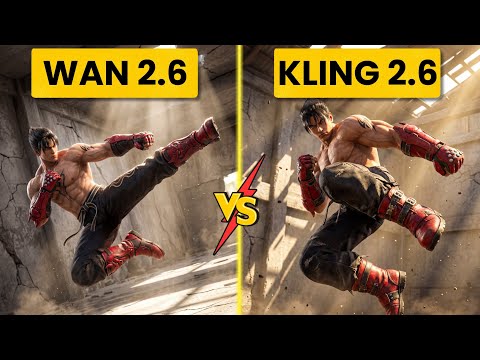 2:560:52Generate action video from text with Wan 2.6The user demonstrates selecting the Wan 2.6 model in Open Art and entering a prompt for a berserker knight smashing through a gate to generate a video with synchronized audio.Ai Chemy
 0:500:42Text-to-video generation with Veo 3.1The creator demonstrates generating an 8-second 4K video of a boxer using a text prompt and the Veo 3.1 model on OpenArt.Youri van Hofwegen