Higgsfield: AI Video Motion Control with Kling 3.0

 Higgsfield
Demo summary
The video shows the process of using a personal video recording as a motion capture input to drive the movements of an AI-generated character using the Kling 3.0 model inside Higgsfield.
Step-by-step
- Select the Kling 3.0 motion control model
- Upload a personal video recording to be used as the motion capture input
- Add a photo of the character you want to transform into
- Run the generation to apply the motion from the video to the character image
Watch out for
- Requires 57 credits for the generation process
Tips
- Use this feature to ensure hands operate and work normally in AI video
- Use a simple video of yourself to drive the movement of an entirely different character
Highlights
“That is crazy. So, all of these like AI”
All demos from “HIGGSFIELD AI: A Beginner’s Guide to Mind-Blowing AI Video!”
- 4:313:19Create and cast a custom AI character in HiggsfieldThe creator uses the 'Cast' tool in Higgsfield Cinema Studio 2.5 to define a character's genre, archetype, physical appearance, and outfit before generating and saving the character element.Higgsfield· AI Avatar Generator
- 9:510:54Generate a cinematic location in HiggsfieldThe user demonstrates generating a specific environment by prompting for an 'old western town' and selecting from multiple AI-generated variations to save as a location element.Higgsfield· Text to Image
- 11:132:02Compose and color grade a scene in HiggsfieldThe demo shows how to combine saved characters and locations into a single scene prompt, generate the image, and apply cinematic color grading and film grain effects.Higgsfield· AI Image Generator
- 13:271:19Generate story variations with Multi-shot and What's NextThe creator uses the 'Multi-shot' and 'What's Next' features to automatically generate nine different cinematic angles and narrative progressions from a single reference image.Higgsfield· Image to Video
- 15:173:38Direct a multi-shot AI video with manual controlsThe user demonstrates the 'Multi-shot manual' video tool, setting start frames, assigning character emotions (like 'apprehensive'), and writing dialogue for a 12-second sequence.Higgsfield· Script To Video AI Generator
- 19:030:52AI Video Motion Control with Kling 3.0CurrentThe video shows the process of using a personal video recording as a motion capture input to drive the movements of an AI-generated character using the Kling 3.0 model inside Higgsfield.Higgsfield· Video to Video
- Watch “HIGGSFIELD AI: A Beginner’s Guide to Mind-Blowing AI Video!” →
Video to Video
 7:371:30Replicate and modify a viral video trendThe user uploads a reference video for analysis, and Higgsfield Supercomputer creates a new version with different subjects (fruits) while maintaining the original's visual style and structure.RandomAI
 7:271:04Recreate social media videos with Video AdaptThe user demonstrates the 'Video Adapt' feature by dropping a TikTok link into Higgsfield to have the agent rebuild the video's structure while applying the user's specific brand colors and style.AI Master
 7:240:31Motion control and background replacementThe user demonstrates transferring motion from a source video of a man running into a new generated environment (horror hallway) using Higgsfield AI.Higgsfield AI
 8:050:47Video-to-video consistency in HiggsfieldThe creator demonstrates using a previously generated video as a reference in Higgsfield to maintain lighting, mood, and environment consistency in a new scene.Isa does AI
 4:082:53Building a multi-stage AI video pipelineThe user builds a complex workflow in Higgsfield Canvas by connecting a generated video to a new video generator node to create a seamless transition into a new scene.Mhd Labs
 7:430:46Edit and merge characters with Kling O1The user shows how to use the 'Edit Video' feature to replace a subject in an existing video with a different AI character (a crocodile) using the Kling O1 model.Dom the AI Tutor | Tech Tutor Zones
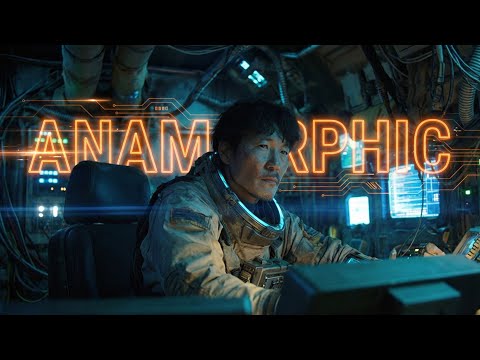 4:130:33Generating Video from First and Last Frames in HiggsfieldThe user shows the process of taking an anamorphic wide shot and its modified version (with the character removed) to generate a video transition using Higgsfield's video mode.Workman Labs
 5:351:01Character replacement using Recast StudioA walkthrough of the Recast tool on Higgsfield AI, showing how to replace a video character's entire appearance, voice, and background using presets or custom images.Atomic Gains
- 7:520:46Character animation with Higgsfield AnimateThe creator uses Higgsfield Animate (WAN 2.2) to animate a static character image based on the movements of a source video, turning a person holding a pen into an explorer with a candle.Atomic Gains
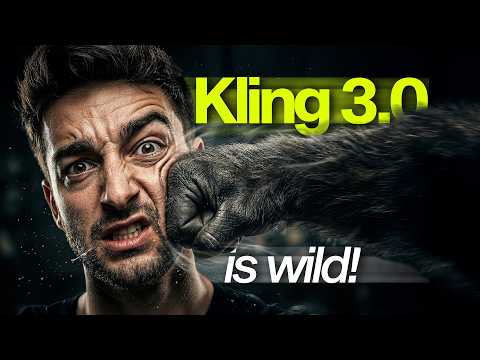 17:060:48Restyle video backgrounds with Kling 3.0 OmniEditThe creator demonstrates the OmniEdit model by uploading a video and using a text prompt to change the background to a snowy mountain while keeping the subject intact.Sebastien Jefferies
 0:210:16Accessing Kling Motion Control on HiggsfieldThe creator shows the Higgsfield interface, navigating to the video tab and explaining how to upload a source motion video and a target character image.Atomic Gains
 2:210:16Animate AI influencer with Higfield AIThe creator demonstrates an alternative method using Higfield AI's motion control feature to combine a reference video and an influencer image into an animated result.Hacker army