Generating Video from First and Last Frames in Higgsfield
 Higgsfield
Demo summary
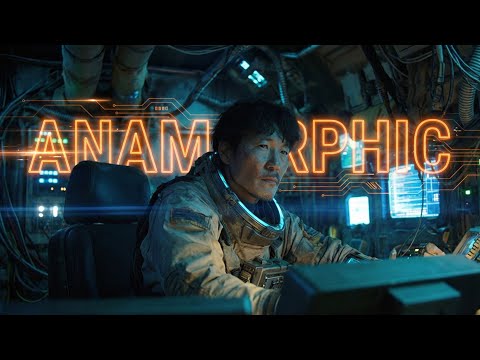
The user shows the process of taking an anamorphic wide shot and its modified version (with the character removed) to generate a video transition using Higgsfield's video mode.
Step-by-step
- Prepare an initial image and a modified version of that image (e.g., with a character removed).
- Switch Cinema Studio in Higgsfield to Video mode.
- Upload the original image as the first frame.
- Upload the modified image as the last frame.
- Generate the video transition.
Watch out for
- The first and last frames must use the exact same aspect ratio (e.g., 21:9).
Highlights
“Wow, really good. I just I can't believe”
All demos from “AI Anamorphic Cinematography | Higgsfield Cinema Studio Tutorial”
- 1:102:06Applying Anamorphic Lens Emulation in Higgsfield Cinema StudioThe creator demonstrates importing a Midjourney image into Higgsfield Cinema Studio and selecting IMAX film back and Panavision C-series lens settings to generate a 21:9 anamorphic widescreen image.Higgsfield· AI Expand Image
- 4:130:33Generating Video from First and Last Frames in HiggsfieldCurrentThe user shows the process of taking an anamorphic wide shot and its modified version (with the character removed) to generate a video transition using Higgsfield's video mode.Higgsfield· Video to Video
- 5:400:49Configuring Camera Movements in Higgsfield Cinema StudioThe demonstration shows the dropdown menu in Higgsfield Cinema Studio where users can select specific camera moves like Dolly, Jib, or Orbit, including the visual GIF previews for each movement.Higgsfield· AI Animation Generator
- Watch “AI Anamorphic Cinematography | Higgsfield Cinema Studio Tutorial” →
Video to Video
 7:371:30Replicate and modify a viral video trendThe user uploads a reference video for analysis, and Higgsfield Supercomputer creates a new version with different subjects (fruits) while maintaining the original's visual style and structure.RandomAI
 7:271:04Recreate social media videos with Video AdaptThe user demonstrates the 'Video Adapt' feature by dropping a TikTok link into Higgsfield to have the agent rebuild the video's structure while applying the user's specific brand colors and style.AI Master
 7:240:31Motion control and background replacementThe user demonstrates transferring motion from a source video of a man running into a new generated environment (horror hallway) using Higgsfield AI.Higgsfield AI
 8:050:47Video-to-video consistency in HiggsfieldThe creator demonstrates using a previously generated video as a reference in Higgsfield to maintain lighting, mood, and environment consistency in a new scene.Isa does AI
 4:082:53Building a multi-stage AI video pipelineThe user builds a complex workflow in Higgsfield Canvas by connecting a generated video to a new video generator node to create a seamless transition into a new scene.Mhd Labs
 7:430:46Edit and merge characters with Kling O1The user shows how to use the 'Edit Video' feature to replace a subject in an existing video with a different AI character (a crocodile) using the Kling O1 model.Dom the AI Tutor | Tech Tutor Zones
- 4:130:33Generating Video from First and Last Frames in HiggsfieldCurrentThe user shows the process of taking an anamorphic wide shot and its modified version (with the character removed) to generate a video transition using Higgsfield's video mode.Workman Labs
 5:351:01Character replacement using Recast StudioA walkthrough of the Recast tool on Higgsfield AI, showing how to replace a video character's entire appearance, voice, and background using presets or custom images.Atomic Gains
- 7:520:46Character animation with Higgsfield AnimateThe creator uses Higgsfield Animate (WAN 2.2) to animate a static character image based on the movements of a source video, turning a person holding a pen into an explorer with a candle.Atomic Gains
 17:060:48Restyle video backgrounds with Kling 3.0 OmniEditThe creator demonstrates the OmniEdit model by uploading a video and using a text prompt to change the background to a snowy mountain while keeping the subject intact.Sebastien Jefferies
 0:210:16Accessing Kling Motion Control on HiggsfieldThe creator shows the Higgsfield interface, navigating to the video tab and explaining how to upload a source motion video and a target character image.Atomic Gains
 2:210:16Animate AI influencer with Higfield AIThe creator demonstrates an alternative method using Higfield AI's motion control feature to combine a reference video and an influencer image into an animated result.Hacker army