Higgsfield: Animate AI influencer with Higfield AI

 Higgsfield
Demo summary
The creator demonstrates an alternative method using Higfield AI's motion control feature to combine a reference video and an influencer image into an animated result.
Step-by-step
- Go to the Motion Control section
- Upload your reference video
- Upload your influencer image
- Click on Generate
Tips
- Take advantage of the three free generations provided by Higgsfield AI
Highlights
“realistic and the motion is really smooth and cool”
All demos from “How to Create AI Influencer For FREE ! | Earn 100,000$ month #tech”
- 1:240:26Match influencer pose and dress in Lora AIThe user shows how to upload two images to Lora AI to generate a new image where the AI influencer adopts the pose and clothing of a reference frame.Flora· Image to Image
- 1:500:31Animate AI influencer with Kling Motion ControlThe video walks through using the Kling motion control API on the K AI platform to map the movements of a Pinterest video onto a static AI influencer image.Kie.ai· Image to Video
- 2:210:16Animate AI influencer with Higfield AICurrentThe creator demonstrates an alternative method using Higfield AI's motion control feature to combine a reference video and an influencer image into an animated result.Higgsfield· Video to Video
- Watch “How to Create AI Influencer For FREE ! | Earn 100,000$ month #tech” →


Video to Video
 7:371:30Replicate and modify a viral video trendThe user uploads a reference video for analysis, and Higgsfield Supercomputer creates a new version with different subjects (fruits) while maintaining the original's visual style and structure.RandomAI
 7:271:04Recreate social media videos with Video AdaptThe user demonstrates the 'Video Adapt' feature by dropping a TikTok link into Higgsfield to have the agent rebuild the video's structure while applying the user's specific brand colors and style.AI Master
 7:240:31Motion control and background replacementThe user demonstrates transferring motion from a source video of a man running into a new generated environment (horror hallway) using Higgsfield AI.Higgsfield AI
 8:050:47Video-to-video consistency in HiggsfieldThe creator demonstrates using a previously generated video as a reference in Higgsfield to maintain lighting, mood, and environment consistency in a new scene.Isa does AI
 4:082:53Building a multi-stage AI video pipelineThe user builds a complex workflow in Higgsfield Canvas by connecting a generated video to a new video generator node to create a seamless transition into a new scene.Mhd Labs
 7:430:46Edit and merge characters with Kling O1The user shows how to use the 'Edit Video' feature to replace a subject in an existing video with a different AI character (a crocodile) using the Kling O1 model.Dom the AI Tutor | Tech Tutor Zones
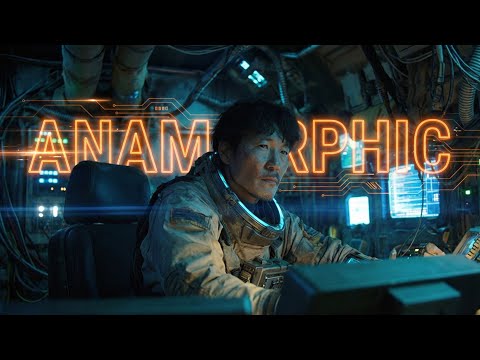 4:130:33Generating Video from First and Last Frames in HiggsfieldThe user shows the process of taking an anamorphic wide shot and its modified version (with the character removed) to generate a video transition using Higgsfield's video mode.Workman Labs
 5:351:01Character replacement using Recast StudioA walkthrough of the Recast tool on Higgsfield AI, showing how to replace a video character's entire appearance, voice, and background using presets or custom images.Atomic Gains
- 7:520:46Character animation with Higgsfield AnimateThe creator uses Higgsfield Animate (WAN 2.2) to animate a static character image based on the movements of a source video, turning a person holding a pen into an explorer with a candle.Atomic Gains
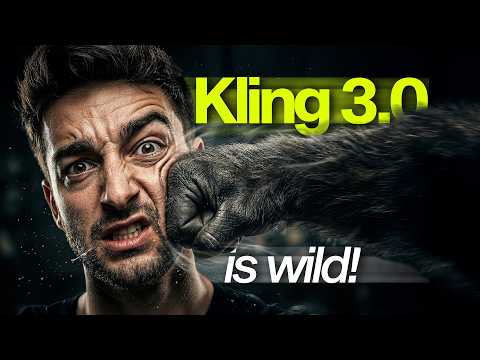 17:060:48Restyle video backgrounds with Kling 3.0 OmniEditThe creator demonstrates the OmniEdit model by uploading a video and using a text prompt to change the background to a snowy mountain while keeping the subject intact.Sebastien Jefferies
 0:210:16Accessing Kling Motion Control on HiggsfieldThe creator shows the Higgsfield interface, navigating to the video tab and explaining how to upload a source motion video and a target character image.Atomic Gains
- 2:210:16Animate AI influencer with Higfield AICurrentThe creator demonstrates an alternative method using Higfield AI's motion control feature to combine a reference video and an influencer image into an animated result.Hacker army