Generate video from text with Gemini Omni
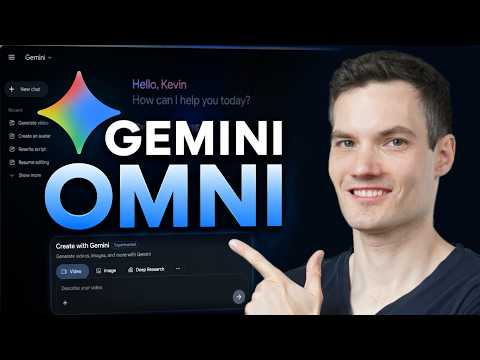
 Gemini
Demo summary
The user demonstrates how to navigate to the video icon in Gemini and enter a text prompt to generate a cinematic video of a storefront using the Omni model.
Step-by-step
- Click on the videos icon at the top of the page
- Enter a description of the video in the prompt box
- Select either landscape or vertical orientation
- Click on the generate icon
Options
- Use Gemini to help craft or refine your prompt
- Expand the prompt box to the editor for more writing space
- Choose between landscape or vertical video formats
Watch out for
- Generation can take a few minutes depending on demand
Tips
- Provide more details in your prompt for better results
- Use Gemini to help you craft the perfect prompt
All demos from “How to Use Gemini Omni (Step-by-Step Tutorial)”
- 0:461:08Generate video from text with Gemini OmniCurrentThe user demonstrates how to navigate to the video icon in Gemini and enter a text prompt to generate a cinematic video of a storefront using the Omni model.Gemini· Text to Video
- 1:540:32Edit existing AI video with text promptsKevin shows how to modify a previously generated video by typing a prompt to change a sunny scene into a nighttime scene using Gemini Omni's iterative editing.Gemini· AI Video Editor
- 3:100:41Apply visual styles using reference imagesThe video demonstrates uploading a cartoon-style reference image to Gemini Omni to influence the aesthetic of a generated video storefront.Gemini· AI Style Transfer
- 3:561:05Create and use an AI avatar in Gemini OmniThe user walks through setting up a personal AI avatar via a QR code and then using the '@me' tag in a prompt to generate a video of the avatar speaking specific dialogue.Gemini· AI Avatar Video Generator
- 5:050:20Manage video projects in Gemini LibraryThe demo shows how to access the library icon to view, resume editing, or download previously generated video projects.Gemini· AI Video Editor
- Watch “How to Use Gemini Omni (Step-by-Step Tutorial)” →
Text to Video
 3:340:54Text-to-video generation in Google GeminiThe creator uses Google Veo 3 within the Gemini interface to generate an 8-second video of a scientist speaking specific lines from a text prompt.Tim Harris AI
 2:201:02Generate video with audio in Google Veo 3The user demonstrates entering a text prompt into the Gemini interface to generate an 8-second cinematic video of a cookie including a specific narrated voiceover and sound effects using Google's Veo 3 model.Kevin Stratvert
 14:180:28Generate video using Grok on Gemini Gen AIThe demonstration shows using the Gemini Gen AI platform to generate a video clip using the Grok model for zero credits.Brain Project
 5:341:55Unlimited video generation using Gemini Business (Vidu 1.1)The user demonstrates a trick to get a 30-day free trial of Gemini Business using temporary emails to generate cinematic, watermark-free videos using the Vidu 1.1 model.Everything For All
 1:500:30Generate physics-based video with Gemini OmniThe user demonstrates Gemini Omni's physics understanding by prompting it to create a video of a ceramic teapot falling and shattering on a tile floor.AI Master
 3:180:19Generate video from custom text promptThe user demonstrates Gemini Omni's text-to-video capability by prompting it to show his avatar in a suit eating spaghetti at a restaurant.Paul J Lipsky
 8:041:07Create skydiving video with Google Veo 3.1 via GeminiThe video shows the process of inputting a complex prompt into Gemini to generate an 8-second clip of a grandmother skydiving into a Super Bowl stadium using the Veo 3.1 model.AI Master
- 0:461:08Generate video from text with Gemini OmniCurrentThe user demonstrates how to navigate to the video icon in Gemini and enter a text prompt to generate a cinematic video of a storefront using the Omni model.Kevin Stratvert
 3:390:32Generate ASMR video with Google Veo 3 via GeminiThe creator demonstrates pasting a prompt into Gemini to use Google Veo 3 for generating a video of slicing crystal fruit with synchronized sound effects.Monetize with AI
 1:581:20Generate cinematic video with Google Veo 3The video shows how to activate the video tool in Gemini and enter a detailed prompt to generate a slow-motion shot of chocolate chip cookies using the Veo 3 model.Kevin Stratvert
- 4:081:13Refine video prompts using Gemini AIThe user demonstrates asking Gemini to write a more descriptive, cinematic prompt for a cookie-baking scene and then using that output to generate a better video.Kevin Stratvert
 0:580:26Accessing Google Veo 3 in GeminiThe user demonstrates how to navigate to the video generation tab within the Gemini Advanced interface to access the Google Veo 3 model.Austin Armstrong