Unlimited video generation using Gemini Business (Vidu 1.1)

 Gemini
Demo summary
The user demonstrates a trick to get a 30-day free trial of Gemini Business using temporary emails to generate cinematic, watermark-free videos using the Vidu 1.1 model.
Step-by-step
- Search for 'Business Gemini AI' on Google and click the official link.
- Go to a temporary email service and copy a generated email address.
- Use the temporary email to sign up on the Gemini Business site.
- Retrieve the verification code from the temporary email inbox and paste it into the sign-up field.
- Enable 'Desktop site' mode in your Chrome browser settings for better interface visibility.
- Select 'Create video' from the creation options.
- Paste your prompt into the input field and submit to generate the video.
Options
- Create images instead of videos using the same process.
- Use your personal email ID instead of a temporary one.
Watch out for
- The interface may not display correctly on mobile unless 'Desktop site' mode is enabled.
Tips
- Use a temporary email to avoid adding a payment method and to bypass personal email usage.
- Repeat the temporary email process every 30 days to maintain unlimited free access.
- Use the tool for cinematic, high-quality results as it utilizes the Vidu 1.1 model.
Highlights
“makkhan jaisa free mein unlimited use karo (use it for free and unlimited, smooth as butter)”
All demos from “AI Se Video Kaise Banaye 🎬 | Grok AI Alternatives UNLIMITED FREE Video Generator”
- 0:231:15Generate AI video with Hindi dialogue on Arena AIThe user demonstrates how to use Arena AI's 'Battle Mode' to generate images and videos from text prompts, showcasing a video output that includes synchronized Hindi audio.Arena AI· Text to Video
- 2:021:19Animate images and add Hindi voiceover in Meta AIThe demo shows using the Meta AI app to generate an image, animate it into a video, and apply a specific Hindi male or female voiceover with lip-syncing.AI at Meta· AI Lip Sync Generator
- 4:380:45Generate video from prompts in YouTube CreateThe video walks through the 'Generate Video' feature in the official YouTube Create app, showing how to input prompts or reference images to create content.Youtube Create· Text to Video
- 5:341:55Unlimited video generation using Gemini Business (Vidu 1.1)CurrentThe user demonstrates a trick to get a 30-day free trial of Gemini Business using temporary emails to generate cinematic, watermark-free videos using the Vidu 1.1 model.Gemini· Text to Video
- Watch “AI Se Video Kaise Banaye 🎬 | Grok AI Alternatives UNLIMITED FREE Video Generator” →



Text to Video
 3:340:54Text-to-video generation in Google GeminiThe creator uses Google Veo 3 within the Gemini interface to generate an 8-second video of a scientist speaking specific lines from a text prompt.Tim Harris AI
 2:201:02Generate video with audio in Google Veo 3The user demonstrates entering a text prompt into the Gemini interface to generate an 8-second cinematic video of a cookie including a specific narrated voiceover and sound effects using Google's Veo 3 model.Kevin Stratvert
 14:180:28Generate video using Grok on Gemini Gen AIThe demonstration shows using the Gemini Gen AI platform to generate a video clip using the Grok model for zero credits.Brain Project
- 5:341:55Unlimited video generation using Gemini Business (Vidu 1.1)CurrentThe user demonstrates a trick to get a 30-day free trial of Gemini Business using temporary emails to generate cinematic, watermark-free videos using the Vidu 1.1 model.Everything For All
 1:500:30Generate physics-based video with Gemini OmniThe user demonstrates Gemini Omni's physics understanding by prompting it to create a video of a ceramic teapot falling and shattering on a tile floor.AI Master
 3:180:19Generate video from custom text promptThe user demonstrates Gemini Omni's text-to-video capability by prompting it to show his avatar in a suit eating spaghetti at a restaurant.Paul J Lipsky
 8:041:07Create skydiving video with Google Veo 3.1 via GeminiThe video shows the process of inputting a complex prompt into Gemini to generate an 8-second clip of a grandmother skydiving into a Super Bowl stadium using the Veo 3.1 model.AI Master
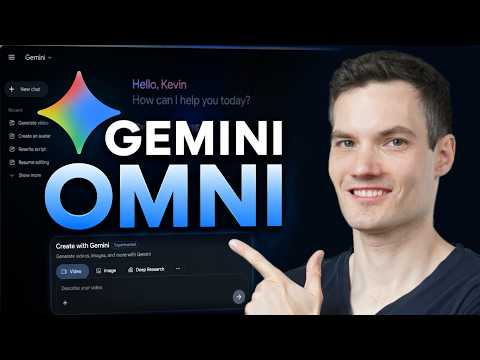 0:461:08Generate video from text with Gemini OmniThe user demonstrates how to navigate to the video icon in Gemini and enter a text prompt to generate a cinematic video of a storefront using the Omni model.Kevin Stratvert
 3:390:32Generate ASMR video with Google Veo 3 via GeminiThe creator demonstrates pasting a prompt into Gemini to use Google Veo 3 for generating a video of slicing crystal fruit with synchronized sound effects.Monetize with AI
 1:581:20Generate cinematic video with Google Veo 3The video shows how to activate the video tool in Gemini and enter a detailed prompt to generate a slow-motion shot of chocolate chip cookies using the Veo 3 model.Kevin Stratvert
- 4:081:13Refine video prompts using Gemini AIThe user demonstrates asking Gemini to write a more descriptive, cinematic prompt for a cookie-baking scene and then using that output to generate a better video.Kevin Stratvert
 0:580:26Accessing Google Veo 3 in GeminiThe user demonstrates how to navigate to the video generation tab within the Gemini Advanced interface to access the Google Veo 3 model.Austin Armstrong