Create and use an AI avatar in Gemini Omni
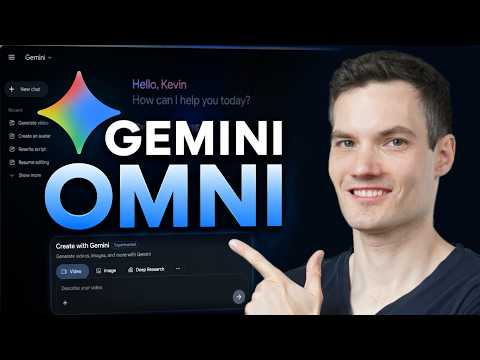
 Gemini
Demo summary
The user walks through setting up a personal AI avatar via a QR code and then using the '@me' tag in a prompt to generate a video of the avatar speaking specific dialogue.
Step-by-step
- Click the plus icon at the bottom of the interface
- Select the Avatar option
- Click Try Now to display a QR code
- Scan the QR code with your phone
- Follow the mobile prompts to record yourself saying numbers and rotating your head
- Return to Gemini and type @me or select your name in the prompt box
- Enter your prompt describing the video scene and dialogue
- Click generate and play the video
Options
- Refer to your avatar by typing @me or by selecting your name from the UI
- Include sound effects, music, and other audio elements in the prompt
Watch out for
- You must scan the QR code and complete the mobile setup (head rotation and voice recording) before the avatar is available
Tips
- Include specific dialogue in your prompt to have the avatar speak those lines
- Call out specific audio elements like sound effects to enhance the video
All demos from “How to Use Gemini Omni (Step-by-Step Tutorial)”
- 0:461:08Generate video from text with Gemini OmniThe user demonstrates how to navigate to the video icon in Gemini and enter a text prompt to generate a cinematic video of a storefront using the Omni model.Gemini· Text to Video
- 1:540:32Edit existing AI video with text promptsKevin shows how to modify a previously generated video by typing a prompt to change a sunny scene into a nighttime scene using Gemini Omni's iterative editing.Gemini· AI Video Editor
- 3:100:41Apply visual styles using reference imagesThe video demonstrates uploading a cartoon-style reference image to Gemini Omni to influence the aesthetic of a generated video storefront.Gemini· AI Style Transfer
- 3:561:05Create and use an AI avatar in Gemini OmniCurrentThe user walks through setting up a personal AI avatar via a QR code and then using the '@me' tag in a prompt to generate a video of the avatar speaking specific dialogue.Gemini· AI Avatar Video Generator
- 5:050:20Manage video projects in Gemini LibraryThe demo shows how to access the library icon to view, resume editing, or download previously generated video projects.Gemini· AI Video Editor
- Watch “How to Use Gemini Omni (Step-by-Step Tutorial)” →
AI Avatar Video Generator
- 3:561:05Create and use an AI avatar in Gemini OmniCurrentThe user walks through setting up a personal AI avatar via a QR code and then using the '@me' tag in a prompt to generate a video of the avatar speaking specific dialogue.Kevin Stratvert