Refine video prompts using Gemini AI

 Gemini
Demo summary
The user demonstrates asking Gemini to write a more descriptive, cinematic prompt for a cookie-baking scene and then using that output to generate a better video.
Step-by-step
- Ask Gemini to help write or refine a video prompt in the chat interface
- Submit the request for a more descriptive or cinematic version of your idea
- Review the generated suggestions, including details like camera angles, lighting, and pacing
- Copy the preferred prompt and paste it into the prompt field
- Make manual tweaks to the prompt to match your specific vision
- Generate the video using the refined prompt
Options
- Choose between multiple prompt versions provided by Gemini
- Use Gemini's provided tips at the bottom of the chat to manually improve prompts
Tips
- Use Gemini to do the 'heavy lifting' if you are stuck or want a more 'epic' sounding prompt
- Incorporate specific details like camera angles, lighting, and background music for a cinematic vibe
Highlights
“one really helpful trick when you're not sure how to phrase your Veo3 prompt is to just ask Gemini”
All demos from “Google Veo 3 Tutorial: Make Cinematic AI Videos with Just a Prompt”
- 1:581:20Generate cinematic video with Google Veo 3The video shows how to activate the video tool in Gemini and enter a detailed prompt to generate a slow-motion shot of chocolate chip cookies using the Veo 3 model.Gemini· Text to Video
- 3:180:35Add AI narration to videos in Veo 3The user demonstrates how to include specific lines of text in quotes within a prompt to generate a video that includes synchronized AI voice narration.Google AI Studio· Script To Video AI Generator
- 3:530:15Download generated videos from GeminiThe tutorial shows the process of hovering over a generated video and clicking the download icon to save the result as an MP4 file.Gemini· AI Video Generator
- 4:081:13Refine video prompts using Gemini AICurrentThe user demonstrates asking Gemini to write a more descriptive, cinematic prompt for a cookie-baking scene and then using that output to generate a better video.Gemini· Text to Video
- Watch “Google Veo 3 Tutorial: Make Cinematic AI Videos with Just a Prompt” →
Text to Video
 3:340:54Text-to-video generation in Google GeminiThe creator uses Google Veo 3 within the Gemini interface to generate an 8-second video of a scientist speaking specific lines from a text prompt.Tim Harris AI
 2:201:02Generate video with audio in Google Veo 3The user demonstrates entering a text prompt into the Gemini interface to generate an 8-second cinematic video of a cookie including a specific narrated voiceover and sound effects using Google's Veo 3 model.Kevin Stratvert
 14:180:28Generate video using Grok on Gemini Gen AIThe demonstration shows using the Gemini Gen AI platform to generate a video clip using the Grok model for zero credits.Brain Project
 5:341:55Unlimited video generation using Gemini Business (Vidu 1.1)The user demonstrates a trick to get a 30-day free trial of Gemini Business using temporary emails to generate cinematic, watermark-free videos using the Vidu 1.1 model.Everything For All
 1:500:30Generate physics-based video with Gemini OmniThe user demonstrates Gemini Omni's physics understanding by prompting it to create a video of a ceramic teapot falling and shattering on a tile floor.AI Master
 3:180:19Generate video from custom text promptThe user demonstrates Gemini Omni's text-to-video capability by prompting it to show his avatar in a suit eating spaghetti at a restaurant.Paul J Lipsky
 8:041:07Create skydiving video with Google Veo 3.1 via GeminiThe video shows the process of inputting a complex prompt into Gemini to generate an 8-second clip of a grandmother skydiving into a Super Bowl stadium using the Veo 3.1 model.AI Master
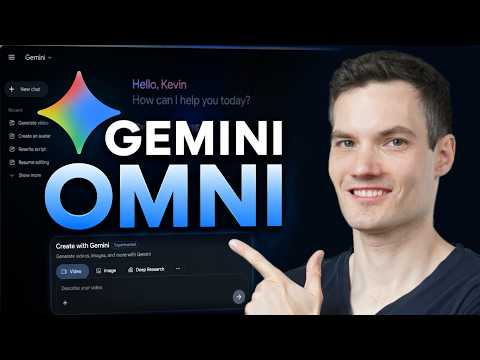 0:461:08Generate video from text with Gemini OmniThe user demonstrates how to navigate to the video icon in Gemini and enter a text prompt to generate a cinematic video of a storefront using the Omni model.Kevin Stratvert
 3:390:32Generate ASMR video with Google Veo 3 via GeminiThe creator demonstrates pasting a prompt into Gemini to use Google Veo 3 for generating a video of slicing crystal fruit with synchronized sound effects.Monetize with AI
- 1:581:20Generate cinematic video with Google Veo 3The video shows how to activate the video tool in Gemini and enter a detailed prompt to generate a slow-motion shot of chocolate chip cookies using the Veo 3 model.Kevin Stratvert
- 4:081:13Refine video prompts using Gemini AICurrentThe user demonstrates asking Gemini to write a more descriptive, cinematic prompt for a cookie-baking scene and then using that output to generate a better video.Kevin Stratvert
 0:580:26Accessing Google Veo 3 in GeminiThe user demonstrates how to navigate to the video generation tab within the Gemini Advanced interface to access the Google Veo 3 model.Austin Armstrong