OpenArt: Generate video from text with Cling 3

 OpenArt
Demo summary
A demonstration of the text-to-video workflow using the Cling 3 model to generate a 5-second 1080p cinematic clip.
Step-by-step
- Select Cling 3 as the model
- Enter your text prompt
- Set the aspect ratio to 16:9
- Select 5 seconds for the duration
- Set the resolution to 1080p
- Click Generate
Watch out for
- Text-only prompts provide zero control over specific subject appearance compared to using reference images
Highlights
“the result looks really solid. The motion feels natural. The camera tracking works.”
All demos from “How to Use OpenArt Better than 99% of People”
- 1:060:42Compare image generation models in OpenArtThe user demonstrates the visual differences between Nano Banana 2, Cedream 4.5, and Cling 3 Omni models using the same text prompt within OpenArt.OpenArt· AI Image Generator
- 2:490:27Create a consistent character from text in OpenArtThe video shows how to use the 'Describe your character' feature and Nano Banana Pro model to generate and save a reusable character named Duncan.OpenArt· AI Person Generator
- 3:190:48Save reusable objects and styles in OpenArtThe demonstrator uploads images of a pocket watch, an alleyway, and a specific aesthetic to save them as reusable 'Object', 'Background', and 'Style' assets in the library.OpenArt· AI Image Generator
- 4:070:20Compose a scene using saved library assetsThe user tags multiple saved assets (character, prop, environment, style) in the reference panel to generate a fully consistent composite image.OpenArt· AI Image Combiner
- 5:270:20Generate video from text with Cling 3CurrentA demonstration of the text-to-video workflow using the Cling 3 model to generate a 5-second 1080p cinematic clip.OpenArt· Text to Video
- 6:020:33Image-to-video generation with Vidu 3.1The user demonstrates how to use a previously generated image as a foundation for video, using the Vidu 3.1 model to animate specific motions.OpenArt· Image to Video
- 6:380:20Extend video clips using end-frame referencesThe video shows how to take the last frame of a generated clip and use it as the starting point for a new generation to extend the scene.OpenArt· AI Video Editor
- Watch “How to Use OpenArt Better than 99% of People” →
Text to Video
 1:390:49Generate motion-heavy video with SeaDance 2.0The user demonstrates selecting SeaDance 2.0 in OpenArt and entering a prompt for a breakdancer in the rain to test fluid movement generation.Affiliation
- 2:490:11Compare motion generation with Kling 3.0The creator switches the model to Kling 3.0 using the same prompt to demonstrate how it handles complex physical movements.Affiliation
 20:392:03Generate video from text with Kling 3A demonstration of creating a cinematic space video from a text prompt using the Kling 3 model within OpenArt's video suite.Wade McMaster - Creator Impact
 0:511:27Generate AI video from text with Google V3 in OpenArtThe user selects the Google V3 model within OpenArt, applies the 'autoenhance' prompt feature, and generates a cinematic video of a person walking in the rain.Affiliation
 3:180:45Generate ASMR video from text with OpenArt and VEO3The creator navigates to OpenArt, selects the video creation tool, chooses the VEO3 model, and inputs a detailed prompt to generate a video of a yellow mango being sliced with synchronized audio.unknown
 0:500:50Generate realistic video with Sora 2The creator demonstrates using Sora 2 within the OpenArt interface to generate a high-resolution, 12-second video from a complex text prompt.Youri van Hofwegen
- 2:150:16Create vlog-style content with Sora 2A demonstration of Sora 2 generating a realistic 'vlog style' video of a winter day in New York City, showcasing environmental interpretation.Youri van Hofwegen
- 4:270:18Text-to-video generation with Kling 2.6The video shows the selection of the Kling 2.6 model in OpenArt to generate a video with saturated colors and integrated audio.Youri van Hofwegen
- 5:090:23Simulate cockpit environment with Kling 2.6A demonstration of Kling 2.6 generating a stylized video of a pilot in a thunderstorm, focusing on environmental effects and audio sync.Youri van Hofwegen
 1:191:38Text-to-video generation with Google VEO 3.1The creator demonstrates how to select the Google VEO 3.1 model within OpenArt, use the 'autoenhance' prompt feature, and generate a cinematic video of an astronaut.Thomas Creates
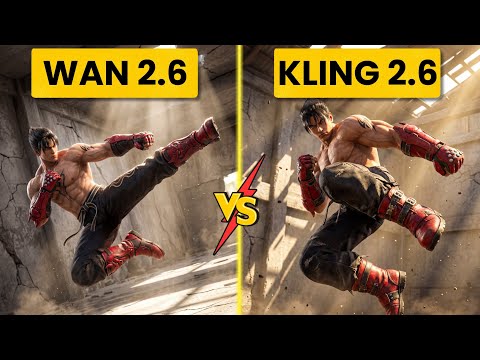 2:560:52Generate action video from text with Wan 2.6The user demonstrates selecting the Wan 2.6 model in Open Art and entering a prompt for a berserker knight smashing through a gate to generate a video with synchronized audio.Ai Chemy
 0:500:42Text-to-video generation with Veo 3.1The creator demonstrates generating an 8-second 4K video of a boxer using a text prompt and the Veo 3.1 model on OpenArt.Youri van Hofwegen