OpenArt: Image-to-video generation with Vidu 3.1

 OpenArt
Demo summary
The user demonstrates how to use a previously generated image as a foundation for video, using the Vidu 3.1 model to animate specific motions.
Step-by-step
- Select the previously generated image to use as the starting frame
- Choose Vidu 3.1 from the model selection menu
- Write a prompt describing only the motion intended for the video
- Set the duration to 6 seconds and resolution to 1080p
- Click generate
Tips
- Use Vidu 3.1 for a cinematic look that matches high-quality source images
- Describe only the motion in the prompt rather than re-describing the entire scene
- Use image-to-video instead of text-to-video for more controlled, intentional motion
Highlights
“look at how much more controlled that result is compared to the text to video clip”
All demos from “How to Use OpenArt Better than 99% of People”
- 1:060:42Compare image generation models in OpenArtThe user demonstrates the visual differences between Nano Banana 2, Cedream 4.5, and Cling 3 Omni models using the same text prompt within OpenArt.OpenArt· AI Image Generator
- 2:490:27Create a consistent character from text in OpenArtThe video shows how to use the 'Describe your character' feature and Nano Banana Pro model to generate and save a reusable character named Duncan.OpenArt· AI Person Generator
- 3:190:48Save reusable objects and styles in OpenArtThe demonstrator uploads images of a pocket watch, an alleyway, and a specific aesthetic to save them as reusable 'Object', 'Background', and 'Style' assets in the library.OpenArt· AI Image Generator
- 4:070:20Compose a scene using saved library assetsThe user tags multiple saved assets (character, prop, environment, style) in the reference panel to generate a fully consistent composite image.OpenArt· AI Image Combiner
- 5:270:20Generate video from text with Cling 3A demonstration of the text-to-video workflow using the Cling 3 model to generate a 5-second 1080p cinematic clip.OpenArt· Text to Video
- 6:020:33Image-to-video generation with Vidu 3.1CurrentThe user demonstrates how to use a previously generated image as a foundation for video, using the Vidu 3.1 model to animate specific motions.OpenArt· Image to Video
- 6:380:20Extend video clips using end-frame referencesThe video shows how to take the last frame of a generated clip and use it as the starting point for a new generation to extend the scene.OpenArt· AI Video Editor
- Watch “How to Use OpenArt Better than 99% of People” →
Image to Video
 9:300:40Animate scenes with Kling 2.6The creator demonstrates animating a static image into a 5-second video clip of characters walking using the Kling 2.6 model within the Open Art interface.Youri van Hofwegen
 2:300:40Animate images using Kling 2.6 in OpenArtThe demonstration shows uploading a static image and using the Kling 2.6 model to generate a realistic video of a girl drinking coffee with natural steam and background movement.Affiliation
 3:030:43Image-to-video conversion using Kling 2.6A demonstration of uploading a static photograph of a city street and using the Kling 2.6 model to animate it with rain and motion effects.Thomas Creates
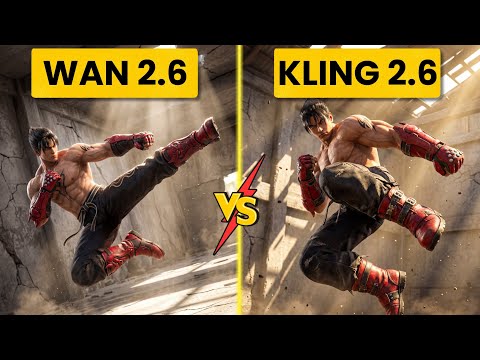 4:400:42Create fight scene from image with Wan 2.6The user uploads a Tekken 8 reference image and uses Wan 2.6 to animate a cinematic fight scene between two characters.Ai Chemy
 5:450:50Image-to-Video workflow in OpenArt to save creditsThe user demonstrates generating a high-quality image of a gold bar first using the 'Image Gen 4' model, then uploading that image to the VEO3 video generator to ensure visual consistency before animating the slice.unknown
 3:450:44Image-to-video with start frame in Veo 3.1The user uploads a starting frame image and a prompt to guide the Veo 3.1 model in generating a consistent 4K video sequence.Youri van Hofwegen
- 4:420:23Image-to-video with start frame in LTX 2.3The LTX 2.3 model is shown processing a starting frame image to generate a high-resolution video with slow-motion effects.Youri van Hofwegen
- 6:430:30Multi-image reference video generation with Veo 3.1The demonstration shows how to use a character sheet and an object reference image simultaneously in Veo 3.1 to maintain visual consistency.Youri van Hofwegen
- 8:090:45Reference image workflow with SeaDance 2.0The SeaDance 2.0 model is shown generating a 720p video using a character sheet, boxing glove reference, and a starting frame.Youri van Hofwegen
 31:141:10Sync motion from one video to anotherThe creator uses Motion Sync to apply the movements of a boxing video to a static cyberpunk character image.Wade McMaster - Creator Impact
- 6:020:33Image-to-video generation with Vidu 3.1CurrentThe user demonstrates how to use a previously generated image as a foundation for video, using the Vidu 3.1 model to animate specific motions.Roboverse
 6:580:43Animate images using Cling 3The creator demonstrates converting a still image into a 5-second video using the Cling 3 model within OpenArt's video interface.Isa does AI