demobook

Image Generation & Editing Tools for Developer / API

76 clips
  1. 22:240:45Generate images with Z-Image Turbo on Hugging FaceThe creator demonstrates how to use the Z-Image Turbo web interface on Hugging Face to generate a realistic photo of a minimalist room by entering a prompt and adjusting resolution settings.Hugging Face · advanced · Developer / API
  2. 5:010:24Advanced face swapping in Pulp FictionThe user shows the process of dropping a specific movie clip into the target panel and a personal photo into the source panel to generate a face swap.Kie.ai · intermediate · Developer / API
  3. 16:400:33Train custom image models with ReplicateThe creator shows how he uses Replicate to train a custom image generation model on his own likeness to generate specific poses and lighting for YouTube thumbnails without a photo shoot.Replicate · advanced · Developer / API
  4. 1:430:47Generate AI images with Z-Image TurboThe creator demonstrates using Z-Image Turbo on Hugging Face to generate a cinematic image of a white wolf using specific descriptive prompts and camera settings.Hugging Face · Hunyuan · advanced · Developer / API
  5. 3:280:24Swap outfits on an AI modelThe user demonstrates the 'change my outfit' feature by uploading a target outfit image and applying it to the previously generated AI influencer model.Kie.ai · intermediate · Developer / API
  6. 9:180:44Changing image camera angles with Qwen Image EditA demonstration of the Qwen image editor on Hugging Face, showing how to use sliders to change the camera perspective and vertical angle of a static car image while maintaining consistency.Hugging Face · Qwen Image · advanced · Developer / API
  7. 2:070:55Generate unrestricted images on Hugging FaceThe creator demonstrates searching for and using an open-source image generation space on Hugging Face to generate high-quality images from text prompts.Hugging Face · advanced · Developer / API
  8. 0:321:10Real-time image editing with Flux and OpenAI APIA demonstration of a voice-controlled image editing app that uses OpenAI's real-time API for conversation and Flux models on Replicate to generate and edit a unicorn image.Replicate · Flux · advanced · Developer / API
  9. 7:011:11Comparing video and image models in Replicate PlaygroundThe Replicate Playground is used to compare physics simulations in video models like Cling and Bite Dance, as well as image quality across Google Imagen 3 and Flux models.Replicate · Flux · advanced · Developer / API
  10. 9:020:18Editing images with Flux Context MaxThe presenter demonstrates removing background elements and changing hair color on a generated squirrel image using the Flux Context Max model.Replicate · Flux · advanced · Developer / API
  11. 11:402:07Creating a YouTube thumbnail with Flux Context ProA user uploads a profile picture to the Replicate playground and uses Flux Context Pro to transform it into an anime-style YouTube thumbnail with custom text.Replicate · Flux · advanced · Developer / API
  12. 27:250:25Merging images with GPT-4o Image ModelA demonstration of the GPT image model on Replicate performing a multi-image input task to merge a floral pattern onto a specific vase.Replicate · advanced · Developer / API
  13. 3:063:39Text-to-image generation with Nano Banana Pro in n8nThe creator demonstrates an n8n workflow that uses an HTTP request node to call the Nano Banana Pro model via Key.ai to generate a hyperrealistic image of the Chicago skyline from a text prompt.n8n · Nano Banana · intermediate · Developer / API
  14. 7:042:25Image-to-image transformation using n8n and Nano Banana ProThis clip shows how to upload a personal photo to an n8n workflow and use Nano Banana Pro to transform it into a new scene, such as placing the subject on a beach while maintaining their likeness.n8n · Nano Banana · intermediate · Developer / API
  15. 9:291:46Combining multiple images into one with Nano Banana ProThe demo shows an n8n automation that takes three separate product image URLs (shirt, watch, water bottle) and uses Nano Banana Pro to generate a single composite image of a man using all three items.n8n · Nano Banana · intermediate · Developer / API
  16. 3:250:41AI image generation with Nano Banana ProA demonstration of generating a stylized map of India using the Nano Banana Pro model within the Abacus AI dashboard.Abacus AI · Nano Banana · intermediate · Developer / API
  17. 4:061:03Creating YouTube thumbnails with GPT Image 2The user demonstrates using a prompt template and the GPT Image 2 model to generate a high-quality documentary-style YouTube thumbnail.Abacus AI · intermediate · Developer / API
  18. 6:570:48Generate AI images with LoRA supportThe demo shows downloading a LoRA from Civitai, refreshing the Gradio UI to select it, and generating an uncensored image locally using the Z Image model.Gradio · intermediate · Developer / API
  19. 6:221:14Compare AI models in Replicate PlaygroundThe video demonstrates the Replicate Playground feature, showing how to compare image generation results side-by-side using the same prompt across Flux Dev, Flux Schnell, and Flux 1.1 Pro.Replicate · Flux · advanced · Developer / API
  20. 10:193:05Generate images with Flux Dev on ReplicateThe creator demonstrates how to use the Flux Dev model on Replicate by entering a prompt, adjusting parameters like aspect ratio and inference steps, and running the generation to produce images.Replicate · Flux · advanced · Developer / API
  21. 7:510:47Multi-model image generation on a unified platformThe user demonstrates switching between different models like Flux (referred to as Z image) and Midjourney (referred to as Nano Banana) to generate images on a single interface.Kie.ai · Nano Banana · intermediate · Developer / API
  22. 3:251:27Generate a poster with readable text using Seedream 4.5The user demonstrates how to generate a minimalist art exhibition poster with specific, legible text titles and body copy using the Seedream 4.5 model on the Chat LLM interface.Abacus AI · Seedream · intermediate · Developer / API
  23. 1:591:09Generate an image in the KIE AI PlaygroundThe presenter uses the KIE AI web interface to select the Flux model and generate an image of a 'space cowboy' using a text prompt.Kie.ai · Flux · intermediate · Developer / API
  24. 6:001:03Using Flux Kontext on Abacus AI Chat LLMThe user switches to the Abacus AI platform to demonstrate generating a consistent character image at a seaside using the Flux Kontext model and a reference photo.Abacus AI · Flux · intermediate · Developer / API
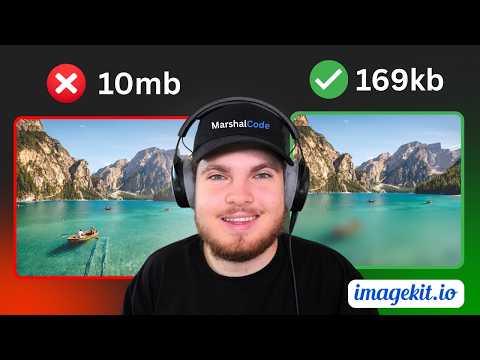
  25. 2:320:41Automatic format optimization for imagesThe presenter demonstrates how ImageKit automatically converts a JPEG to AVIF or WEBP based on browser support to reduce file size without changing the URL.ImageKit · intermediate · Developer / API
  26. 4:270:34URL-based image transformationsThe demo shows adding parameters like 'w-500', grayscale, and background blur directly to the image URL to transform the asset in real-time.ImageKit · intermediate · Developer / API
  27. 5:010:35Adding text and gradients with Layers APIThe presenter demonstrates using the Layers API to programmatically add gradients and dynamic text overlays on top of a base image via URL parameters.ImageKit · intermediate · Developer / API
  28. 11:230:17AI background removalThe presenter shows the built-in AI tool for quickly removing backgrounds from product images within the DAM interface.ImageKit · intermediate · Developer / API
  29. 2:121:03Generate AI images from reference photos in AirtableThe creator demonstrates using an Airtable interface to trigger an n8n workflow that uses Nano Banana Pro to transform a product photo of gummies into a UGC-style image of a person holding the product.n8n · Nano Banana · intermediate · Developer / API
  30. 6:031:22Basic image generation with n8n Gemini nodeThe video shows how to use the standard Google Gemini node in n8n to generate an image by manually entering the model ID for Nano Banana Pro.n8n · Nano Banana · intermediate · Developer / API
  31. 7:572:28Advanced image generation via HTTP RequestThe demo walks through configuring an HTTP Request node in n8n to send a JSON payload to the Google API, allowing for custom aspect ratios and resolutions (1k, 2k, 4k).n8n · Nano Banana · intermediate · Developer / API
  32. 10:273:02Edit images using n8n and Nano Banana ProThe creator demonstrates how to convert an uploaded image to base64 and use it in an n8n workflow to perform image-to-image editing with a text prompt.n8n · Nano Banana · intermediate · Developer / API
  33. 13:292:55Combine multiple images into one generationThe video shows how to pass multiple base64 encoded images into a single API call to blend elements, such as placing a specific hat from one image onto a character from another.n8n · Nano Banana · intermediate · Developer / API
  34. 14:130:45Download SDXL Models via Stability Matrix BrowserThe demo shows how to use the built-in CivitAI integration in Stability Matrix to browse, filter for SDXL 1.0 checkpoints, and download them directly to the shared models folder.Stability AI · Stable Diffusion · advanced · Developer / API
  35. 3:301:26Text-to-image generation in n8nA demonstration of using the 'Message a Model' node in n8n with the Imagen 3 model to generate a realistic image of Alaskan wildlife from a text prompt.n8n · Imagen · intermediate · Developer / API
  36. 8:211:58Multi-image composition in n8nA walkthrough of a complex n8n workflow that merges multiple images from Google Drive into a single cinematic composition using the Gemini API.n8n · Nano Banana · intermediate · Developer / API
  37. 6:091:18Maintain subject consistency with Flux.1 ProThe video shows how to preserve the identity of a specific subject (an Indian peacock) while changing its environment and then animating it with natural movement using Abacus AI's consistency tools.Abacus AI · Flux · intermediate · Developer / API
  38. 3:422:00Generate images with Google Imagen 3 on ReplicateThe user demonstrates how to select the Imagen 3 model, enter a text prompt, and generate high-quality, realistic images on the Replicate platform.Replicate · Imagen · advanced · Developer / API
  39. 0:190:31Browse and download ComfyUI workflows on Running HubThe user demonstrates how to navigate the Running Hub homepage to find popular community workflows and download the JSON configuration files.Running Hub · advanced · Developer / API
  40. 2:090:36Generate realistic images with Flux.1 on Hugging FaceThe creator demonstrates generating a cinematic image of a man in a crowded subway using the Flux.1 model on Hugging Face, highlighting its ability to handle complex environments.Hugging Face · Flux · advanced · Developer / API
  41. 3:090:48Compare image generation with SDXL TurboThe video shows the interface and output of the SDXL Turbo model on Hugging Face, demonstrating its limitations with complex prompts like a boy diving into a lake.Hugging Face · Stable Diffusion · advanced · Developer / API
  42. 30:062:27Adjust Image Quality on the flyThe video demonstrates using the quality prop to dynamically change image compression levels, showing the visual difference between 90% and 5% quality.Next.js · advanced · Developer / API
  43. 43:491:32Chained Image Transformations with ImageKitThe creator demonstrates chaining multiple transformations including width, height, focus, crop, rotation, blur, and grayscale using the transformation prop.ImageKit · intermediate · Developer / API
  44. 47:351:49Overlay Text on ImagesThe demo shows how to use ImageKit's overlay property to programmatically add a 'Subscribe' text badge with custom background and padding to an image.ImageKit · intermediate · Developer / API
  45. 50:490:48AI-Powered Object-Aware CroppingThe video demonstrates using ImageKit's AI focus (fo-cat, fo-dog) to automatically crop images around specific subjects without manual coordinates.ImageKit · intermediate · Developer / API
  46. 0:180:54Launching a Flux workflow in RunComfyThe user selects the 'comfy y flux' workflow from the RunComfy dashboard and configures the GPU instance size to launch the environment.RunComfy · Flux · advanced · Developer / API
  47. 7:252:04Testing prompt adherence in FluxA demonstration of complex prompt adherence by generating a high-quality image of a dog riding a dolphin at sunset.RunComfy · Flux · advanced · Developer / API
  48. 4:112:11Create a 3D Christmas image with DeepAI Image GeneratorThe creator uses DeepAI's image generator to create a 3D winter scene by entering a text prompt and selecting specific styles and dimensions.DeepAI · beginner · Developer / API
  49. 0:160:27Navigating ComfyUI workspaces on RunningHub AIThe video demonstrates the RunningHub AI interface, showing how to access pre-built workflows, create blank projects, and manage pre-installed nodes and models within the cloud-based ComfyUI environment.Running Hub · advanced · Developer / API
  50. 0:150:37Generate and edit images with DeepAIThe user demonstrates how to enter a prompt, select quality settings, and choose from over 100 art styles to generate an image on DeepAI, followed by a look at editing options like background removal and expansion.DeepAI · beginner · Developer / API
  51. 1:300:11Create character sheets in DeepAIThe video shows how to use specific prompt engineering techniques within the DeepAI image generator to create character sheets with different poses and expressions.DeepAI · beginner · Developer / API
  52. 1:410:27Apply Studio Ghibli style to photosThe user demonstrates the Studio Ghibli tool by uploading a photo to transform it into the iconic animation style and shows how to achieve similar results using text prompts.DeepAI · beginner · Developer / API
  53. 1:141:00Training a custom face model and generating themed images in Astria AIThe creator shows the process of uploading 11 personal photos to Astria AI to train a 'tune' and then uses the 'Themes' feature to generate a batch of 10 aristocratic-style portraits.Astria · intermediate · Developer / API
  54. 2:211:33Browsing and using pre-made AI packs in Astria AIThe user explores the 'Packs' marketplace in Astria AI, showing how to apply pre-configured styles like 'Thailand Dreams' or 'TED Talk' to a trained face model.Astria · intermediate · Developer / API
  55. 4:340:56Generating custom AI images with text prompts in Astria AIThe creator demonstrates writing a custom prompt using the 'sks man' trigger word to generate a specific scene of himself sitting on a 500-meter construction site.Astria · intermediate · Developer / API
  56. 3:171:15Generate and edit images with Abacus AIThe user demonstrates how to generate a high-quality image of a woman in medieval clothing using Abacus AI's image generation interface, including setting aspect ratios and guidance scales.Abacus AI · intermediate · Developer / API
  57. 4:350:34Edit generated images using AI promptsThe user shows how to modify an existing AI-generated image by adding people to the background through a simple text prompt within the Abacus AI dashboard.Abacus AI · intermediate · Developer / API
  58. 0:290:43End-to-end AI image generation workflow demoThe creator demonstrates the final automation by submitting a short description into an n8n form and showing how it triggers a sequence that generates a cinematic image and saves it to Google Drive.n8n · Nano Banana · intermediate · Developer / API
  59. 0:091:02Generate images with multiple reference files in Nano Banana ProThe user demonstrates uploading five separate reference images (dress, chair, plant, etc.) and a prompt to generate a composite scene using the Nano Banana Pro model.Kie.ai · Nano Banana · intermediate · Developer / API
  60. 17:521:07Edit image text using a single reference imageThe user demonstrates a 'text-on-image' task where a reference photo of a sign is modified to display specific text ('The AI Edge') while maintaining lighting and shadows.Kie.ai · Nano Banana · intermediate · Developer / API
  61. 19:010:53Text-to-image generation of stylized charactersA quick demonstration of generating a 'plaster scene' (claymation) style image of a character from the show Friends using only a text prompt in the automated workflow.Kie.ai · Nano Banana · intermediate · Developer / API
  62. 4:390:45Create product mockups and brand visuals in Abacus AIThe user demonstrates the image generation capabilities of Abacus AI by prompting for a clean, modern mockup of a tablet and laptop displaying planner pages.Abacus AI · intermediate · Developer / API
  63. 5:240:26Generate social media marketing images with Abacus AIThe creator shows how to use Abacus AI to generate specific social media promotional images for a brand pack, focusing on maintaining a consistent 'cozy' aesthetic.Abacus AI · intermediate · Developer / API
  64. 6:381:58Creating a new dataset in RunComfy TrainerThe user shows how to upload a zipped folder of images and matching text captions to the RunComfy Trainer interface to define a new training dataset.RunComfy · LTX Video · advanced · Developer / API
  65. 8:362:41Configuring a LoRA training job on RunComfyThe demonstration covers setting up a training job for the Z-Image architecture, including setting the trigger word, step count, and sample prompts for monitoring progress.RunComfy · LTX Video · advanced · Developer / API
  66. 13:251:10Reviewing LoRA training sample resultsThe creator reviews the output samples from the training process, comparing different step intervals to identify the best art style replication for the D&D monster LoRA.RunComfy · LTX Video · advanced · Developer / API
  67. 3:290:31Collaborating and editing assets in ImageKitThe video walks through leaving time-stamped comments on videos and using the browser-based image editor for AI background removal within ImageKit.ImageKit · intermediate · Developer / API
  68. 4:170:25Real-time image transformations via ImageKit URLsThe demo shows how to use ImageKit's ready-to-use URLs to apply real-time transformations like resizing and optimization by simply modifying the asset URL.ImageKit · intermediate · Developer / API
  69. 0:000:52Generate fashion lookbooks with Astria LookbookThe video demonstrates using Astria's Lookbook tool to select a model and overlay various clothing, shoes, and accessories to generate professional fashion imagery.Astria · intermediate · Developer / API
  70. 24:060:39Image-to-image character modificationThe demonstration shows how to use the image-to-image function to transform a male character into a female gunslinger while maintaining the same wardrobe style.Kie.ai · Nano Banana · intermediate · Developer / API
  71. 28:170:43Affordable image generation with Z ImageThe user demonstrates generating a high-quality home office scene using the Z Image model on Kie.AI for less than one credit.Kie.ai · intermediate · Developer / API
  72. 0:011:19Generate images from text with DeepAIThe video demonstrates the DeepAI Image Generator interface, showing how to enter a text prompt, select AI models like Genius or HD, choose visual styles, and adjust aspect ratios.DeepAI · beginner · Developer / API
  73. 0:100:42Edit images with text prompts in DeepAI Photo EditorThe video demonstrates uploading an image and using a text prompt to modify visual elements like the sky or scene setting using DeepAI's AI Photo Editor.DeepAI · beginner · Developer / API
  74. 2:060:34Automatic image optimization in ImageKitThe video shows how enabling 'best format' and 'best quality' settings in the ImageKit dashboard automatically converts a JPEG to Avif and reduces file size without manual URL parameters.ImageKit · intermediate · Developer / API
  75. 0:090:33Generate AI images with Stable Diffusion onlineThe video demonstrates navigating to a Stable Diffusion interface on Hugging Face, entering a text prompt, adjusting settings like resolution, and generating a final image.Hugging Face · Stable Diffusion · advanced · Developer / API
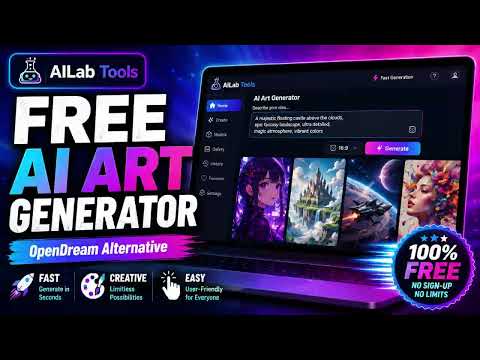
  76. 0:160:13Generate space artwork with AILab ToolsThe user enters a text prompt and sets the aspect ratio in AILab Tools to generate a dramatic space-themed image. The clip shows the generation process and the final downloadable result.AILab Tools · beginner · Developer / API