Podcastle: Enhancing audio with Magic Dust AI


Demo summary
The narrator applies the 'Magic Dust' AI tool to a track to automatically remove background noise and optimize audio for studio quality.
Step-by-step
- Locate the track you wish to enhance
- Hover over the Magic Dust AI button at the top of the interface
- Click the Magic Dust AI button to apply noise removal and dynamic range optimization
- Play back the audio to review the improvements
Highlights
“I think that sounds a lot better.”
All demos from “How to Use Podcastle (Step-by-Step Tutorial for Beginners)”
- 5:030:46Using the Podcastle teleprompterThe narrator shows how to enable and customize the built-in teleprompter tool, adjusting speed and text size while preparing for a recording.PPodcastle· AI Video Recording
- 7:261:11Navigating the Podcastle multi-track editorThe demo shows how to manage separate audio tracks for different speakers, delete unwanted tracks, and adjust individual track settings like volume and panning.PPodcastle· AI Audio Editor
- 8:371:41Recording additional audio in the editorKevin demonstrates how to record a new audio segment (an outro) directly into an existing project timeline using the 'Record' button and playhead.PPodcastle· AI Audio Editor
- 10:180:51Importing external audio filesThe narrator shows how to insert an external MP3 file into a specific track and position it within the project timeline.PPodcastle· AI Audio Editor
- 11:092:03Trimming and splitting audio clipsKevin demonstrates manual editing techniques including dragging clip handles to trim audio and using the split tool (scissors) to cut and delete specific segments.PPodcastle· AI Audio Editor
- 14:222:30Adding royalty-free music and fadesThe demo shows how to browse the Podcastle music library, insert a specific song component (the intro), and apply a fade-out handle to the audio clip.PPodcastle· AI Audio Editor
- 17:372:41AI-powered text-based audio editingKevin demonstrates transcribing audio to text and editing the podcast by deleting words and filler sounds directly from the transcript.PPodcastle· AI Audio Editor
- 20:180:27Enhancing audio with Magic Dust AICurrentThe narrator applies the 'Magic Dust' AI tool to a track to automatically remove background noise and optimize audio for studio quality.PPodcastle· AI Audio Enhancer & Noise Reduction
- Watch “How to Use Podcastle (Step-by-Step Tutorial for Beginners)” →
AI Audio Enhancer & Noise Reduction
 2:370:35Recording and enhancing audio with Podcastle Magic DustThe narrator demonstrates pasting a script into the Podcastle recording studio, recording a human voice, and applying 'Magic Dust' to automatically remove noise and balance audio levels.AI Master
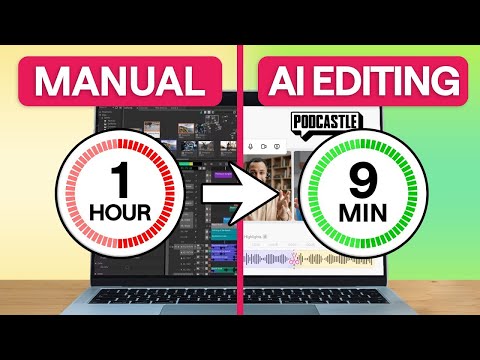 0:270:35Remove background noise with Podcastle AIThe creator demonstrates how to eliminate distracting background noise by clicking the AI assistant button and selecting noise reduction and autoleveling within the Podcastle editor.Async
 3:170:46Enhance audio with Podcastle Magic DustThe creator demonstrates how to upload an audio file to Podcastle and apply the 'Magic Dust' AI feature to remove noise and improve studio quality.Artturi Jalli
- 20:180:27Enhancing audio with Magic Dust AICurrentThe narrator applies the 'Magic Dust' AI tool to a track to automatically remove background noise and optimize audio for studio quality.Kevin Stratvert