Enhance audio with Podcastle Magic Dust


Demo summary
The creator demonstrates how to upload an audio file to Podcastle and apply the 'Magic Dust' AI feature to remove noise and improve studio quality.
Step-by-step
- Sign up for a Podcastle account and answer the setup questions
- Select a plan to activate the automatic free trial
- Drag and drop your audio file into the editor view
- Select the Magic Dust AI feature
- Wait for the AI to process the audio
- Preview the clip and click the Export button at the top right corner to download
Watch out for
- You must choose a plan to access the features, even for the free trial
Tips
- Cancel your subscription during the free trial period if you want to avoid being charged
- Use this tool as a high-quality free option for audio enhancement
Highlights
“the best free option on this list”
All demos from “6 Best AI Audio Enhancers with Results | Free & Paid”
- 3:170:46Enhance audio with Podcastle Magic DustCurrentThe creator demonstrates how to upload an audio file to Podcastle and apply the 'Magic Dust' AI feature to remove noise and improve studio quality.PPodcastle· AI Audio Enhancer & Noise Reduction
- 6:450:18Clean speech with Adobe AI Audio EnhancerA walkthrough of using Adobe's free tool to drag and drop a low-quality recording for automatic speech enhancement and noise removal.Adobe Audition· AI Audio Enhancer & Noise Reduction
- 9:050:37Process audio using Auphonic AI Voice CleanerThe user demonstrates uploading a clip to Auphonic and selecting the 'AI Voice Cleaner' preset to balance sound levels and reduce background noise.Auphonic· AI Audio Enhancer & Noise Reduction
- 12:260:27Automate podcast editing with PodsqueezeThe demo shows how to upload audio to Podsqueeze and use the 'Edit and Enhance Audio' feature to generate content and improve vocal quality.Podsqueeze· AI Audio Enhancer & Noise Reduction
- 17:390:13Clean audio with Cleanvoice AIA brief demonstration of using the 'Clean Audio' feature in Cleanvoice by dragging and dropping a file to automate the removal of filler words and silences.Cleanvoice· AI Audio Enhancer & Noise Reduction
- Watch “6 Best AI Audio Enhancers with Results | Free & Paid” →




AI Audio Enhancer & Noise Reduction
 2:370:35Recording and enhancing audio with Podcastle Magic DustThe narrator demonstrates pasting a script into the Podcastle recording studio, recording a human voice, and applying 'Magic Dust' to automatically remove noise and balance audio levels.AI Master
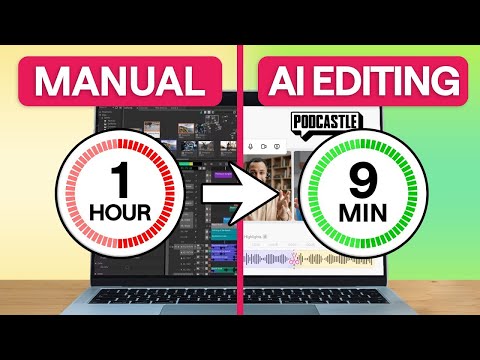 0:270:35Remove background noise with Podcastle AIThe creator demonstrates how to eliminate distracting background noise by clicking the AI assistant button and selecting noise reduction and autoleveling within the Podcastle editor.Async
- 3:170:46Enhance audio with Podcastle Magic DustCurrentThe creator demonstrates how to upload an audio file to Podcastle and apply the 'Magic Dust' AI feature to remove noise and improve studio quality.Artturi Jalli
 20:180:27Enhancing audio with Magic Dust AIThe narrator applies the 'Magic Dust' AI tool to a track to automatically remove background noise and optimize audio for studio quality.Kevin Stratvert