Recording and enhancing audio with Podcastle Magic Dust


Demo summary
The narrator demonstrates pasting a script into the Podcastle recording studio, recording a human voice, and applying 'Magic Dust' to automatically remove noise and balance audio levels.
Step-by-step
- Open the recording studio
- Paste your script into the studio interface
- Click the record button
- Read the script and click stop
- Drop the recording into the timeline
- Select the audio and click Magic Dust
Highlights
“The cleanup is that fast.”
All demos from “How To Create Podcasts With AI — Full Guide For Beginners 2025”
- 2:370:35Recording and enhancing audio with Podcastle Magic DustCurrentThe narrator demonstrates pasting a script into the Podcastle recording studio, recording a human voice, and applying 'Magic Dust' to automatically remove noise and balance audio levels.PPodcastle· AI Audio Enhancer & Noise Reduction
- 4:230:14Text-based audio editing in PodcastleThe demonstration shows how to edit audio by manipulating the transcript text, where deleting or reordering sentences automatically rearranges the underlying audio tracks.PPodcastle· AI Audio Editor
- 4:370:22Adding music and sound effects in PodcastleThe user searches the royalty-free library for 'uplifting synth' and 'whoosh' effects, dragging them onto the timeline and adjusting volume levels.PPodcastle· AI Audio Editor
- Watch “How To Create Podcasts With AI — Full Guide For Beginners 2025” →
AI Audio Enhancer & Noise Reduction
- 2:370:35Recording and enhancing audio with Podcastle Magic DustCurrentThe narrator demonstrates pasting a script into the Podcastle recording studio, recording a human voice, and applying 'Magic Dust' to automatically remove noise and balance audio levels.AI Master
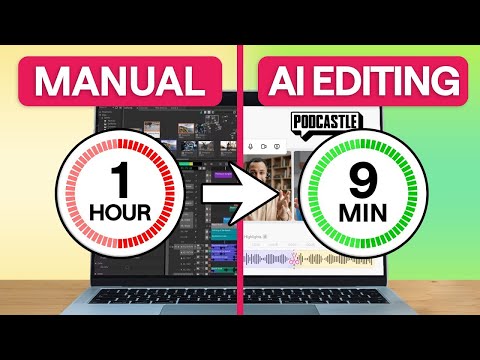 0:270:35Remove background noise with Podcastle AIThe creator demonstrates how to eliminate distracting background noise by clicking the AI assistant button and selecting noise reduction and autoleveling within the Podcastle editor.Async
 3:170:46Enhance audio with Podcastle Magic DustThe creator demonstrates how to upload an audio file to Podcastle and apply the 'Magic Dust' AI feature to remove noise and improve studio quality.Artturi Jalli
 20:180:27Enhancing audio with Magic Dust AIThe narrator applies the 'Magic Dust' AI tool to a track to automatically remove background noise and optimize audio for studio quality.Kevin Stratvert