Imagine.art: Create product mockups using ImagineArt Apps
 Imagine.art
Demo summary
The user demonstrates the 'Apps' section by uploading a 2D logo and using presets to generate realistic product shots in various environments like space and cityscapes.
Step-by-step
- Navigate to the Apps section in Imagine.art
- Select a product concept preset, such as 'product between buildings' or 'space product'
- Upload a 2D company logo
- Click Generate
Options
- Choose between different environment presets like cityscapes or space themes
Tips
- Use 2D images to generate 3D-style product mockups
Highlights
“This is actually pretty cool. Wow. Very impressive promo.”
All demos from “Most Premium Generative AI Tool? ImagineArt Review”
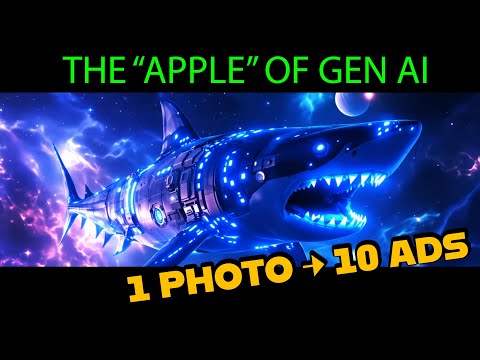
- 2:000:51Generate images with Imagine Art 1.5 and Flux 1.1The user demonstrates generating a sci-fi shark image using the in-house Imagine Art 1.5 model and then switches to Flux 1.1 Ultra to compare the high-quality outputs.Imagine.art· Text to Image
- 3:030:29Animate images with Kling 2.6 ProThe creator uses the Kling 2.6 Pro model within ImagineArt to animate a previously generated image, utilizing the preview mode to test motion before final generation.Imagine.art· Image to Video
- 3:470:32Create product mockups using ImagineArt AppsCurrentThe user demonstrates the 'Apps' section by uploading a 2D logo and using presets to generate realistic product shots in various environments like space and cityscapes.Imagine.art· AI Product Photography
- 5:230:30Upscale and animate imagesThe video shows the built-in enhancement tools to upscale a static image and convert it into a video using the platform's animation models.Imagine.art· Image to Video
- 5:570:52Text-to-video generation with Kling 2.6 ProThe user generates a sci-fi video from a text prompt using the Kling 2.6 Pro model, demonstrating the inclusion of AI-generated sound.Imagine.art· Text to Video
- 6:490:47Image editing and compositionThe creator demonstrates the edit tool by uploading a logo and a portrait, combining them into a new composition, and then animating the result.Imagine.art· AI Image Combiner
- 7:362:24Automate product photography with ImagineFlowA detailed walkthrough of the ImagineFlow visual workflow builder, showing how a single headphone photo is processed through nodes to generate five different marketing campaign styles automatically.Imagine.art· AI Product Photography
- Watch “Most Premium Generative AI Tool? ImagineArt Review” →
AI Product Photography
- 3:470:32Create product mockups using ImagineArt AppsCurrentThe user demonstrates the 'Apps' section by uploading a 2D logo and using presets to generate realistic product shots in various environments like space and cityscapes.Shark Numbers
- 7:362:24Automate product photography with ImagineFlowA detailed walkthrough of the ImagineFlow visual workflow builder, showing how a single headphone photo is processed through nodes to generate five different marketing campaign styles automatically.Shark Numbers
 2:001:10Generate photorealistic product shots with ImagineArt 1.5The creator demonstrates generating a high-detail perfume bottle image using a specific text prompt and the ImagineArt 1.5 model, highlighting the refraction and texture quality.AI Master
- 8:551:15Transform products into urban scenes using AppsThe creator uses the 'Product Between Buildings' app to automatically place a sneaker photo into a realistic 3D city environment without manual prompting.AI Master
 9:021:00Automated product photo shoot workflowThe creator shows how to use a workflow to describe an uploaded product image and automatically generate four distinct professional product shots using an LLM-driven prompt generator.Bob Doyle Media