Imagine.art: Transform products into urban scenes using Apps

 Imagine.art
Demo summary
The creator uses the 'Product Between Buildings' app to automatically place a sneaker photo into a realistic 3D city environment without manual prompting.
Step-by-step
- Click on the Product Between Buildings app
- Upload a standard product photo with a clean background
- Select the desired aspect ratio
- Choose between image or video output type
- Click the generate button
Options
- Select vertical format for social media
- Toggle output type between image or video
Tips
- Use a standard product shot with a white background and clean angles for the best results
Highlights
“No prompt, no model selection, no advanced settings, just one click.”
All demos from “You'll Cancel Your AI Subscriptions After This! How to Generate Images & Videos Cheaper (ImagineArt)”
- 2:001:10Generate photorealistic product shots with ImagineArt 1.5The creator demonstrates generating a high-detail perfume bottle image using a specific text prompt and the ImagineArt 1.5 model, highlighting the refraction and texture quality.Imagine.art· AI Product Photography
- 3:241:21Create realistic portraits with ImagineArt 1.5A demonstration of generating a portrait of a woman with sunglasses to show how the model handles skin texture, metallic reflections, and fabric details.Imagine.art· AI Realistic Image Generator
- 5:501:23Using Preview Mode for video generationThe user shows how to use the 'Preview' feature to generate low-cost still interpretations of a coffee cup prompt before committing credits to a full video render.Imagine.art· AI Animation Generator
- 8:551:15Transform products into urban scenes using AppsCurrentThe creator uses the 'Product Between Buildings' app to automatically place a sneaker photo into a realistic 3D city environment without manual prompting.Imagine.art· AI Product Photography
- 12:331:11Compare video generation models (VO3 vs Runway)The video shows a side-by-side comparison of a samurai scene generated using the VO3 and Runway models within the ImagineArt interface.Imagine.art· Text to Video
- Watch “You'll Cancel Your AI Subscriptions After This! How to Generate Images & Videos Cheaper (ImagineArt)” →
AI Product Photography
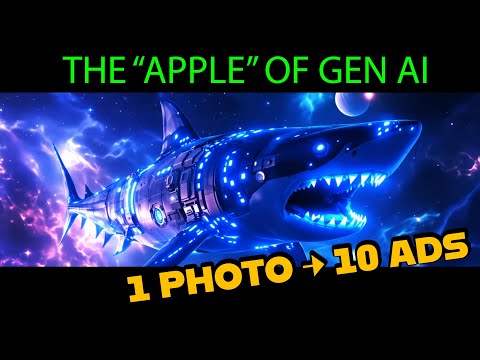 3:470:32Create product mockups using ImagineArt AppsThe user demonstrates the 'Apps' section by uploading a 2D logo and using presets to generate realistic product shots in various environments like space and cityscapes.Shark Numbers
- 7:362:24Automate product photography with ImagineFlowA detailed walkthrough of the ImagineFlow visual workflow builder, showing how a single headphone photo is processed through nodes to generate five different marketing campaign styles automatically.Shark Numbers
- 2:001:10Generate photorealistic product shots with ImagineArt 1.5The creator demonstrates generating a high-detail perfume bottle image using a specific text prompt and the ImagineArt 1.5 model, highlighting the refraction and texture quality.AI Master
- 8:551:15Transform products into urban scenes using AppsCurrentThe creator uses the 'Product Between Buildings' app to automatically place a sneaker photo into a realistic 3D city environment without manual prompting.AI Master
 9:021:00Automated product photo shoot workflowThe creator shows how to use a workflow to describe an uploaded product image and automatically generate four distinct professional product shots using an LLM-driven prompt generator.Bob Doyle Media