Imagine.art: Upscale and animate images
 Imagine.art
Demo summary
The video shows the built-in enhancement tools to upscale a static image and convert it into a video using the platform's animation models.
Step-by-step
- Navigate to the image section
- Select the image you wish to modify
- Click on Animate
- Select the 'High' setting for the animation
- Click on Upscale to enhance the image resolution
Options
- Remove the background
- Upscale the image
- Animate the image
Highlights
“Look at this animation. Pretty cool.”
All demos from “Most Premium Generative AI Tool? ImagineArt Review”
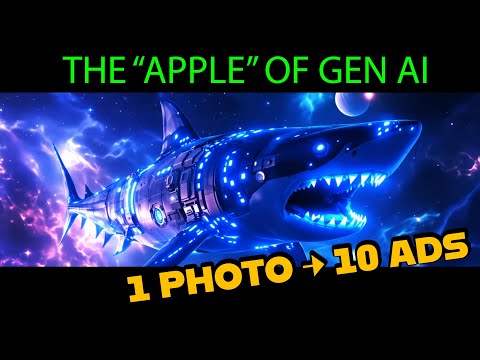
- 2:000:51Generate images with Imagine Art 1.5 and Flux 1.1The user demonstrates generating a sci-fi shark image using the in-house Imagine Art 1.5 model and then switches to Flux 1.1 Ultra to compare the high-quality outputs.Imagine.art· Text to Image
- 3:030:29Animate images with Kling 2.6 ProThe creator uses the Kling 2.6 Pro model within ImagineArt to animate a previously generated image, utilizing the preview mode to test motion before final generation.Imagine.art· Image to Video
- 3:470:32Create product mockups using ImagineArt AppsThe user demonstrates the 'Apps' section by uploading a 2D logo and using presets to generate realistic product shots in various environments like space and cityscapes.Imagine.art· AI Product Photography
- 5:230:30Upscale and animate imagesCurrentThe video shows the built-in enhancement tools to upscale a static image and convert it into a video using the platform's animation models.Imagine.art· Image to Video
- 5:570:52Text-to-video generation with Kling 2.6 ProThe user generates a sci-fi video from a text prompt using the Kling 2.6 Pro model, demonstrating the inclusion of AI-generated sound.Imagine.art· Text to Video
- 6:490:47Image editing and compositionThe creator demonstrates the edit tool by uploading a logo and a portrait, combining them into a new composition, and then animating the result.Imagine.art· AI Image Combiner
- 7:362:24Automate product photography with ImagineFlowA detailed walkthrough of the ImagineFlow visual workflow builder, showing how a single headphone photo is processed through nodes to generate five different marketing campaign styles automatically.Imagine.art· AI Product Photography
- Watch “Most Premium Generative AI Tool? ImagineArt Review” →
Image to Video
 4:180:39Animate images with camera presets and soundThe video shows converting a still image into a video using the 1.2.5 model, applying an 'orbit right' camera preset and generating synchronized audio effects.Bob Doyle Media
- 8:070:55Automate multi-angle video generationDemonstration of a complex workflow that takes one image, uses an LLM to generate five unique camera angle prompts, and runs them through different video models simultaneously.Bob Doyle Media
 3:050:45Animate images into video sequencesThe video shows the 'Video Creation' section where a user adds start and end frames, selects camera movements like dolly or jib, and sets the pacing to generate a 15-second cinematic clip.ImagineArt
  11:511:01Image-to-video animationThe demonstrator uses an existing asset and a prompt to animate a still image into a video clip with environmental motion.ImagineArt
  3:530:40Convert AI generated images to video in Imagine.ArtThe creator demonstrates a multi-step workflow where a realistic image of a woman is first generated and then converted into a video using a secondary prompt node.AI Zayan
- 3:030:29Animate images with Kling 2.6 ProThe creator uses the Kling 2.6 Pro model within ImagineArt to animate a previously generated image, utilizing the preview mode to test motion before final generation.Shark Numbers
- 5:230:30Upscale and animate imagesCurrentThe video shows the built-in enhancement tools to upscale a static image and convert it into a video using the platform's animation models.Shark Numbers
 3:020:54Create short-form AI video with Imagine Art and KlingThe creator demonstrates using the Imagine Art workflow tab to import reference images, apply 'Nano Banana Pro' for realism enhancement, and then generate a 10-second video clip using the Kling 2.6 engine.River Cody
 24:194:37Animate static images into AI videoThe video walks through the Video Craft studio, demonstrating how to animate a static image of a llama using the Kling 1.6 SD model and camera motion effects.Blog With Ben