Parallel/power dialer
Dial many numbers at once to maximize live conversations.
Parallel/power dialer Tutorials

 Outreach

 Jordan Park | RevPilot — Close CRM & Sales Ops

 SoftwareFinds
 Jordan Park | RevPilot — Close CRM & Sales Ops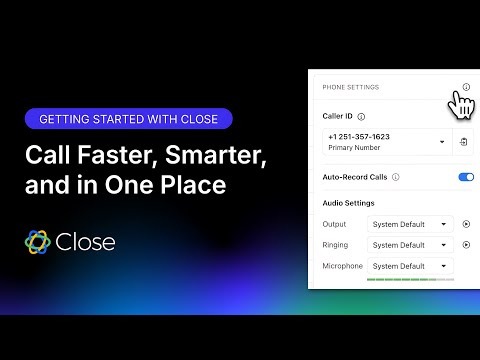
 Close
Close
 Orum
Orum

 ConnectAndSell

 BizGuide
 Jordan Park | RevPilot — Close CRM & Sales Ops
 Orum
Orum Orum
Orum Orum
Orum Orum
Orum
 Sam Queen, CloseDr
 Orum
Orum Orum
Orum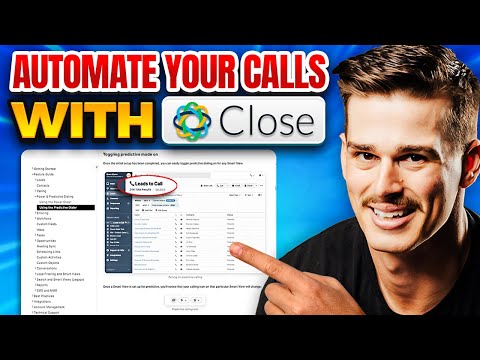 Sam Queen, CloseDr
 Sam Queen, CloseDr
Parallel/power dialer Tools
AI-powered live conversation platform to supercharge sales activity and pipeline.
Human-powered AI sales acceleration for 10x more live decision-maker conversations.
What is a Parallel Dialer?
A parallel dialer is a multi-line dialing tool that calls between 2 and 10 numbers simultaneously. The system uses AI to detect live answers, instantly connecting the sales representative to the first person who picks up while dropping the other lines. This is the preferred method for high-volume cold calling where the goal is to bypass busy signals and voicemails to maximize human-to-human talk time.
In contrast, a power dialer is a linear system. It dials one number at a time from a pre-set list, automatically moving to the next contact only after the current call ends. While slower than parallel dialing, power dialers are ideal for high-touch, personalized outreach where you need to review CRM notes before the phone rings.
The Standard Dialer Workflow
Regardless of the tool you choose, most high-performing sales teams follow a specific sequence demonstrated in our library of clips:
- List Integration: Sync your dialer with a CRM like Salesforce, HubSpot, or Close. This ensures every call attempt and disposition is logged automatically.
- Configuration: Set your 'parallel' count (typically starting with 3-4 lines) and enable 'Local Presence' to match the prospect's area code.
- Voicemail Drops: Pre-record a standard message. If the dialer hits an answering machine, you can 'drop' the recording with one click and move to the next dial.
- The Live Connection: When a prospect answers, the software 'pings' the rep. You must be ready to speak immediately, as there is no delay between the prospect saying 'hello' and your connection.
- Dispositioning: After the call, select an outcome (e.g., 'Meeting Booked' or 'Not Interested') to trigger automated follow-up tasks in your CRM.
Top Tools by Demo Count
Based on our first-party data, these tools are the most frequently demonstrated for this task:
- Orum (12 demos): Often cited as the gold standard for enterprise SDR teams, Orum focuses on high-speed parallel dialing and AI-driven voicemail detection.
- Close CRM (9 demos): A popular choice for teams wanting a built-in power dialer directly inside their CRM platform without needing third-party integrations.
- Nooks (2 demos): Known for its 'virtual salesfloor' and AI parallel dialing that helps mid-market teams scale conversations.
Tips for Success
Real-world tutorials highlight a few critical caveats. First, always scrub your lists against the DNC (Do Not Call) registry to maintain TCPA compliance. Second, avoid 'predictive' settings that guess when a rep is free, as these often lead to awkward silences or dropped calls. Instead, stick to parallel dialing which only connects you when a human is actually on the line. Finally, use parallel dialing for cold lists and save power dialing for warm leads that require 1:1 research.
Frequently asked questions
What is the difference between a power dialer and a parallel dialer?
A power dialer calls one number at a time sequentially, making it a linear process. A parallel dialer calls multiple lines simultaneously (up to 10) and connects the rep only to the first person who answers, significantly increasing hourly call volume.
How does a parallel dialer work?
The software dials several numbers at once from your lead list. Using AI voice detection, it filters out busy signals and voicemails, routing only live human answers to the sales rep while instantly disconnecting the other active dials.
Are auto dialers illegal in the US?
While not illegal, they are strictly regulated by the TCPA. You must ensure your lists are scrubbed against DNC registries and that you are not using pre-recorded marketing messages without prior express consent.
What is the best dialer for cold calling?
How much do power dialers cost?
Is there a free parallel dialer?
Most professional-grade parallel dialers do not offer permanent free versions, but many providers like Nooks and Kixie offer 7-day free trials to test the multi-line functionality before committing.
What is the difference between a predictive dialer and a parallel dialer?
Predictive dialers use algorithms to guess when a rep will be free, which can cause 'dead air' or dropped calls if no rep is available. Parallel dialers only connect when a human answers, ensuring a rep is always ready to speak.