Close CRM: Using the Close Power Dialer

 Close CRM
Demo summary
Demonstrates the built-in dialer functionality for making outbound calls directly from lead lists and tracking call activities.
All demos from “Close CRM Tutorial 2025 (full demo)”
- 3:242:51Lead and Contact Hierarchy in CloseDemonstrates the lead and contact structure, showing how to organize company information, email addresses, and custom fields within a lead profile.Close CRM· Sync leads to CRM
- 7:472:50Managing Custom Fields and OpportunitiesShows how to create and manage custom fields (single choice, date, multi-drop) to track specific prospect data and opportunity statuses.Close CRM· Append firmographic/technographic data
- 19:373:05Building Automated WorkflowsWalks through setting up automated sequences in Close, including triggers, email sending delays, and SMS steps.Close CRM· Build a cold-email sequence
- 25:002:45Using the Close Power DialerCurrentDemonstrates the built-in dialer functionality for making outbound calls directly from lead lists and tracking call activities.Close CRM· Parallel/power dialer
- 28:291:25Sales Activity Reporting and DashboardsA walkthrough of the reporting interface to track completed activities, call volume, and sales performance metrics.Close CRM· Lead routing & booking
- Watch “Close CRM Tutorial 2025 (full demo)” →
Parallel/power dialer
 1:402:40Configuring Phone Settings and Dialer in CloseThe presenter demonstrates how to set up a US-based phone number, configure country codes, and adjust microphone and recording settings within the Close CRM dialer.Jordan Park | RevPilot — Close CRM & Sales Ops
 0:441:11Power dialing and lead views in CloseThe demo shows the 'Smart Views' interface and how to initiate a power dialing session to call through a list of prospects efficiently.SoftwareFinds
 10:322:30Setting up the Close Power DialerShows the configuration of phone numbers and the integrated dialer settings, including the AI Notetaker for sales calls.Jordan Park | RevPilot — Close CRM & Sales Ops
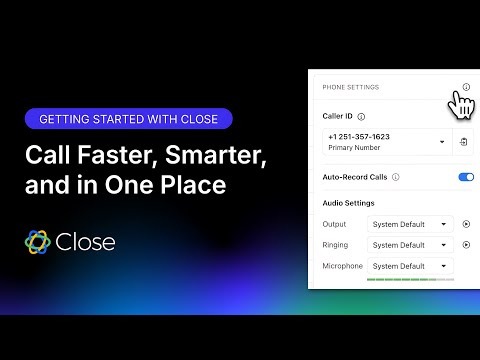 0:571:48Making calls and managing voicemails in CloseDemonstrates how to initiate calls directly from lead profiles and manage voicemails within the CRM interface.Close
- 2:431:46Setting up Power and Predictive DialersShows the configuration of automated dialing systems including predictive dialing for high-volume outbound teams.Close
 33:382:00Configuring the Close Power DialerShows the setup for the built-in dialer, including phone number registration and predictive dialing settings.Jordan Park | RevPilot — Close CRM & Sales Ops
- 25:002:45Using the Close Power DialerCurrentDemonstrates the built-in dialer functionality for making outbound calls directly from lead lists and tracking call activities.Sam Queen, CloseDr
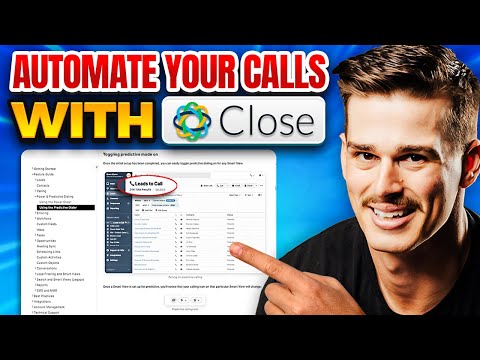 2:301:35Setting up the Close CRM Predictive DialerThe video demonstrates the steps to enable the predictive dialer, assign users to groups, and configure voicemail and abandonment settings within the Close CRM interface.Sam Queen, CloseDr
 18:100:51Using the Close Power DialerBriefly demonstrates the integrated dialer interface for making calls directly from the lead list.Sam Queen, CloseDr