Image to Video for Filmmaking & Cinematic
AI films, short films, trailers, cinematic sequences and B-roll.
Image to Video for Filmmaking & Cinematic Tutorials
45 demos

Feb 2026 · 192.8K views Roboverse
Roboverse3:260:20Higgsfield
Create cinematic transitions between imagesThe user uploads two different images and applies the 'Raven' transition effect to create a seamless camera movement traveling through space between the scenes.Image to Video
5:421:16HiggsfieldKlingPrompt
Multi-shot image-to-video generationThe user demonstrates Higgsfield's video interface by uploading an image and using the Kling 3.0 model with a multi-shot prompt to create a 10-second cinematic sequence with specific camera movements.Image to Video
Apr 2026 · 6.4K views Money4Life
Money4Life4:031:42HiggsfieldKlingPrompt
Animate AI scenes with Kling 3.0The narrator demonstrates converting a static scene into a video by selecting the Kling 3.0 model, adding motion prompts, and setting the duration and quality to 1080p.Image to Video
Jun 2026 · 12.5K views Creating with Conor
Creating with Conor7:541:25HiggsfieldKling
Animate backgrounds with Higgsfield Kling 3.0The user demonstrates generating a clean background in Higgsfield and then animating it using the Kling 3.0 video model with a start-frame reference.Image to Video
Jun 2026 · 28K views Malva AI
Malva AI4:150:38Higgsfield
Automated video creation with Higgsfield SupercomputerThe video shows the Higgsfield Supercomputer agent performing research, generating images, and then automatically converting those images into a video with audio using the C-Dance 2.0 model.Image to Video
May 2026 · 58.2K viewsMalva AI
Malva AI4:500:57HiggsfieldSeedance
Cinematic Video Generation with HiggsfieldThe video demonstrates using Higgsfield to generate high-quality images with GPT Image 2 and then animating them using the SeaDance 2.0 model.Image to Video
May 2026 · 656 views Mr.Endatah
Mr.Endatah4:501:02HiggsfieldSeedance
Animate images using C Dance 2.0The demonstration shows connecting an image node to a video generation node using the C Dance 2.0 model, including adjusting aspect ratio and motion settings to produce a cinematic video.Image to Video
May 2026 · 95.4K viewsMalva AI
Malva AI5:040:26HiggsfieldSeedance
Cinematic video generation with HiggsfieldThe demo shows generating an image using GPT Image 2 and then using the 'animate' feature to create a cinematic clip with SeaArt 2.0.Image to Video
May 2026 · 1.1K views Mhd Labs
Mhd Labs2:401:13Higgsfield
Create AI video from image and prompt nodesThe demonstrator connects a previously generated image to a video generator node and adds a cinematic prompt to create a 12-second video with complex camera movements.Image to Video
May 2026 · 8.2K views Artturi Jalli
Artturi Jalli4:071:49HiggsfieldSeedance
Convert an AI image to video with motion promptsThe demo shows connecting an image node to a video generation node (using the Cedance 2.0 model) and adding a motion prompt to make the generated cat stand up and jump.Image to Video
May 2026 · 111.4K views Higgsfield AI
Higgsfield AI48:143:52Higgsfield
Generating video from image references in Higgsfield AIThe video demonstrates the process of using character sheets and location references to generate a video clip of a character entering a room using Higgsfield AI.Image to Video
Apr 2026 · 8.5K views Alwi Batarilan
Alwi Batarilan20:082:52HiggsfieldKling
Building an AI video workflow with Kling 3.0The demonstration shows how to set up a video generation pipeline by connecting a source image and a script prompt to the Kling 3.0 video generator node.Image to Video
Apr 2026 · 38.8K views Youri van Hofwegen
Youri van Hofwegen6:381:17Higgsfield
Generate AI video from image referencesThe demonstration shows how to upload character, location, and vehicle assets into the video section of Higgsfield, configure camera movement and speed ramps, and generate a 15-second cinematic clip with audio.Image to Video
Apr 2026 · 167.8K viewsYouri van Hofwegen
Youri van Hofwegen11:441:26Higgsfield
Animate a single shot with camera controlsThe video demonstrates converting a still image into a video by setting character emotions, camera movements (cinematic push), and speed ramps in Cinema Studio.Image to Video
May 2026 · 8.6K viewsArtturi Jalli
Artturi Jalli1:39:231:28HiggsfieldKling
Motion control with Kling 3.0The user demonstrates copying movements from a motion library onto a static character image using the Kling 3.0 motion control model.Image to Video
Mar 2026 · 1.9K views LTX_io
LTX_io20:312:59LTX StudioLTX Video
Converting still images to video with LTX 2.3The presenter uses the LTX 2.3 video model to animate a still image of headphones, applying a 'dolly in' camera preset and a text prompt for motion.Image to Video

Mar 2026 · 154K views Steven Wommack
Steven Wommack2:390:19Higgsfield
Create consistent AI characters in HiggsfieldThe creator demonstrates how to upload photos of a person to Higgsfield Cinema Studio 2.5 to build a consistent AI character for video generation.Image to Video2:580:22Higgsfield
Define AI video locations in HiggsfieldThe user shows how to upload mood images to Higgsfield to define a specific, repeatable location for AI-generated scenes.Image to Video4:381:08Higgsfield
Animate images using Higgsfield Cinema StudioThe creator demonstrates uploading a generated image and applying camera movement prompts and duration settings to animate the scene.Image to Video
May 2026 · 6.4K views Joseph Martin
Joseph Martin4:140:38HiggsfieldSeedance
Convert image to video with node connectionsThe workflow is extended by connecting a generated image and an LLM-generated video prompt into a video generation node.Image to Video
Mar 2026 · 66.7K viewsYouri van Hofwegen
Youri van Hofwegen9:290:40Higgsfield
Animate video with Director Panel controlsThe user demonstrates the Director Panel to set camera movement, speed ramping, and emotional genre (intimate) to animate a 5-second clip from start and end frames.Image to Video
Mar 2026 · 12.2K views Alex Best Digital
Alex Best Digital4:391:48Tencent HunyuanHunyuan
Convert images to video with Hunyuan Video 1.5The creator shows the process of uploading a generated image, writing a motion prompt, and using the 'prompt enhancer' to create an animated video clip.Image to Video
Mar 2026 · 155.2K views Theoretically Media
Theoretically Media10:020:25LTX StudioLTX Video
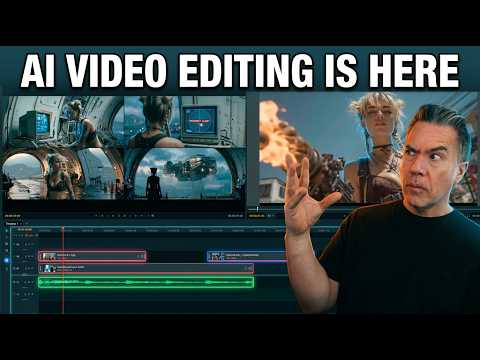
Image-to-video generation from the timelineA still image is imported into the LTX Desktop timeline and converted into a video clip using the integrated image-to-video settings and camera motion controls.Image to Video
Dec 2025 · 5.6K views InstantHowTo
InstantHowTo2:141:23Higgsfield
Create AI video from an image promptThe user shows how to convert an image into a video by adding a text description of the action, selecting a 'drone shot' movement, and enabling slow motion in Higgsfield AI.Image to Video6:450:27Higgsfield
Applying camera orbit movement to AI videoThe user demonstrates setting up a video generation with an 'orbit around' camera movement applied to a previously generated image of Christmas trees.Image to Video
Apr 2026 · 101.7K views David Manning
David Manning13:271:19Higgsfield
Generate story variations with Multi-shot and What's NextThe creator uses the 'Multi-shot' and 'What's Next' features to automatically generate nine different cinematic angles and narrative progressions from a single reference image.Image to Video
Apr 2026 · 49K viewsMalva AI
Malva AI4:020:56HiggsfieldNano Banana
Generate image-to-video with HiggsfieldThe demo shows using the Nano Banana 2 model for image generation and the SeaDance 2.0 model to animate those images into high-quality video clips within the Higgsfield platform.Image to Video
May 2026 · 699.1K views Jack Craig
Jack Craig12:250:46Higgsfield
Animate AI images into video with HiggsfieldThe creator uses the animate feature in Higgsfield to turn a static AI-generated image of a dog into a moving video clip.Image to Video
Jan 2026 · 3.5K views Dom the AI Tutor | Tech Tutor Zones
Dom the AI Tutor | Tech Tutor Zones7:080:35HiggsfieldKling
Animate AI influencers with Kling 2.6The demonstration shows how to select an image, write an action prompt, and use the Kling 2.6 model within Higgsfield to generate a video of the character wrestling.Image to Video
May 2026 · 79.7K views Joris Hermans
Joris Hermans2:181:00Higgsfield
Generate video elements with Higgsfield Cinema Studio 3.5The creator demonstrates uploading a studio background screenshot into Higgsfield Cinema Studio 3.5 to generate a centipede breaking through a wall using image-to-video prompting.Image to Video
Nov 2025 · 23.5K views Brain Project
Brain Project4:150:31LTX StudioLTX Video
Image-to-video conversion in LTX StudioThe creator shows the process of uploading a static image to LTX Studio and applying a text prompt to animate it into a video clip.Image to Video
Feb 2026 · 13.3K views Nicky Saunders
Nicky Saunders1:030:24HiggsfieldKling
Basic Image-to-Video Generation with Kling 3.0The creator demonstrates the 'easy mode' of Kling 3.0 by uploading a single image of a dog and generating a motion video within the Higgsfield interface.Image to Video
Dec 2025 · 36.7K views Atomic Gains
Atomic Gains3:230:36Higgsfield
Animate images with cinematic movement and audioThe creator walks through the video tab settings in Higgsfield, including selecting cinematic movements, duration, slow motion, and start/end frames.Image to Video9:010:25Higgsfield
Create motion graphics in Cinema StudioThe demo shows how to animate graphic titles by using two images as start and end frames with the 'motion graphic animation' prompt.Image to Video
Mar 2026 · 161.1K viewsHiggsfield AI
Higgsfield AI6:360:48Higgsfield
Multi-element video generationThe demo shows uploading multiple character and location assets to generate a video of a casual conversation where all elements blend naturally.Image to Video8:330:29Higgsfield
Animate logos with motion design stylesThe user demonstrates animating the Higgsfield logo into 'liquid glass' and 'classic' styles by using a logo as a reference image.Image to Video
Feb 2026 · 83K viewsHiggsfield AI
Higgsfield AI3:150:57HiggsfieldKling
Generate human emotions with Image-to-VideoUsing an image of a woman crying, the creator demonstrates how Kling 3.0 handles complex human emotions and micro-expressions with a simple text prompt.Image to Video4:180:35HiggsfieldKling
Character consistency with reference photosThe demo shows how to upload a reference photo in Kling 3.0 to maintain a character's facial consistency when they turn toward the camera from a back-view start frame.Image to Video6:590:33HiggsfieldKling
Simulating real-life physics in a fight sceneKling 3.0 is shown generating a boxing match from a static image, demonstrating natural body movement and physics like sweat flying off gloves.Image to Video
Jan 2026 · 12.8K views Moe Lueker
Moe Lueker5:220:20Luma Ray 3Dream Machine
Maintain character consistency with reference imagesThe creator shows how to use the reference feature in Luma Ray 3 by uploading a photo of himself to ensure the AI-generated mountaineer maintains his likeness.Image to Video

May 2026 · 38.5K views Daniel | Tech & Data
Daniel | Tech & Data1:290:19Higgsfield
Animate product images with HiggsfieldThe demonstration shows uploading a product image and adding a text prompt to Higgsfield to generate a visually controlled video clip.Image to Video
May 2025 · 47.3K views AI Guy
AI Guy1:350:35LTX StudioLTX Video
Generate images and motion in LTX StudioThe user demonstrates how to generate a still image from a prompt and then use the 'generate motion' feature to turn a static car image into a realistic video clip.Image to Video
May 2026 · 5K views Teacher's Tech
Teacher's Tech11:010:31Higgsfield
Using Image References for Video GenerationThe user uploads a reference image of the Canadian Rockies into Higgsfield to ground the AI's video generation in a specific, realistic location.Image to Video
Oct 2025 · 4.8K views MindForge AI
MindForge AI6:180:18LTX StudioLTX Video
Convert image to video with LTX StudioThe video shows the 'image to video' feature in LTX Studio, transforming a static image of a cat into a dynamic video with realistic water ripples.Image to Video
Jun 2025 · 76.1K views Jon Kent
Jon Kent4:460:18LTX StudioLTX Video
Adding motion to storyboard imagesThe creator demonstrates the 'generate motion' feature and the motion editor to convert static storyboard images into animated video clips.Image to VideoImage to Video for Filmmaking & Cinematic Prompts
2 prompts
HiggsfieldKling
videocinematic scene10 secondsquality: 1080p
HiggsfieldKling
videoanimated characters10 secondsquality: 1080p
Image to Video for Filmmaking & Cinematic Tools
4 tools
Create cinematic AI videos and images with advanced character consistency.
273 tutorialsFilmmaking & Cinematic
A comprehensive AI-driven platform for end-to-end cinematic video production.
38 tutorialsFilmmaking & Cinematic
Cinematic AI video generation with precise multi-keyframe control and scalable workflows.
3 tutorialsFilmmaking & Cinematic
Industrial-grade AIGC video generation model for cinematic quality content
2 tutorialsFilmmaking & Cinematic