LTX Studio: Adding motion to storyboard images

 LTX Studio
Demo summary
The creator demonstrates the 'generate motion' feature and the motion editor to convert static storyboard images into animated video clips.
Step-by-step
- Select a storyboard image
- Click Generate Motion to autogenerate the scene animation
- Click the Motion Editor to access advanced controls
Options
- Use the Motion Editor for more granular control over movement
- Allow the AI to autogenerate motion automatically
All demos from “REAL + Ai Video | Filmmakers Hybrid Workflow (LTX Studio)”
- 2:060:54Generate a storyboard and characters in LTX StudioThe creator demonstrates how to input a script prompt and genre keywords into LTX Studio to generate a storyboard and then uses the character editor to refine age, appearance, and clothing.LTX Studio· AI Storyboard Generator
- 3:180:28Refine shot composition in LTX StudioThe user shows how to use the 'create composition' tool to draw a specific shot layout and use '@' tags to reference specific characters within a prompt.LTX Studio· AI Animation Generator
- 3:570:20Image editing and upscaling in LTX StudioThe video walks through using the tool tab to upscale images, use generative fill to add elements, and the object removal tool to clean up AI-generated frames.LTX Studio· AI Photo Editor
- 4:460:18Adding motion to storyboard imagesCurrentThe creator demonstrates the 'generate motion' feature and the motion editor to convert static storyboard images into animated video clips.LTX Studio· Image to Video
- 6:310:22Hybrid background generation workflowA walkthrough of importing a real footage still into LTX Studio to generate a matching background plate, removing the actor in Photoshop, and re-animating the plate in LTX Studio.LTX Studio· AI Background Generator
- Watch “REAL + Ai Video | Filmmakers Hybrid Workflow (LTX Studio)” →
Image to Video
 20:312:59Converting still images to video with LTX 2.3The presenter uses the LTX 2.3 video model to animate a still image of headphones, applying a 'dolly in' camera preset and a text prompt for motion.LTX_io
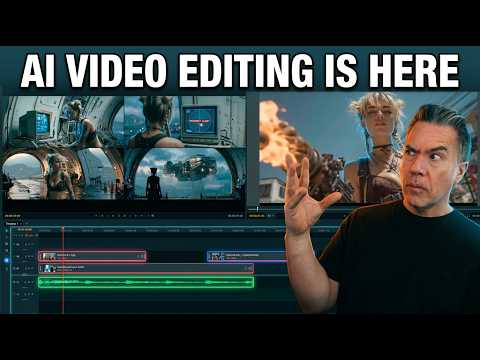 10:020:25Image-to-video generation from the timelineA still image is imported into the LTX Desktop timeline and converted into a video clip using the integrated image-to-video settings and camera motion controls.Theoretically Media
 4:150:31Image-to-video conversion in LTX StudioThe creator shows the process of uploading a static image to LTX Studio and applying a text prompt to animate it into a video clip.Brain Project
 1:350:35Generate images and motion in LTX StudioThe user demonstrates how to generate a still image from a prompt and then use the 'generate motion' feature to turn a static car image into a realistic video clip.AI Guy
 6:180:18Convert image to video with LTX StudioThe video shows the 'image to video' feature in LTX Studio, transforming a static image of a cat into a dynamic video with realistic water ripples.MindForge AI
- 4:460:18Adding motion to storyboard imagesCurrentThe creator demonstrates the 'generate motion' feature and the motion editor to convert static storyboard images into animated video clips.Jon Kent