Enhance and upscale portrait photos with Artguru

 Artguru
Demo summary
The user demonstrates how to upload a portrait to Artguru's photo enhancer to reduce noise, refine skin details, and upscale the image to HD.
Step-by-step
- Open the Photo Enhancer tool
- Drag and drop or click 'Select photos' to upload an image
- Wait for the AI to process noise reduction, skin refinement, and upscaling
- Use the zoom tool to compare the original and enhanced results
- Click the download button
- Select 'HD upscale' to save the high-resolution version to your computer
Options
- Upload up to 50 photos at once
- Choose between 'Original size' or 'HD upscale' for the final output
Highlights
“interface is very easy and userfriendly”
All demos from “How to Enhance Blurry Photos with AI | Artguru Image Enhancer Tutorial 2026”
- 1:181:17Enhance and upscale portrait photos with ArtguruCurrentThe user demonstrates how to upload a portrait to Artguru's photo enhancer to reduce noise, refine skin details, and upscale the image to HD.Artguru· AI Image/Photo Enhancer
- 2:350:33Sharpen landscape photos using Artguru AIA landscape image is processed through Artguru to remove blur and noise, showing a side-by-side comparison of the sharpened details.Artguru· AI Unblur/Sharpen Image
- 3:080:30Upscale vector and draft images with ArtguruThe video shows Artguru upscaling a vector draft to 4K resolution, smoothing out strokes and maintaining color accuracy.Artguru· AI Image Upscaler
- 3:380:49Restore old and damaged photos with ArtguruThe user demonstrates the 'Restore Old Photo' tool to fix a damaged vintage photograph, showing how the AI reconstructs facial details.Artguru· AI Photo Restoration
- 4:400:55Remove and change image backgrounds in ArtguruThe demonstration shows Artguru automatically removing a background and then replacing it with solid colors or custom uploads.Artguru· AI Background Remover
- 5:351:03Remove unwanted objects from photos with ArtguruThe user uses the brush tool in Artguru's object remover to select and erase people and shadows from a photograph.Artguru· AI Object Remover/Eraser
- Watch “How to Enhance Blurry Photos with AI | Artguru Image Enhancer Tutorial 2026” →
AI Image/Photo Enhancer
 1:070:55Enhance low resolution images with ArtGuru AIThe user demonstrates uploading a blurry, low-quality image to ArtGuru.AI's photo enhancer to reduce noise and improve clarity, showing a side-by-side comparison.BeTech
- 2:020:33Sharpen portrait details with ArtGuru AIA second demonstration of the photo enhancer showing how ArtGuru AI refines skin details and sharpens a portrait image into 4K quality.BeTech
- 1:181:17Enhance and upscale portrait photos with ArtguruCurrentThe user demonstrates how to upload a portrait to Artguru's photo enhancer to reduce noise, refine skin details, and upscale the image to HD.Nijat Ibrahimli
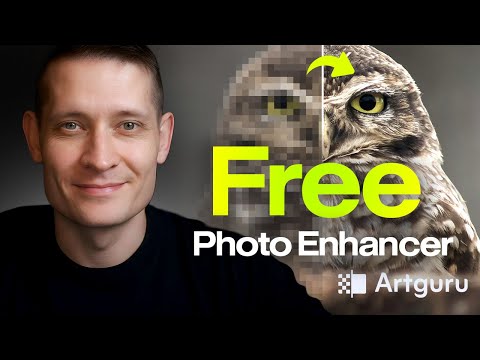 0:231:17Enhance blurry wildlife photos with Artguru AIThe creator demonstrates uploading a noisy, out-of-focus owl photo to Artguru AI, which automatically reduces noise and sharpens details before downloading the HD upscaled result.Zenzdesign
- 2:350:24Recover background details in landscape photosThe user shows how Artguru AI recovers fine background details and textures in a landscape image that was previously blurred.Zenzdesign