Male portrait retouching with Aftershoot
 AfterShoot
Demo summary
Manny switches the software to masculine mode to demonstrate subtle blemish removal and eye brightening on a male client portrait.
Step-by-step
- Switch the retouching mode to Masculine
- Adjust the Blemish Removal slider to the maximum setting
- Toggle Forehead Wrinkles to see if specific lines are removed
- Adjust the Face Smoothing slider to soften the skin
- Increase the Eye Brightening slider
- Adjust the Eye Bags slider to soften under-eye areas
Options
- Toggle the blue box overlay on or off
- Apply Smile Lines removal
- Use Flyaways and Body hair removal tools
Tips
- Keep defining features like scars on male portraits to maintain a natural look rather than a fashion portrait style
- Avoid using Smile Lines removal on male portraits to keep them looking natural
- Only bump up the Eye Bags slider slightly to soften them while maintaining a natural appearance
Highlights
“That's a quick edit on a male.”
All demos from “Photographers: Aftershoot Just Made Portrait Retouching Too Easy!”
- 1:582:31Natural portrait retouching with AftershootManny demonstrates blemish removal, skin smoothing, and eye brightening on a client rebranding portrait using Aftershoot's feminine subject selection.AfterShoot· AI Image/Photo Enhancer
- 4:481:50Fashion skin retouching in AftershootThe video shows a more aggressive retouching workflow for a fashion edit, including maxing out blemish removal and adjusting skin smoothing masks.AfterShoot· AI Image/Photo Enhancer
- 7:410:16Object removal in AftershootManny uses the object removal tool in Aftershoot to highlight and delete a beauty dish that was visible in the top of the photo frame.AfterShoot· AI Object Remover/Eraser
- 8:171:31Outdoor portrait and hair flyaway removalDemonstration of blemish removal and the flyaway hair tool in Aftershoot to clean up stray hairs on an outdoor creative portrait.AfterShoot· AI Object Remover/Eraser
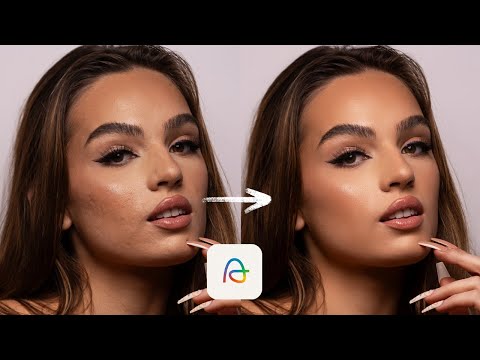
- 9:581:11Male portrait retouching with AftershootCurrentManny switches the software to masculine mode to demonstrate subtle blemish removal and eye brightening on a male client portrait.AfterShoot· AI Image/Photo Enhancer
- 11:150:44Natural headshot touchup for menA demonstration of using Aftershoot to perform minimal, natural-looking touchups on a male construction worker's headshot.AfterShoot· AI Image/Photo Enhancer
- 12:041:01Shadowed face brightening and retouchingManny shows how to use the face brighten and blemish removal tools in Aftershoot on a client portrait shot in heavy shadow.AfterShoot· AI Image/Photo Enhancer
- Watch “Photographers: Aftershoot Just Made Portrait Retouching Too Easy!” →
AI Image/Photo Enhancer
 18:261:24AI Skin Retouching and Stray Hair RemovalBen demonstrates the 'Wedding Radiance' retouching preset in Aftershoot, showing how it removes blemishes and stray hairs while preserving skin texture on raw files.Aftershoot
- 1:582:31Natural portrait retouching with AftershootManny demonstrates blemish removal, skin smoothing, and eye brightening on a client rebranding portrait using Aftershoot's feminine subject selection.Manny Ortiz
- 4:481:50Fashion skin retouching in AftershootThe video shows a more aggressive retouching workflow for a fashion edit, including maxing out blemish removal and adjusting skin smoothing masks.Manny Ortiz
- 9:581:11Male portrait retouching with AftershootCurrentManny switches the software to masculine mode to demonstrate subtle blemish removal and eye brightening on a male client portrait.Manny Ortiz
- 11:150:44Natural headshot touchup for menA demonstration of using Aftershoot to perform minimal, natural-looking touchups on a male construction worker's headshot.Manny Ortiz
- 12:041:01Shadowed face brightening and retouchingManny shows how to use the face brighten and blemish removal tools in Aftershoot on a client portrait shot in heavy shadow.Manny Ortiz