Filmora: Fine-tune animation curves with handles

 Filmora
Demo summary
The user demonstrates using the adjustment handles on Bézier points to manually customize the acceleration and deceleration of the zoom effect.
Step-by-step
- Activate the curve mode to display the Bézier handles on your keyframes
- Select the end of a handle to modify the animation curve
- Adjust the handle position to customize the acceleration or deceleration
- Click the keyframe icon to hide the curve display once adjustments are complete
- Click the keyframe icon again if you need to redeploy the handles for further editing
Options
- Make the initial acceleration slower or faster by adjusting handle length and angle
Highlights
“Ce sont des outils pour être encore plus précis”
All demos from “Améliorer vos ANIMATIONS grâce au mode BÉZIER ! Tutoriel Filmora”
- 0:480:32Create a linear zoom animation in FilmoraThe user demonstrates how to set initial and final keyframes for the scale property in the Filmora timeline to create a basic zoom effect.Filmora· AI Video Editor
- 1:201:47Apply Bézier curves to keyframesThe user shows how to select keyframes, right-click to access Bézier curve options, and toggle between linear and curved animation paths in Filmora.Filmora· AI Video Editor
- 3:070:32Fine-tune animation curves with handlesCurrentThe user demonstrates using the adjustment handles on Bézier points to manually customize the acceleration and deceleration of the zoom effect.Filmora· AI Animation Generator
- Watch “Améliorer vos ANIMATIONS grâce au mode BÉZIER ! Tutoriel Filmora” →
AI Animation Generator
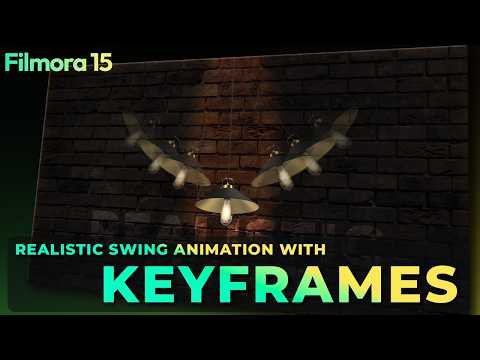 2:130:54Applying rotation keyframesThe user walks through placing the playhead at specific intervals and changing rotation values to create a swinging motion for the light asset.Filmora for Creators
 2:310:56Animate paths using the Pen ToolThe demonstration covers drawing a custom path with the pen tool, adjusting stroke styles, and using the 'path follow' feature to link objects to the animated line.Wondershare Filmora Video Editor
 16:090:41Bezier Curves and Animation GraphsThe user shows how to convert linear keyframes to continuous curves and use the animation graph panel to fine-tune motion timing.Salih Tutorials
- 3:070:32Fine-tune animation curves with handlesCurrentThe user demonstrates using the adjustment handles on Bézier points to manually customize the acceleration and deceleration of the zoom effect.Wondershare Filmora France