Mastering a track with LANDR Mastering Pro

 Landr
Landr
Demo summary
The demonstration shows applying LANDR Mastering Pro to the master bus, allowing it to analyze the track and then tweaking EQ and stereo width settings.
Step-by-step
- Add the LANDR Mastering Pro plugin to your master bus
- Allow the plugin to analyze the style and feel of the song
- Review the AI-generated mastering suggestion
- Adjust mastering parameters such as loudness and presence
- Tweak the EQ for specific adjustments like a low-end bump
- Adjust the stereo image width
- Verify the final levels using a loudness meter
Options
- Increase presence for more vocal clarity
- Add a low-end bump via EQ
- Widen the stereo image
Tips
- Use the initial mastering suggestion to get an idea of the final sound, then return to the mix to make adjustments before final mastering tweaks
- Check your final output with a loudness meter to ensure the track is powerful without distortion
Highlights
“really easy to get a great sound”
All demos from “5 Beginner Mixing Mistakes That Are RUINING Your Tracks”
- 2:130:52Enhance kick drum with Mixbox and LANDR FXThe presenter demonstrates boosting sub-frequencies on a kick body using the EQBG module in Mixbox and adding punch to the kick transient using the LANDR FX Beats plugin.Landr· AI Audio Editor
- 4:190:33Panning and leveling vocal doubles in Ableton LiveThe creator demonstrates how to create stereo space by adjusting the pan settings and volume levels for different vocal layers within the Ableton Live mixer.Ableton Live· AI Audio Editor
- 5:230:53Process vocals with Corve Presser and Rough Plate 140The presenter applies the 'Mottown sausage' preset in Corve Presser to smooth dynamics and adds the Rough Plate 140 reverb to create space for vocal dubs.Landr· AI Audio Editor
- 6:211:02Layering reverbs and EQ on background vocalsThe demonstration shows boosting air frequencies with a parametric EQ in Mixbox and layering LANDR FX Voice with Rough Plate 140 for a complex reverb effect.Landr· AI Audio Editor
- 8:551:21Fixing thin snares with Black 76 and British EQThe creator demonstrates adding mid-range body to a snare drum using Black 76 compression and specific frequency boosts with the British EQ plugin.Landr· AI Audio Editor
- 11:141:24Check loudness with Youlean Loudness MeterThe presenter uses the Youlean Loudness Meter to analyze integrated LUFS and true peak values, then demonstrates a 'headroom reset' by lowering track volumes.YYoulean Loudness Meter· AI Mastering
- 13:301:16Mastering a track with LANDR Mastering ProCurrentThe demonstration shows applying LANDR Mastering Pro to the master bus, allowing it to analyze the track and then tweaking EQ and stereo width settings.Landr· AI Mastering
- Watch “5 Beginner Mixing Mistakes That Are RUINING Your Tracks” →

AI Mastering
 11:362:20Mastering a track with Landr OnlineThe user demonstrates the Landr online mastering interface, using the 'volume match' toggle to compare original and mastered audio while switching between Warm, Balanced, and Open styles.Audio Tech TV
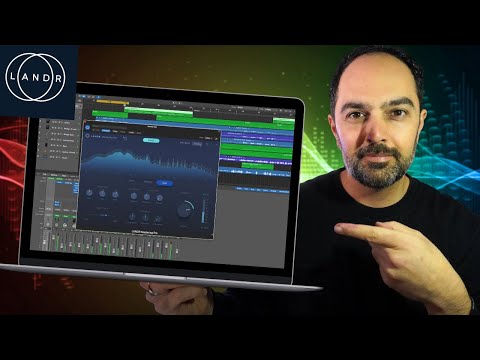 2:014:00Mastering audio with LANDR Mastering Pro plugin in Logic ProThe creator demonstrates loading the LANDR Mastering Pro plugin on a stereo out channel in Logic Pro, analyzing the audio, and adjusting parameters like style (Warm, Balanced, Open), EQ, loudness, and stereo field.Amir Khostavan
- 8:491:42Online AI mastering with LANDR.comThe user uploads a track to the LANDR website, waits for the AI preview to generate, and then demonstrates toggling between mastering styles and loudness intensities online.Amir Khostavan
 1:122:19Mastering a song with LANDR Mastering ProThe creator demonstrates the LANDR Mastering Pro plugin by analyzing a track, toggling gain match, selecting the 'Open' style, and manually adjusting EQ, presence, and compression settings to achieve a target LUFS level.Songs By Spencer
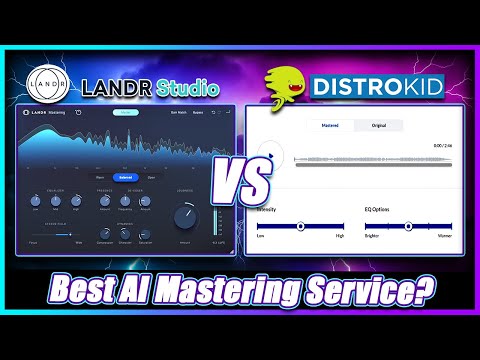 1:184:01Mastering a track with Landr Mastering PluginThe creator demonstrates using the Landr Mastering Plugin within a DAW, adjusting settings like Warmth, EQ, Stereo Field, and Saturation while hearing real-time changes.Simulation Beats
 7:451:31Automated track analysis with LANDR Mastering Plugin ProThe creator drags the LANDR Mastering Plugin Pro onto a track in Studio One and plays the audio to let the plugin's AI analyze the song and generate a custom mastering chain.Bolo Da Producer
- 9:222:00Exploring LANDR Mastering Plugin Pro controlsA walkthrough of the plugin's UI, including the presence knob, de-esser, dynamics, saturation, stereo field controls, and the gain match feature for A/B comparison.Bolo Da Producer
- 12:102:40Adjusting loudness and saturation in LANDRThe creator demonstrates manual adjustments to the saturation and loudness meter to reach a target LUFS level while comparing the mastered audio to the original mix.Bolo Da Producer
- 15:380:51Switching mastering styles (Warm, Open, Balanced)The user demonstrates how switching between the 'Warm', 'Open', and 'Balanced' style presets in the LANDR plugin changes the sonic character of the master in real-time.Bolo Da Producer
 2:300:06Upload and master a track in LANDRThe user demonstrates the LANDR web interface, clicking 'new' and 'master a track instantly' to begin the AI mastering process.Orpheus Audio Academy
- 5:141:10Adjusting mastering settings in LANDRThe user demonstrates volume matching, switching between 'Open' and 'Warm' styles, and adjusting loudness settings within the LANDR interface before creating the final master.Orpheus Audio Academy
 0:222:01Mastering audio with LANDR Mastering PluginThe creator demonstrates the LANDR Mastering plugin inside a DAW, adjusting parameters like loudness, EQ, and mastering styles (warm, balanced, open) while using the gain match feature to A/B test the results.Real Home Studio