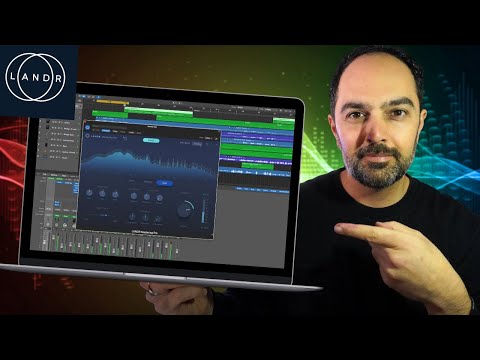
Mastering audio with LANDR Mastering Pro plugin in Logic Pro
 Landr
Landr
Demo summary
The creator demonstrates loading the LANDR Mastering Pro plugin on a stereo out channel in Logic Pro, analyzing the audio, and adjusting parameters like style (Warm, Balanced, Open), EQ, loudness, and stereo field.
Step-by-step
- Open the Stereo Out channel in Logic Pro
- Select LANDR Mastering Pro Stereo from the Audio Units menu
- Play the loudest part of the song to allow the plugin to analyze the audio
- Select a mastering style: Warm, Balanced, or Open
- Adjust the EQ sliders to refine highs and mids
- Modify the Loudness and Stereo Field parameters to taste
- Adjust the Input Gain if necessary
- Export the track once the master is complete
Options
- Choose 'Warm' for a vintage sound with softer highs
- Choose 'Balanced' for focus on clarity and depth
- Choose 'Open' for a modern sound with punch and presence
- Adjust saturation levels within the plugin interface
Watch out for
- The plugin requires audio playback of the loudest section of the track to begin processing
- Settings for EQ, loudness, and stereo field are specific to each style and may reset when switching between Warm, Balanced, and Open
Tips
- Use the Stereo Field adjustment to make the track sound more open or focused
- The plugin can replace the need for external EQ tools like Gullfoss by using the built-in EQ controls
- Adjust the loudness within the plugin to increase volume without peaking
Highlights
“Obviously, from there, you just export your track. Bob's your uncle. You're good to go.”
All demos from “How To Use Landr Mastering Plugin (in DAW and Online)”
- 2:014:00Mastering audio with LANDR Mastering Pro plugin in Logic ProCurrentThe creator demonstrates loading the LANDR Mastering Pro plugin on a stereo out channel in Logic Pro, analyzing the audio, and adjusting parameters like style (Warm, Balanced, Open), EQ, loudness, and stereo field.Landr· AI Mastering
- 8:491:42Online AI mastering with LANDR.comThe user uploads a track to the LANDR website, waits for the AI preview to generate, and then demonstrates toggling between mastering styles and loudness intensities online.Landr· AI Mastering
- Watch “How To Use Landr Mastering Plugin (in DAW and Online)” →
AI Mastering
 11:362:20Mastering a track with Landr OnlineThe user demonstrates the Landr online mastering interface, using the 'volume match' toggle to compare original and mastered audio while switching between Warm, Balanced, and Open styles.Audio Tech TV
- 2:014:00Mastering audio with LANDR Mastering Pro plugin in Logic ProCurrentThe creator demonstrates loading the LANDR Mastering Pro plugin on a stereo out channel in Logic Pro, analyzing the audio, and adjusting parameters like style (Warm, Balanced, Open), EQ, loudness, and stereo field.Amir Khostavan
- 8:491:42Online AI mastering with LANDR.comThe user uploads a track to the LANDR website, waits for the AI preview to generate, and then demonstrates toggling between mastering styles and loudness intensities online.Amir Khostavan
 1:122:19Mastering a song with LANDR Mastering ProThe creator demonstrates the LANDR Mastering Pro plugin by analyzing a track, toggling gain match, selecting the 'Open' style, and manually adjusting EQ, presence, and compression settings to achieve a target LUFS level.Songs By Spencer
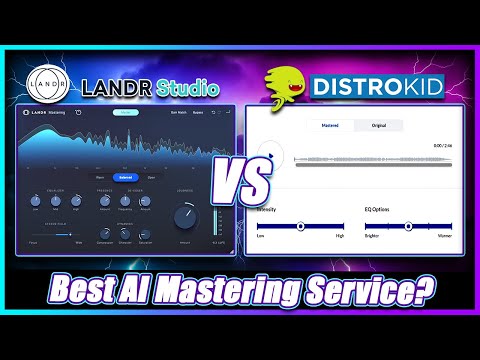 1:184:01Mastering a track with Landr Mastering PluginThe creator demonstrates using the Landr Mastering Plugin within a DAW, adjusting settings like Warmth, EQ, Stereo Field, and Saturation while hearing real-time changes.Simulation Beats
 7:451:31Automated track analysis with LANDR Mastering Plugin ProThe creator drags the LANDR Mastering Plugin Pro onto a track in Studio One and plays the audio to let the plugin's AI analyze the song and generate a custom mastering chain.Bolo Da Producer
- 9:222:00Exploring LANDR Mastering Plugin Pro controlsA walkthrough of the plugin's UI, including the presence knob, de-esser, dynamics, saturation, stereo field controls, and the gain match feature for A/B comparison.Bolo Da Producer
- 12:102:40Adjusting loudness and saturation in LANDRThe creator demonstrates manual adjustments to the saturation and loudness meter to reach a target LUFS level while comparing the mastered audio to the original mix.Bolo Da Producer
- 15:380:51Switching mastering styles (Warm, Open, Balanced)The user demonstrates how switching between the 'Warm', 'Open', and 'Balanced' style presets in the LANDR plugin changes the sonic character of the master in real-time.Bolo Da Producer
 2:300:06Upload and master a track in LANDRThe user demonstrates the LANDR web interface, clicking 'new' and 'master a track instantly' to begin the AI mastering process.Orpheus Audio Academy
- 5:141:10Adjusting mastering settings in LANDRThe user demonstrates volume matching, switching between 'Open' and 'Warm' styles, and adjusting loudness settings within the LANDR interface before creating the final master.Orpheus Audio Academy
 0:222:01Mastering audio with LANDR Mastering PluginThe creator demonstrates the LANDR Mastering plugin inside a DAW, adjusting parameters like loudness, EQ, and mastering styles (warm, balanced, open) while using the gain match feature to A/B test the results.Real Home Studio