RipX: Correcting pitch and deleting notes
 RipX
RipX
Demo summary
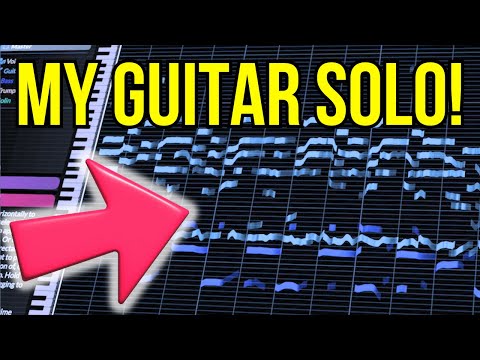
Using the 'Flatten Pitch' effect and manual dragging, the user demonstrates how to fix sharp notes and delete unwanted overtones directly in the RipX DAW timeline.
Step-by-step
- Select an individual pitch note in the timeline
- Navigate to the Effects panel on the right-hand side
- Click Flatten Pitch to remove sharp bends or pitch fluctuations
- Drag selected notes vertically to snap them to a specific key (e.g., C-sharp)
- Select unwanted overtones or notes and press delete to remove them
Tips
- Check the pitch in context with the rest of the track after applying effects
- Delete intrusive overtones that the AI may have picked up to clean up the sound
Highlights
“now let's put it back in context like butter”
All demos from “AI figured out my guitar solo // RipX DAW Demo”
- 2:571:11Importing audio and stem separation in RipX DAWThe user demonstrates dragging an audio file into RipX DAW and selecting instrument separation options to extract individual tracks like voice, guitar, and bass.RipX· AI Vocal Remover & Stem Splitter
- 4:082:21Analyzing individual notes and chordsThe user clicks on individual 'tape' ribbons in the RipX DAW interface to hear specific notes and shows how the software identifies pitch names and underlying chords.RipX· AI Vocal Remover & Stem Splitter
- 7:191:35Correcting pitch and deleting notesCurrentUsing the 'Flatten Pitch' effect and manual dragging, the user demonstrates how to fix sharp notes and delete unwanted overtones directly in the RipX DAW timeline.RipX· AI Audio Editor
- 9:391:36Editing vocal phrasing with the split toolThe user demonstrates using the split/cutter tool to isolate a specific word in a vocal track and shorten its duration to change the phrasing.RipX· AI Audio Editor
- 11:310:36Manipulating guitar fillsThe user solos a guitar track and drags individual notes to different pitches to effectively 'replay' the instrument and create a new melody line.RipX· AI Melody & MIDI Generator
- 19:350:48Exporting MIDI from RipX DAWThe user demonstrates the process of exporting a MIDI file from RipX DAW using the 'Filter Notes' and 'MIDI Detailed' settings to attempt an import into MuseScore.RipX· AI Melody & MIDI Generator
- Watch “AI figured out my guitar solo // RipX DAW Demo” →
AI Audio Editor
 9:091:07Editing audio notes and adding harmoniesThe user demonstrates hands-on editing by changing note timing, deleting unwanted artifacts, duplicating vocal lines to create harmonies, and applying localized delay effects.Ryuichiro Yamaki
 8:090:43Straightening vocal pitch in RipX DAW ProThe user selects the vocal track and applies the 'Straighten Pitch' tool to demonstrate how the software manipulates the audio notes.DJ/PRODUCER K-DEF
- 7:191:35Correcting pitch and deleting notesCurrentUsing the 'Flatten Pitch' effect and manual dragging, the user demonstrates how to fix sharp notes and delete unwanted overtones directly in the RipX DAW timeline.Hayes Griffin
- 9:391:36Editing vocal phrasing with the split toolThe user demonstrates using the split/cutter tool to isolate a specific word in a vocal track and shorten its duration to change the phrasing.Hayes Griffin
 2:270:51Editing notes and rebuilding beats in RipXThe user demonstrates repitching a kick drum to create a double kick and rewriting a bassline by adding accent notes directly within the spectral interface.Official AHEE
- 3:332:08Time stretching and scale snapping in RipXThe creator shows how to copy, paste, and stretch audio notes while using the scale tool to snap notes to F melodic minor.Official AHEE
- 7:470:41Drawing pitch curves on audioThe user joins multiple audio notes into a single editable object and draws a custom pitch curve to create a sliding pitch effect.Official AHEE
- 8:560:58Applying patterns and formant modulationThe creator applies a sine wave pattern to the formant and panning settings of an audio selection and deletes individual spectral partials.Official AHEE
 1:161:36Adjusting levels and swapping instruments in RipX DAW ProThe creator demonstrates how to isolate a kick drum layer, adjust its volume fader, and then replace the original kick sound with a 909 sample in real-time using RipX DAW Pro.Home Studio Simplified
- 6:560:20Customizing the RipX DAW Pro UIA brief walkthrough of the interface management where the user toggles various panels like 'rips', 'layers', and 'interactive help' to clean up the workspace.Home Studio Simplified
 3:500:29Applying delay effects to audio stemsThe presenter applies a quarter-note delay effect to a specific audio selection within the RipX interface.Doctor Mix
- 6:320:45Looping and reversing drum patternsThe presenter demonstrates how to select drum and percussion stems, duplicate them to create a loop, and apply a reverse effect.Doctor Mix