RipX: Exporting audio to MIDI

 RipX
RipX
Demo summary
The user demonstrates the export process in RipX, rendering stems as MIDI files and importing them into Ableton Live.
Step-by-step
- Go to the Export menu
- Select the MIDI output option
- Choose to export as a 'full rip' to separate stems into different MIDI files
- Drag and drop the exported MIDI file into your DAW
Options
- Render as WAV or MP3
- Render individual stems as separate files
- Export as MIDI (two different MIDI output options available)
Highlights
“it's so much better than the Ableton audio to MIDI”
All demos from “MAKING MUSIC with RipX the A.I. DAW”
- 0:471:29Stem separation with RipXThe creator drops a song into RipX and selects options to separate it into voice, bass, drums, guitar, and piano stems, then solos the drum track to show the result.RipX· AI Vocal Remover & Stem Splitter
- 2:270:51Editing notes and rebuilding beats in RipXThe user demonstrates repitching a kick drum to create a double kick and rewriting a bassline by adding accent notes directly within the spectral interface.RipX· AI Audio Editor
- 3:332:08Time stretching and scale snapping in RipXThe creator shows how to copy, paste, and stretch audio notes while using the scale tool to snap notes to F melodic minor.RipX· AI Audio Editor
- 5:410:37Exporting audio to MIDICurrentThe user demonstrates the export process in RipX, rendering stems as MIDI files and importing them into Ableton Live.RipX· AI Melody & MIDI Generator
- 7:470:41Drawing pitch curves on audioThe user joins multiple audio notes into a single editable object and draws a custom pitch curve to create a sliding pitch effect.RipX· AI Audio Editor
- 8:560:58Applying patterns and formant modulationThe creator applies a sine wave pattern to the formant and panning settings of an audio selection and deletes individual spectral partials.RipX· AI Audio Editor
- Watch “MAKING MUSIC with RipX the A.I. DAW” →
AI Melody & MIDI Generator
 5:341:55Changing scale and chords in RipX DAW ProThe user opens the 'Scale to Chords' menu, selects a progression, and uses the 'Detect' function to automatically shift notes to a new key and scale.DJ/PRODUCER K-DEF
 11:310:30Exporting and importing MIDI dataThe user exports a string part as a MIDI file from RipX DAW Pro and imports it into Digital Performer to show how the analyzed pitch data can be reused.Ryuichiro Yamaki
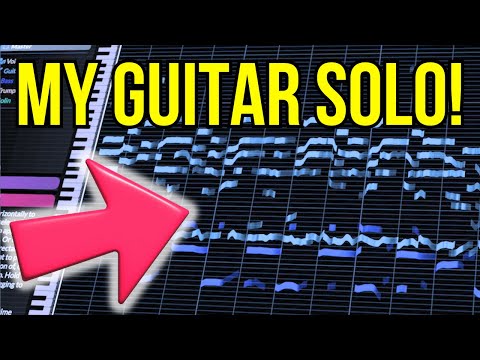 11:310:36Manipulating guitar fillsThe user solos a guitar track and drags individual notes to different pitches to effectively 'replay' the instrument and create a new melody line.Hayes Griffin
 - 19:350:48Exporting MIDI from RipX DAWThe user demonstrates the process of exporting a MIDI file from RipX DAW using the 'Filter Notes' and 'MIDI Detailed' settings to attempt an import into MuseScore.Hayes Griffin
- 5:410:37Exporting audio to MIDICurrentThe user demonstrates the export process in RipX, rendering stems as MIDI files and importing them into Ableton Live.Official AHEE