RipX: Exporting and importing MIDI data

 RipX
RipX
Demo summary
The user exports a string part as a MIDI file from RipX DAW Pro and imports it into Digital Performer to show how the analyzed pitch data can be reused.
Step-by-step
- Select the strings part in RipX
- Go to Export and choose Single File Export
- Select MIDI as the export format
- Drag and drop the exported MIDI file into Digital Performer
Tips
- Use this method to extract specific chord progressions or melodies from sampling materials for use with other virtual instruments
Highlights
“いろんな音が重なっちゃってるけどコード感は分かるね (Even though various sounds are layered, you can clearly understand the sense of the chords)”
All demos from “Hit ’n’ mix "Rip X DAW Pro"でRYPPHYPEの楽曲を解析してみた!”
- 2:330:58Importing and analyzing audio in RipX DAW ProThe user demonstrates dragging an audio file into RipX DAW Pro and initiating the AI 'ripping' process to separate a 2-mix track into stems like voice, piano, and drums.RipX· AI Vocal Remover & Stem Splitter
- 3:341:50Visualizing and soloing stems on the piano rollThe user shows how audio is converted into pitch-based notes on a piano roll and solos individual stems like vocals and kick drums to check separation quality.RipX· AI Vocal Remover & Stem Splitter
- 6:013:08Comparing stem separation across different tracksThe user cycles through multiple songs in RipX DAW Pro, soloing various layers including bass, percussion, and synths to demonstrate how the AI handles different production styles.RipX· AI Vocal Remover & Stem Splitter
- 9:091:07Editing audio notes and adding harmoniesThe user demonstrates hands-on editing by changing note timing, deleting unwanted artifacts, duplicating vocal lines to create harmonies, and applying localized delay effects.RipX· AI Audio Editor
- 10:510:19Exporting separated stems from RipX DAW ProThe user demonstrates the process of exporting the analyzed audio as separate layer files for use in other DAWs.RipX· AI Vocal Remover & Stem Splitter
- 11:310:30Exporting and importing MIDI dataCurrentThe user exports a string part as a MIDI file from RipX DAW Pro and imports it into Digital Performer to show how the analyzed pitch data can be reused.RipX· AI Melody & MIDI Generator
- Watch “Hit ’n’ mix "Rip X DAW Pro"でRYPPHYPEの楽曲を解析してみた!” →
AI Melody & MIDI Generator
 5:341:55Changing scale and chords in RipX DAW ProThe user opens the 'Scale to Chords' menu, selects a progression, and uses the 'Detect' function to automatically shift notes to a new key and scale.DJ/PRODUCER K-DEF
- 11:310:30Exporting and importing MIDI dataCurrentThe user exports a string part as a MIDI file from RipX DAW Pro and imports it into Digital Performer to show how the analyzed pitch data can be reused.Ryuichiro Yamaki
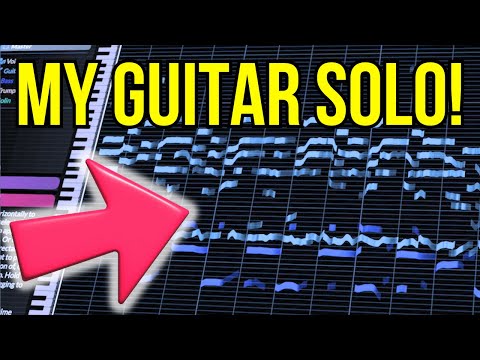 11:310:36Manipulating guitar fillsThe user solos a guitar track and drags individual notes to different pitches to effectively 'replay' the instrument and create a new melody line.Hayes Griffin
 - 19:350:48Exporting MIDI from RipX DAWThe user demonstrates the process of exporting a MIDI file from RipX DAW using the 'Filter Notes' and 'MIDI Detailed' settings to attempt an import into MuseScore.Hayes Griffin
 5:410:37Exporting audio to MIDIThe user demonstrates the export process in RipX, rendering stems as MIDI files and importing them into Ableton Live.Official AHEE