Generate AI video with Google Veo in Gemini

 Gemini
Demo summary
The video shows the process of using the Google Gemini app to prompt the Veo 3.1 model for video generation, highlighting the chat-based interface and the cancel button feature.
All demos from “Best AI Video Generator on Your Phone (2026)”
- 0:510:46Generate AI video with Google Veo in GeminiCurrentThe video shows the process of using the Google Gemini app to prompt the Veo 3.1 model for video generation, highlighting the chat-based interface and the cancel button feature.Gemini· Text to Video
- 2:150:49Mobile video creation workflow in HiggsfieldThe creator demonstrates the Higgsfield progressive web app (PWA), showing its mobile-optimized UI and access to various video models like Kling and Veo.Higgsfield· AI Video Generator
- 3:510:36Using Pika.art mobile browser interfaceThe demo walks through the Pika.art mobile site, showing the prompt bar, effect icons, model switcher, and the process of uploading video from a camera roll.PPika· Video to Video
- 6:360:11PixVerse mobile text-to-video screenThe creator navigates the PixVerse mobile app to show the text-to-video creation screen and available trending templates.PPixverse AI· Text to Video
- 7:060:26Advanced motion control in Kling AI mobile appThe demo shows the Kling AI native app, specifically demonstrating the motion control features and camera roll upload process on a mobile screen.Kling AI· AI Animation Generator
- 8:330:49AI editing and video tools in ImagineArtThe video demonstrates the ImagineArt app's tool row, including AI images, videos, and editing tabs, showing the generation interface.Imagine.art· AI Image Generator
- 9:410:39Runway Gen-3 Alpha mobile interfaceThe creator shows the Runway mobile app's clean start screen and the side menu for navigating Gen-3 Alpha video generation features.Runway· AI Video Generator
- Watch “Best AI Video Generator on Your Phone (2026)” →




Text to Video
 1:581:20Generate cinematic video with Google Veo 3The video shows how to activate the video tool in Gemini and enter a detailed prompt to generate a slow-motion shot of chocolate chip cookies using the Veo 3 model.@KevinStratvert
- 4:081:13Refine video prompts using Gemini AIThe user demonstrates asking Gemini to write a more descriptive, cinematic prompt for a cookie-baking scene and then using that output to generate a better video.@KevinStratvert
 13:380:25Dolly shot camera instructions in Google Veo 3.1A demonstration of using specific camera movement keywords like 'wide angle dolly in' to control the output of Google Veo 3.1.Youri van Hofwegen
 3:180:19Generate video from custom text promptThe user demonstrates Gemini Omni's text-to-video capability by prompting it to show his avatar in a suit eating spaghetti at a restaurant.Paul J Lipsky
 8:041:07Create skydiving video with Google Veo 3.1 via GeminiThe video shows the process of inputting a complex prompt into Gemini to generate an 8-second clip of a grandmother skydiving into a Super Bowl stadium using the Veo 3.1 model.AI Master
 0:580:26Accessing Google Veo 3 in GeminiThe user demonstrates how to navigate to the video generation tab within the Gemini Advanced interface to access the Google Veo 3 model.@SocialtyPro
 0:030:30Generate cinematic video with Veo 3 in GeminiThe video demonstrates high-quality cinematic video generation, including a close-up of a person and a stylized landscape, using the Veo 3 model integrated into the Gemini app.Google
 2:201:02Generate video with audio in Google Veo 3The user demonstrates entering a text prompt into the Gemini interface to generate an 8-second cinematic video of a cookie including a specific narrated voiceover and sound effects using Google's Veo 3 model.@KevinStratvert
 3:340:54Text-to-video generation in Google GeminiThe creator uses Google Veo 3 within the Gemini interface to generate an 8-second video of a scientist speaking specific lines from a text prompt.Tim Harris AI
 1:211:01Generate AI video from text with Google Vids and VeoThe creator demonstrates how to use the Veo 3.1 integration within Google Vids to generate a video of a polar bear from a text prompt and insert it into the timeline.Paul J Lipsky
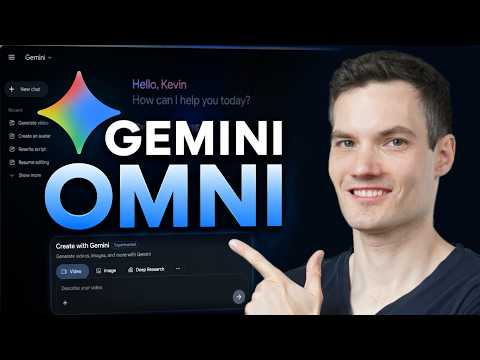 0:461:08Generate video from text with Gemini OmniThe user demonstrates how to navigate to the video icon in Gemini and enter a text prompt to generate a cinematic video of a storefront using the Omni model.@KevinStratvert
 11:560:15Successful multi-character dialogue generation in Google Veo 3Two successful generations from Google Veo 3 are demonstrated where the model correctly follows the prompt for a man and woman to exchange dialogue at a rainy bus stop with synchronized audio.MisterQuigleyAI