Runway Gen-3 Alpha mobile interface

 Runway
Demo summary
The creator shows the Runway mobile app's clean start screen and the side menu for navigating Gen-3 Alpha video generation features.
All demos from “Best AI Video Generator on Your Phone (2026)”
- 0:510:46Generate AI video with Google Veo in GeminiThe video shows the process of using the Google Gemini app to prompt the Veo 3.1 model for video generation, highlighting the chat-based interface and the cancel button feature.Gemini· Text to Video
- 2:150:49Mobile video creation workflow in HiggsfieldThe creator demonstrates the Higgsfield progressive web app (PWA), showing its mobile-optimized UI and access to various video models like Kling and Veo.Higgsfield· AI Video Generator
- 3:510:36Using Pika.art mobile browser interfaceThe demo walks through the Pika.art mobile site, showing the prompt bar, effect icons, model switcher, and the process of uploading video from a camera roll.PPika· Video to Video
- 6:360:11PixVerse mobile text-to-video screenThe creator navigates the PixVerse mobile app to show the text-to-video creation screen and available trending templates.PPixverse AI· Text to Video
- 7:060:26Advanced motion control in Kling AI mobile appThe demo shows the Kling AI native app, specifically demonstrating the motion control features and camera roll upload process on a mobile screen.Kling AI· AI Animation Generator
- 8:330:49AI editing and video tools in ImagineArtThe video demonstrates the ImagineArt app's tool row, including AI images, videos, and editing tabs, showing the generation interface.Imagine.art· AI Image Generator
- 9:410:39Runway Gen-3 Alpha mobile interfaceCurrentThe creator shows the Runway mobile app's clean start screen and the side menu for navigating Gen-3 Alpha video generation features.Runway· AI Video Generator
- Watch “Best AI Video Generator on Your Phone (2026)” →




AI Video Generator
 0:511:32Generate video with Runway Gen-3 Alpha TurboThe user demonstrates how to generate a video from an image or video reference using the Gen-3 Alpha Turbo model, including prompt settings and extending video length.Skills Factory
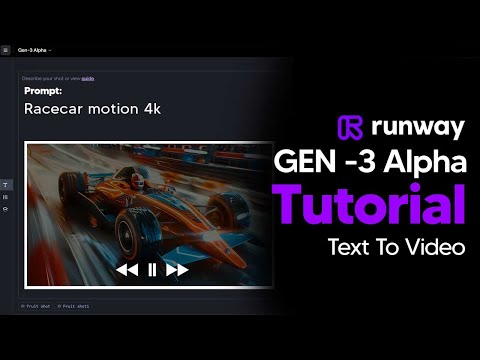 4:291:08Reuse settings and manage seeds in Runway Gen-3The video shows how to use the 'Reuse Settings' button and how to copy/paste a specific seed from a generated clip into the settings tab to maintain visual consistency in Runway.TheAIGRID
- 9:410:39Runway Gen-3 Alpha mobile interfaceCurrentThe creator shows the Runway mobile app's clean start screen and the side menu for navigating Gen-3 Alpha video generation features.Youri van Hofwegen