Google Whisk: Generate consistent AI influencer images with Whisk AI
 Google Whisk
Demo summary
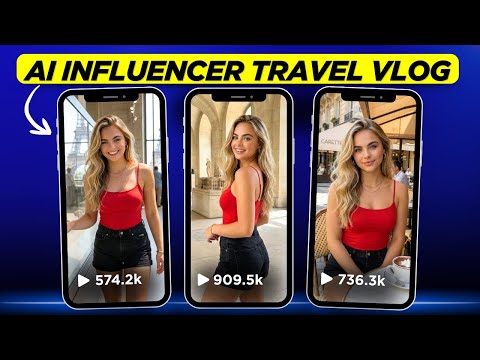
The creator demonstrates how to use a specific seed number and base image in Whisk AI to generate a consistent character in a travel setting.
Step-by-step
- Select the square ratio for the project
- Enter the previously saved seed number in the seed number section
- Lock the seed number
- Check the box for your base image in the left panel
- Close the left panel to expand the workspace
- Enter a prompt describing the clothing, location, and pose
- Select the best image from the two generated results
Options
- Use ChatGPT to help generate descriptive prompts
Watch out for
- The two generated images may not have identical clothing details
- You must manually lock the seed number after entering it
Tips
- Lock and save your seed number early to ensure character consistency
- Ensure the AI influencer wears the same clothing across different locations for a single 'day' of travel content to mimic real influencer behavior
All demos from “I Created TRAVEL Videos for my AI Influencer Using AI and Here's How”
- 4:341:12Generate consistent AI influencer images with Whisk AICurrentThe creator demonstrates how to use a specific seed number and base image in Whisk AI to generate a consistent character in a travel setting.Google Whisk· AI Person Generator
- 5:461:35Change locations while keeping character outfits in Whisk AIThe demo shows how to use the edit feature in Whisk AI to swap background locations and poses while maintaining the same clothing for a 'day in the life' travel series.Google Whisk· AI Inpainting
- 7:214:02Place AI influencer in custom scenes and add objectsThe creator shows how to upload a custom scene image and a separate subject image (pastries) into Whisk AI to composite the influencer into a specific environment with specific items.Google Whisk· AI Image Combiner
- 11:233:34Generate AI influencer images using Nano Banana ProThe video walks through using the Nano Banana Pro model inside OpenArt, utilizing the 'Omni Reference' feature to maintain character features from a base image.OpenArt· AI Person Generator
- 15:023:21Animate AI influencer images with Kling 2.5The creator demonstrates how to upload a static AI-generated image to OpenArt's video tab and use the Kling 2.5 model to animate the scene with motion and sound effects.OpenArt· Image to Video
- Watch “I Created TRAVEL Videos for my AI Influencer Using AI and Here's How” →

AI Person Generator
 4:252:08Generate a consistent character with WhiskThe user demonstrates how to use Google's Whisk tool to generate a mascot character, including using the 'refine' button and 'precise reference' settings to modify specific details like fur color.Jeff Su
- 4:341:12Generate consistent AI influencer images with Whisk AICurrentThe creator demonstrates how to use a specific seed number and base image in Whisk AI to generate a consistent character in a travel setting.Digital Bossq
 2:500:58Consistent Character Generation in Whisk AIThe user demonstrates using the Subject panel in Whisk AI to upload or describe a character and apply that reference to an entire project for visual consistency.Novid | Automation
 1:171:41Generate consistent characters in Google WhiskThe creator demonstrates how to use Google Whisk to generate consistent characters by using multiple subject references (front, profile, and 45-degree views) and incorporating the tool's auto-generated image descriptions into prompts.AI Video School
 7:390:29Maintain character consistency with Seed LockingThe video shows how to use the seed lock feature in Google Whisk to keep a character's facial features identical across different scenarios like riding a bike or standing.AI PIPELINE