Generate consistent characters in Google Whisk

 Google Whisk
Demo summary
The creator demonstrates how to use Google Whisk to generate consistent characters by using multiple subject references (front, profile, and 45-degree views) and incorporating the tool's auto-generated image descriptions into prompts.
Step-by-step
- Generate an initial character image within Google Whisk
- Generate additional profile and 45-degree angle views of that character
- Upload the multiple generated views into the Subject Reference section
- Select a face angle that matches your intended shot
- Copy the auto-generated image description provided by Whisk
- Incorporate the character description pieces into your new prompt
- Remove any unwanted elements from the copied description to focus on the character
Options
- Enter a text prompt
- Upload an image
- Click the randomizer button
- Add multiple subject references to a single scene
Watch out for
- Subject references only work effectively if the images were originally generated within Whisk
- Images generated outside of Whisk will not produce accurate character matches
Tips
- Generate your characters in Whisk if you plan to use them in V2 videos
- Use a combination of front, profile, and 45-degree views in the subject reference for better consistency
- Incorporate Whisk's own image descriptions into your prompts to get more consistent results
Highlights
“Whisk does something cool where it shows you an image description for your character reference image. When I incorporated their description in my prompt, I tended to get more consistent results.”
All demos from “How I made the AI movie "Wonderful Dream" with Google Whisk and Veo 2”
- 1:171:41Generate consistent characters in Google WhiskCurrentThe creator demonstrates how to use Google Whisk to generate consistent characters by using multiple subject references (front, profile, and 45-degree views) and incorporating the tool's auto-generated image descriptions into prompts.Google Whisk· AI Person Generator
- 2:580:18Animate images with Google Veo 2 in WhiskThe video shows the process of selecting a generated image and using the 'animate' feature within the Whisk interface, powered by Google Veo 2, to create video footage.Google Whisk· Image to Video
- Watch “How I made the AI movie "Wonderful Dream" with Google Whisk and Veo 2” →
AI Person Generator
 4:252:08Generate a consistent character with WhiskThe user demonstrates how to use Google's Whisk tool to generate a mascot character, including using the 'refine' button and 'precise reference' settings to modify specific details like fur color.Jeff Su
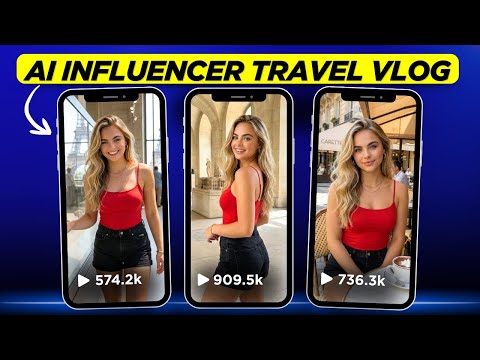 4:341:12Generate consistent AI influencer images with Whisk AIThe creator demonstrates how to use a specific seed number and base image in Whisk AI to generate a consistent character in a travel setting.Digital Bossq
 2:500:58Consistent Character Generation in Whisk AIThe user demonstrates using the Subject panel in Whisk AI to upload or describe a character and apply that reference to an entire project for visual consistency.Novid | Automation
- 1:171:41Generate consistent characters in Google WhiskCurrentThe creator demonstrates how to use Google Whisk to generate consistent characters by using multiple subject references (front, profile, and 45-degree views) and incorporating the tool's auto-generated image descriptions into prompts.AI Video School
 7:390:29Maintain character consistency with Seed LockingThe video shows how to use the seed lock feature in Google Whisk to keep a character's facial features identical across different scenarios like riding a bike or standing.AI PIPELINE