Google Whisk: Generate a consistent character with Whisk

 Google Whisk
Demo summary
The user demonstrates how to use Google's Whisk tool to generate a mascot character, including using the 'refine' button and 'precise reference' settings to modify specific details like fur color.
Step-by-step
- Paste the prompt for your character into the input field
- Disable 'Precise Reference' in the settings for the initial generation
- Select an image from the results that you want to use
- Click the 'Refine' button
- Enable 'Precise Reference' in the settings
- Describe the specific change you want to make in the prompt box
- Click 'Generate'
- Download the final image
Options
- Generate multiple batches if you are unhappy with the first set of results
- Upload the image to Google Gemini web app or Google AI Studio for similar editing results
Watch out for
- Precise Reference must be enabled during the refinement step to maintain character consistency
Tips
- Choose a full frontal photo of the character to make future animation or editing steps easier
- Use the 'Refine' button specifically when you like an image but want to change one distinct detail
- The 'Precise Reference' setting is recommended for maintaining consistency because it utilizes the Nano Banana image generation model
Highlights
“this looks really good, right? The reason this works so well is because by enabling precise reference, we're telling Whisk to use Google's nano banana image generation model, which is fantastic at maintaining character consistency”
All demos from “How to Create Cinematic AI Videos (No-BS Guide)”
- 4:252:08Generate a consistent character with WhiskCurrentThe user demonstrates how to use Google's Whisk tool to generate a mascot character, including using the 'refine' button and 'precise reference' settings to modify specific details like fur color.Google Whisk· AI Person Generator
- 8:492:40Animate images using Google FlowThe user demonstrates uploading a starting frame to Google's Flow app, selecting the 'frame to video' option, and applying a text prompt to generate an animated scene.Google Flow· Image to Video
- Watch “How to Create Cinematic AI Videos (No-BS Guide)” →
AI Person Generator
- 4:252:08Generate a consistent character with WhiskCurrentThe user demonstrates how to use Google's Whisk tool to generate a mascot character, including using the 'refine' button and 'precise reference' settings to modify specific details like fur color.Jeff Su
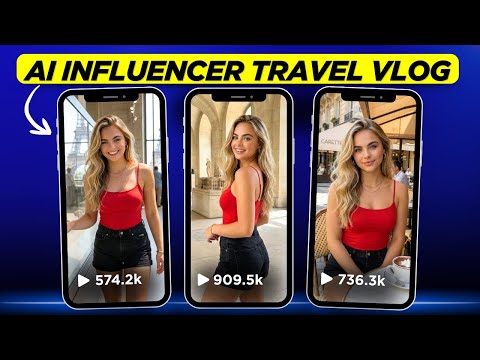 4:341:12Generate consistent AI influencer images with Whisk AIThe creator demonstrates how to use a specific seed number and base image in Whisk AI to generate a consistent character in a travel setting.Digital Bossq
 2:500:58Consistent Character Generation in Whisk AIThe user demonstrates using the Subject panel in Whisk AI to upload or describe a character and apply that reference to an entire project for visual consistency.Novid | Automation
 1:171:41Generate consistent characters in Google WhiskThe creator demonstrates how to use Google Whisk to generate consistent characters by using multiple subject references (front, profile, and 45-degree views) and incorporating the tool's auto-generated image descriptions into prompts.AI Video School
 7:390:29Maintain character consistency with Seed LockingThe video shows how to use the seed lock feature in Google Whisk to keep a character's facial features identical across different scenarios like riding a bike or standing.AI PIPELINE