Runway: Prompting complex camera transitions in Gen-3 Alpha

 Runway
Demo summary
Runway Gen-3 Alpha is shown executing a complex FPV drone shot that transitions from a seaside cave into an Arctic landscape based on a detailed text prompt.
All demos from “Getting Started with Gen-3 Alpha | Runway Academy”
- 0:250:37Generate video from text with Runway Gen-3 AlphaThe video demonstrates selecting the Gen-3 Alpha model in the Runway interface, entering a descriptive prompt of a woman on a beach, and choosing between 5 and 10-second generation lengths.Runway· Text to Video
- 1:260:18Prompting complex camera transitions in Gen-3 AlphaCurrentRunway Gen-3 Alpha is shown executing a complex FPV drone shot that transitions from a seaside cave into an Arctic landscape based on a detailed text prompt.Runway· Text to Video
- 1:590:21Using structured prompts for camera motionThe demo shows how to structure a prompt with separate visual and camera motion descriptions to create a zoom effect into a pillow fort using Runway Gen-3 Alpha.Runway· Text to Video
- Watch “Getting Started with Gen-3 Alpha | Runway Academy” →
Text to Video
 5:091:33Text-to-video generation with Runway Gen-2A walkthrough of using the Gen-2 model to generate 4-second videos from text prompts, including the use of free previews and style presets.Skills Factory
 0:500:32Generate futuristic cityscape with RunwayThe creator demonstrates Runway's text-to-video capability by generating a 30-second clip of a futuristic city at sunset using a specific aerial view prompt.Roboverse
- 0:250:37Generate video from text with Runway Gen-3 AlphaThe video demonstrates selecting the Gen-3 Alpha model in the Runway interface, entering a descriptive prompt of a woman on a beach, and choosing between 5 and 10-second generation lengths.Runway
- 1:260:18Prompting complex camera transitions in Gen-3 AlphaCurrentRunway Gen-3 Alpha is shown executing a complex FPV drone shot that transitions from a seaside cave into an Arctic landscape based on a detailed text prompt.Runway
- 1:590:21Using structured prompts for camera motionThe demo shows how to structure a prompt with separate visual and camera motion descriptions to create a zoom effect into a pillow fort using Runway Gen-3 Alpha.Runway
 1:471:43Create fire visual effects with Runway and DaVinci ResolveThe creator demonstrates how to use Runway's Gen-3/4 model to generate a fire effect on a hand via text prompt and then composite it using DaVinci Resolve.Content Creators
 1:040:39Text-to-video generation in Runway Gen-3 AlphaThe user demonstrates the Runway interface, selecting the Gen-3 Alpha model and entering a prompt for an FPV jungle waterfall shot.Futurepedia
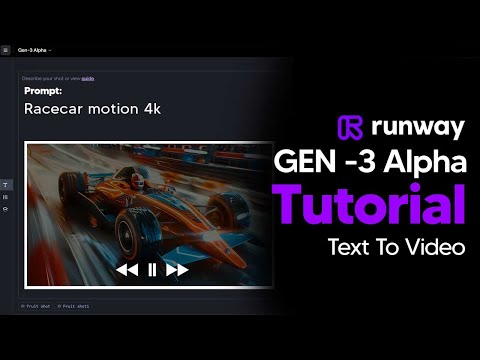 2:110:45Generate AI video with simple and detailed prompts in RunwayThe user demonstrates entering a simple prompt ('Fruit sitting on a table in the jungle') versus a highly detailed descriptive prompt into Runway Gen-3 Alpha to generate 5-second video clips.TheAIGRID
 0:281:14Generate video from text with Runway Gen 4.5The user demonstrates how to select the Gen 4.5 model in the Runway dashboard, paste a detailed prompt, and generate a 10-second video.Skills Factory
- 2:240:19Timed camera movements with Runway Gen 4.5The video shows how to use a script to trigger a camera zoom at a specific timestamp (3 seconds) while generating a video of a woman on a motorcycle.Skills Factory
- 3:250:14Simulate realistic physics with Runway Gen 4.5The demo shows Runway Gen 4.5 rendering realistic fluid and gravity physics through a prompt of a falling volcanic rock and lava.Skills Factory
 10:060:26Advanced Text-to-Video Generation with Runway MLThe clip demonstrates Runway ML's advanced text-to-video capabilities, showing a cinematic generation of a woman in Tokyo based on a highly specific prompt. It also shows facial expression transfer between characters.VEED STUDIO