Generate futuristic cityscape with Runway

 Runway
Demo summary
The creator demonstrates Runway's text-to-video capability by generating a 30-second clip of a futuristic city at sunset using a specific aerial view prompt.
Step-by-step
- Enter a prompt describing the scene, such as 'aerial view of a futuristic city at Sunset with flying cars moving between skyscrapers'
- Specify camera movement in the prompt, like 'camera slowly pans across the skyline'
- Generate the video clip
Watch out for
- Small moving objects like flying cars may appear blurry
- Output resolution may not be perfectly crisp
Tips
- Include specific lighting details like 'sunset' to achieve color gradients from orange to blue
Highlights
“video editing tasks it's also much faster than other tools”
All demos from “I Tried Every AI Video Generator (Here's What's ACTUALLY Good)”
- 0:500:32Generate futuristic cityscape with RunwayCurrentThe creator demonstrates Runway's text-to-video capability by generating a 30-second clip of a futuristic city at sunset using a specific aerial view prompt.Runway· Text to Video
- 4:410:24Animate a cat with Luma Dream MachineLuma Dream Machine is shown generating a video of a cat playing with yarn to illustrate its speed and dreamlike movement quality.LLuma Dream Machine Arena· Text to Video
- Watch “I Tried Every AI Video Generator (Here's What's ACTUALLY Good)” →
Text to Video
 5:091:33Text-to-video generation with Runway Gen-2A walkthrough of using the Gen-2 model to generate 4-second videos from text prompts, including the use of free previews and style presets.Skills Factory
- 0:500:32Generate futuristic cityscape with RunwayCurrentThe creator demonstrates Runway's text-to-video capability by generating a 30-second clip of a futuristic city at sunset using a specific aerial view prompt.Roboverse
 0:250:37Generate video from text with Runway Gen-3 AlphaThe video demonstrates selecting the Gen-3 Alpha model in the Runway interface, entering a descriptive prompt of a woman on a beach, and choosing between 5 and 10-second generation lengths.Runway
- 1:260:18Prompting complex camera transitions in Gen-3 AlphaRunway Gen-3 Alpha is shown executing a complex FPV drone shot that transitions from a seaside cave into an Arctic landscape based on a detailed text prompt.Runway
- 1:590:21Using structured prompts for camera motionThe demo shows how to structure a prompt with separate visual and camera motion descriptions to create a zoom effect into a pillow fort using Runway Gen-3 Alpha.Runway
 1:471:43Create fire visual effects with Runway and DaVinci ResolveThe creator demonstrates how to use Runway's Gen-3/4 model to generate a fire effect on a hand via text prompt and then composite it using DaVinci Resolve.Content Creators
 1:040:39Text-to-video generation in Runway Gen-3 AlphaThe user demonstrates the Runway interface, selecting the Gen-3 Alpha model and entering a prompt for an FPV jungle waterfall shot.Futurepedia
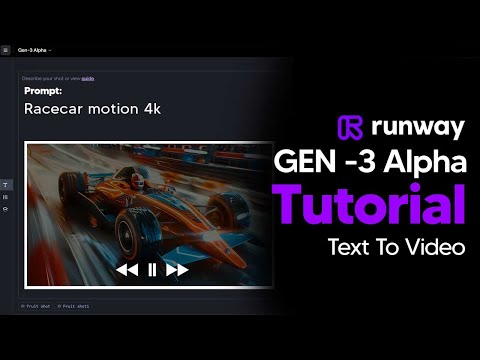 2:110:45Generate AI video with simple and detailed prompts in RunwayThe user demonstrates entering a simple prompt ('Fruit sitting on a table in the jungle') versus a highly detailed descriptive prompt into Runway Gen-3 Alpha to generate 5-second video clips.TheAIGRID
 0:281:14Generate video from text with Runway Gen 4.5The user demonstrates how to select the Gen 4.5 model in the Runway dashboard, paste a detailed prompt, and generate a 10-second video.Skills Factory
- 2:240:19Timed camera movements with Runway Gen 4.5The video shows how to use a script to trigger a camera zoom at a specific timestamp (3 seconds) while generating a video of a woman on a motorcycle.Skills Factory
- 3:250:14Simulate realistic physics with Runway Gen 4.5The demo shows Runway Gen 4.5 rendering realistic fluid and gravity physics through a prompt of a falling volcanic rock and lava.Skills Factory
 10:060:26Advanced Text-to-Video Generation with Runway MLThe clip demonstrates Runway ML's advanced text-to-video capabilities, showing a cinematic generation of a woman in Tokyo based on a highly specific prompt. It also shows facial expression transfer between characters.VEED STUDIO