LTX Studio: Bridging clips with AI 'Fill with Video'
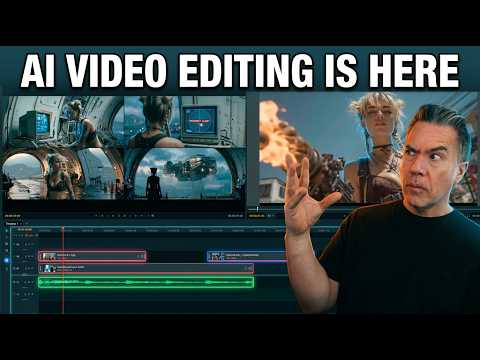
 LTX Studio
Demo summary
The user demonstrates the 'Fill with Video' feature which uses a Gemini API key to generate a transitional bridge between two existing clips on the timeline.
Step-by-step
- Leave a space between two clips on the timeline
- Click the Fill with Video option in the gap
- Connect your Gemini API key by signing into AI Studio and creating a key
- Enter a prompt describing the bridge footage
- Wait for the shot to generate
Watch out for
- A Gemini API key is required to use this function
- The 'generate from first frame/last frame' feature does not appear to be working yet
Tips
- Use a specific prompt like 'camcorder footage from a helicopter view' to guide the AI bridge
Highlights
“It's not great but um it does work.”
All demos from “LTX Just dropped a FREE AI Video Editor and it is WILD!”
- 5:590:46Generating video in LTX Desktop Gen SpaceThe user demonstrates the 'Gen Space' in LTX Desktop, showing how to set video duration, resolution, and use the built-in upscaler with the LTX 2.3 model.LTX Studio· AI Animation Generator
- 6:591:41Editing timeline and properties in LTX DesktopThe demonstration covers the non-linear editor interface, including clip trimming, color correction properties, adjustment layers, and auto-letterboxing features.LTX Studio· AI Video Editor
- 8:581:04Non-destructive shot regeneration on the timelineThe user shows how to right-click a clip on the timeline to 'Regenerate Shot' and toggle between different AI-generated versions of the same prompt non-destructively.LTX Studio· AI Video Editor
- 10:020:25Image-to-video generation from the timelineA still image is imported into the LTX Desktop timeline and converted into a video clip using the integrated image-to-video settings and camera motion controls.LTX Studio· Image to Video
- 10:361:08Bridging clips with AI 'Fill with Video'CurrentThe user demonstrates the 'Fill with Video' feature which uses a Gemini API key to generate a transitional bridge between two existing clips on the timeline.LTX Studio· AI Video Editor
- 12:330:28Fixing video artifacts with Retake ShotThe demonstration shows using the 'Retake' feature in the Gen Space to fix a specific visual glitch (a character's neck spinning) by regenerating a specific section of the clip.LTX Studio· AI Video Editor
- Watch “LTX Just dropped a FREE AI Video Editor and it is WILD!” →
AI Video Editor
- 6:591:41Editing timeline and properties in LTX DesktopThe demonstration covers the non-linear editor interface, including clip trimming, color correction properties, adjustment layers, and auto-letterboxing features.Theoretically Media
- 8:581:04Non-destructive shot regeneration on the timelineThe user shows how to right-click a clip on the timeline to 'Regenerate Shot' and toggle between different AI-generated versions of the same prompt non-destructively.Theoretically Media
- 10:361:08Bridging clips with AI 'Fill with Video'CurrentThe user demonstrates the 'Fill with Video' feature which uses a Gemini API key to generate a transitional bridge between two existing clips on the timeline.Theoretically Media
- 12:330:28Fixing video artifacts with Retake ShotThe demonstration shows using the 'Retake' feature in the Gen Space to fix a specific visual glitch (a character's neck spinning) by regenerating a specific section of the clip.Theoretically Media
 28:152:29Editing video on the LTX Studio timelineThe walkthrough shows the built-in video editor where clips are trimmed, split, and synced to a music track directly within the platform.LTX_io
 5:221:16Customizing video style and character ageThe demo shows how to switch between cinematic, anime, and 3D styles in real-time and how to edit a character's age to change their appearance in LTX Studio.AI Guy
- 12:481:20Adding sound effects and exporting the final videoThe demo shows how to apply automatic sound effects to specific scenes, generate final motion for all clips, and export the completed storyboard as an MP4.AI Guy