GoEnhance AI: Video-to-video stylization in GoEnhance

 GoEnhance AI
Demo summary
The creator walks through the GoEnhance interface for video-to-video conversion, showing how to upload footage, select styles like Pixar or Pixel Art, and adjust render settings.
Step-by-step
- Upload your video to the platform
- Select a style from the available options like Anime, Pixel, or Pixar
- Describe your video in the prompt box if desired
- Select a duration between 3 and 20 seconds
- Choose a render mode
- Click Create
Options
- Choose between various anime styles, pop art, or pixel art
- Toggle 'Subject Only' to only change the person in the video
- Use 'Custom Background' to modify the environment
- Enable 'Private Mode' to keep generations hidden
- Select 'Fast Mode' for quicker results
- Switch between 'Quality' or 'Preview' render modes
Tips
- Use the Pixel style if you want to stylize footage of your face
- Pick Pixar Style version three for a specific 3D animation look
Highlights
“you just pick whatever you want and then you can create it here”
All demos from “You’ve Never Seen AI Videos This Realistic Before | GoEnhance AI”
- 4:360:54Video-to-video stylization in GoEnhanceCurrentThe creator walks through the GoEnhance interface for video-to-video conversion, showing how to upload footage, select styles like Pixar or Pixel Art, and adjust render settings.GoEnhance AI· Video to Video
- 8:520:56Generating images with Flux and Ideogram modelsThe video demonstrates the image generation suite in GoEnhance, showing how to select specific AI models like Flux 1.1 Pro and Ideogram 2.0 to create high-fidelity visuals.GoEnhance AI· AI Image Generator
- 14:150:51Using Kling and Luma models in GoEnhanceThe creator shows how GoEnhance acts as an aggregator, allowing users to select external models like Kling 1.5, Luma Ray 2, and Runway Gen-3 for video generation.GoEnhance AI· AI Video Generator
- 17:181:21Creating consistent characters in AI videoA demonstration of the consistent character feature where the user uploads reference photos of specific people to generate new video clips of them walking in a shopping mall.GoEnhance AI· Image to Video
- 21:080:35AI Lip Sync with GoEnhanceThe video shows the process of uploading a video file and an audio track to generate a synchronized talking-head animation using GoEnhance's lip-sync tool.GoEnhance AI· AI Lip Sync Generator
- Watch “You’ve Never Seen AI Videos This Realistic Before | GoEnhance AI” →
Video to Video
 1:370:56Convert talking head video to anime with GoEnhance AIThe user demonstrates uploading a talking head video to GoEnhance AI, selecting an anime style, and generating a stylized animated version that preserves motion and facial consistency.TryThisAI
- 2:350:23Apply cinematic animation to action footageGoEnhance AI is used to transform a video with camera motion and walking into a cinematic animated style, showing how the tool handles background separation and movement.TryThisAI
 0:510:43Video-to-video style transfer with GoEnhance AIThe creator demonstrates how to transform a skateboarding video into a vibrant anime style using GoEnhance AI's video-to-video feature.AI With TechZnap
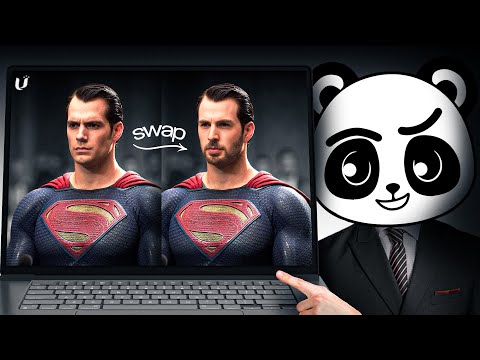 1:011:35Video-to-Video stylization with GoEnhance AIThe user demonstrates uploading a base video and applying different styles like 'Disney vintage anime' to transform the footage while maintaining motion.Artificial Quotient
- 5:170:47Video Animation from reference motionThe demonstration shows attempting to animate a character using a reference image and a motion video, though the results show current limitations in hand and facial accuracy.Artificial Quotient
- 4:360:54Video-to-video stylization in GoEnhanceCurrentThe creator walks through the GoEnhance interface for video-to-video conversion, showing how to upload footage, select styles like Pixar or Pixel Art, and adjust render settings.Matt Szaton
 2:130:21Transform dancing video to anime styleA demonstration of converting a dancing video into an anime style using GoEnhance AI with adjusted frame rate settings for smoother motion.Planet Ai
- 4:080:14Apply specific clothing to characters in AI videoThe user demonstrates how to use a reference image of a jacket and a character image to generate a video where the character is wearing that specific item.Planet Ai