GoEnhance AI: Transform dancing video to anime style

 GoEnhance AI
Demo summary
A demonstration of converting a dancing video into an anime style using GoEnhance AI with adjusted frame rate settings for smoother motion.
Step-by-step
- Upload the dancing video to the Video to Video tool
- Select the anime style
- Adjust the FPS slider to a higher value like 30 FPS
- Click Generate
Options
- Choose between different frame rates such as 24 FPS or 30 FPS
Tips
- Use a higher frame rate to achieve more smoothness in the output video
Highlights
“this is looking much better than the previous style”
All demos from “Change Any Video Into Ghibli Animation | GoEnhance Ai”
- 0:571:16Convert video to Ghibli animation style with GoEnhance AIThe user demonstrates uploading a video to GoEnhance AI and selecting the 'Anime GPT Ghibli' style to transform a woman in a video into an animated character.GoEnhance AI· AI Cartoon Video Generator
- 2:130:21Transform dancing video to anime styleCurrentA demonstration of converting a dancing video into an anime style using GoEnhance AI with adjusted frame rate settings for smoother motion.GoEnhance AI· Video to Video
- 3:230:45Generate consistent character videos from imagesThe demo shows how to upload multiple character images and a text prompt to GoEnhance AI to generate a video with consistent character design and style.GoEnhance AI· Image to Video
- 4:080:14Apply specific clothing to characters in AI videoThe user demonstrates how to use a reference image of a jacket and a character image to generate a video where the character is wearing that specific item.GoEnhance AI· Video to Video
- Watch “Change Any Video Into Ghibli Animation | GoEnhance Ai” →
Video to Video
 1:370:56Convert talking head video to anime with GoEnhance AIThe user demonstrates uploading a talking head video to GoEnhance AI, selecting an anime style, and generating a stylized animated version that preserves motion and facial consistency.TryThisAI
- 2:350:23Apply cinematic animation to action footageGoEnhance AI is used to transform a video with camera motion and walking into a cinematic animated style, showing how the tool handles background separation and movement.TryThisAI
 0:510:43Video-to-video style transfer with GoEnhance AIThe creator demonstrates how to transform a skateboarding video into a vibrant anime style using GoEnhance AI's video-to-video feature.AI With TechZnap
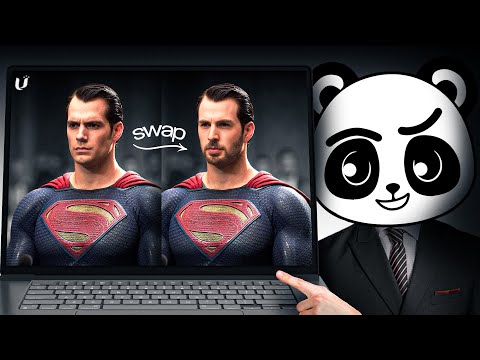 1:011:35Video-to-Video stylization with GoEnhance AIThe user demonstrates uploading a base video and applying different styles like 'Disney vintage anime' to transform the footage while maintaining motion.Artificial Quotient
- 5:170:47Video Animation from reference motionThe demonstration shows attempting to animate a character using a reference image and a motion video, though the results show current limitations in hand and facial accuracy.Artificial Quotient
 4:360:54Video-to-video stylization in GoEnhanceThe creator walks through the GoEnhance interface for video-to-video conversion, showing how to upload footage, select styles like Pixar or Pixel Art, and adjust render settings.Matt Szaton
- 2:130:21Transform dancing video to anime styleCurrentA demonstration of converting a dancing video into an anime style using GoEnhance AI with adjusted frame rate settings for smoother motion.Planet Ai
- 4:080:14Apply specific clothing to characters in AI videoThe user demonstrates how to use a reference image of a jacket and a character image to generate a video where the character is wearing that specific item.Planet Ai