Using AI Avatars in Veed.io

 Veed
Veed
Demo summary
The user explores the AI Playground in Veed.io to access the AI avatar feature and attempts to generate a video using a text prompt within the video editor.
Step-by-step
- Navigate to the Veed.io dashboard
- Click on the AI Playground section
- Select AI Avatar from the menu
- Enter a text prompt describing the video you want to create
- Input your script into the prompt field
- Export the generated video
Options
- Add a custom character to turn into an AI model
- Upload your own audio to the avatar
- Describe the video type or use a specific script prompt
Tips
- Use both a general prompt and a specific script prompt for better results
Highlights
“the best part about it is that the avatars that it gives us really work along well according to the script”
All demos from “Heygen vs Synthesia vs Creatify vs D-ID vs Veed.io | Best AI Avatar Generator”
- 4:322:24Create an AI avatar video with HeyGenThe user navigates the HeyGen dashboard, selects a realistic avatar and outfit, pastes a script, and generates a video using the fast rendering engine.HeyGen· AI Avatar Video Generator
- 7:091:56Generate a corporate AI video in SynthesiaThe demonstration shows selecting a professional avatar named Bruce, choosing an outfit, and placing him within a template before generating the video from text.Synthesia· AI Avatar Video Generator
- 9:141:17Create short-form marketing videos with CreatifyThe user selects a TikTok-style avatar from the Creatify library, inputs a script, and renders a vertical video optimized for social media marketing.Creatify· AI UGC Video Generator
- 10:461:48Animate a talking head with D-IDThe demo walks through selecting a portrait avatar in D-ID, setting emotional expressions like 'happy' or 'serious', and generating a talking head video from a script.D-ID· AI Avatar Video Generator
- 13:051:32Using AI Avatars in Veed.ioCurrentThe user explores the AI Playground in Veed.io to access the AI avatar feature and attempts to generate a video using a text prompt within the video editor.Veed· AI Avatar Video Generator
- Watch “Heygen vs Synthesia vs Creatify vs D-ID vs Veed.io | Best AI Avatar Generator” →




AI Avatar Video Generator
 1:042:54Create a talking AI avatar with VEEDThe user selects a preset character (Oliver), inputs a script, chooses a voice model (Alex Wright), and generates a talking head video clip.AI Guy
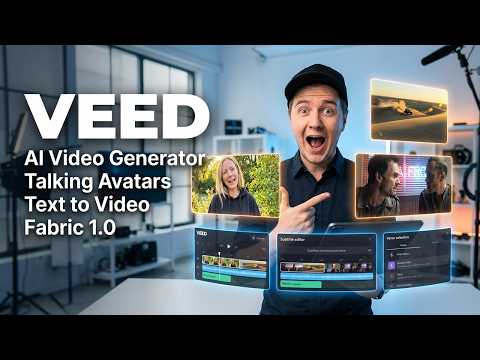 0:340:55Create a talking AI avatar with VEEDThe user selects a character named Wiki, inputs text, chooses a voice, and generates a video with realistic lip-syncing and mouth movement using VEED's AI avatar feature.Eigi and AI
- 1:390:23Animate an avatar with custom audio in VEEDThe demonstration shows uploading a custom audio clip to VEED to drive the lip-sync and animation of an AI avatar character.Eigi and AI
- 13:051:32Using AI Avatars in Veed.ioCurrentThe user explores the AI Playground in Veed.io to access the AI avatar feature and attempts to generate a video using a text prompt within the video editor.Agrollo Reviews
 1:211:48Animate a photo into a talking video with VEED Fabric 1.0The user demonstrates uploading a personal photo and an audio file to VEED, selecting the Fabric 1.0 model to generate a realistic talking avatar video.Mike Dee
 1:560:45Create a talking AI avatar with VEED FabricThe video demonstrates the step-by-step process in VEED to generate an AI avatar by uploading a photo or selecting a preset, then adding a script via text-to-speech or voice recording.VEED STUDIO
 1:161:32Generate AI avatar video from text with VEED.ioThe user demonstrates entering a text prompt for a YouTube short about Earth facts and selecting an AI avatar (Maya) and caption style (RZ) within the VEED.io interface.Greg Preece