Focus stacking in Luminar Neo

 Luminar Neo
Demo summary
The user demonstrates the Focus Stacking extension in Luminar Neo, merging multiple images with different focus points into one sharp photo.
Step-by-step
- Select the photographs you want to merge
- Open the Focus Stacking extension
- Drop the selected images into the extension window
- Click on Start
Highlights
“we just need to select the photographs we want open focus stacking and drop them all in”
All demos from “Luminar Neo in 2026 : 3 years later is it any better?”
- 2:401:41Basic photo enhancements in Luminar NeoThe user demonstrates the 'Essentials' panel in Luminar Neo, showing how to use Enhance AI, Structure AI, Super Contrast, and the Dodge and Burn brush tool on a photo.Luminar Neo· AI Image/Photo Enhancer
- 4:220:46Sky replacement and landscape enhancementThe video shows the Sky AI tool in Luminar Neo replacing a sky and adjusting horizon position, reflection, and scene relighting, followed by the Golden Hour and Dehaze sliders.Luminar Neo· AI Photo Editor
- 5:080:26Adding fog with Atmosphere AIThe creator demonstrates Atmosphere AI in Luminar Neo, using 3D depth mapping to realistically place fog into a landscape scene.Luminar Neo· AI Inpainting
- 5:340:20Adding light rays with Sun Rays AILuminar Neo's Sun Rays AI is shown placing a sun center and generating adjustable light rays that interact with the image content.Luminar Neo· AI Relighting
- 6:070:16Enhancing water color with Water Enhancer AIThe user demonstrates Water Enhancer AI in Luminar Neo, which automatically masks and changes the color of water bodies in a photo.Luminar Neo· AI Photo Editor
- 6:310:16Color Transfer between imagesThe demonstration shows how to use Color Transfer in Luminar Neo to apply the color palette of a reference image to a target photograph.Luminar Neo· AI Style Transfer
- 6:470:16Targeted lighting with Relight AIThe user shows Relight AI in Luminar Neo using depth mapping to brighten a foreground model without affecting the background exposure.Luminar Neo· AI Relighting
- 7:030:23Adding starbursts with Magic Light AIThe video demonstrates Magic Light AI in Luminar Neo, which identifies light sources and adds customizable starburst effects.Luminar Neo· AI Relighting
- 7:460:24Drawing neon effects with Neon and GlowThe user demonstrates drawing custom neon light highlights over a subject using the Neon and Glow tool in Luminar Neo.Luminar Neo· AI Photo Editor
- 8:460:37Portrait retouching with Skin and Face AIThe creator uses Skin AI for shine removal and smoothing, and Face AI for eye enhancement and lip saturation in Luminar Neo.Luminar Neo· AI Image/Photo Enhancer
- 9:400:22Adding depth of field with Portrait Bokeh AIThe video shows Portrait Bokeh AI in Luminar Neo creating a blurred background effect using 3D mapping on a portrait.Luminar Neo· AI Photo Editor
- 10:020:33Simulating studio lighting with Studio Light AIThe user demonstrates adjusting the angle and intensity of a virtual light source on a subject using Luminar Neo's Studio Light AI.Luminar Neo· AI Relighting
- 10:350:27Removing backgrounds with Portrait Background AIThe demonstration shows Luminar Neo automatically masking and removing the background from a portrait photo.Luminar Neo· AI Background Remover
- 11:220:39Removing objects with GenEraseThe user demonstrates GenErase in Luminar Neo by painting over a tent in a landscape and using generative AI to remove it.Luminar Neo· AI Object Remover/Eraser
- 11:580:32Expanding canvas with GenExpandThe video shows GenExpand in Luminar Neo being used to pull out the canvas edges and generate new matching content for a bird photograph.Luminar Neo· AI Expand Image
- 12:300:33Replacing elements with GenSwapThe user demonstrates GenSwap in Luminar Neo by brushing over water and using a text prompt to generate 'big waves'.Luminar Neo· AI Inpainting
- 13:330:27Fixing motion blur with Super Sharp AIThe creator demonstrates Super Sharp AI in Luminar Neo to recover detail from a blurred photograph caused by a slow shutter speed.Luminar Neo· AI Unblur/Sharpen Image
- 14:280:17Merging photos with HDR MergeThe user demonstrates dragging three bracketed exposures into the HDR Merge extension in Luminar Neo to create a single high-dynamic-range image.Luminar Neo· AI Image Combiner
- 14:450:26Creating panoramas with Panorama StitchingThe video shows the process of dragging multiple photos into the Panorama Stitching tool in Luminar Neo to merge and crop them into a wide shot.Luminar Neo· AI Image Combiner
- 15:110:15Focus stacking in Luminar NeoCurrentThe user demonstrates the Focus Stacking extension in Luminar Neo, merging multiple images with different focus points into one sharp photo.Luminar Neo· AI Photo Editor
- Watch “Luminar Neo in 2026 : 3 years later is it any better?” →
AI Photo Editor
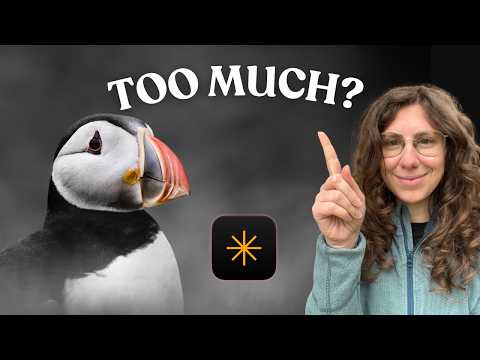 5:470:39Adjusting HSL and subject-aware vignettingThe creator uses the Color tool to target specific HSL values for a bird's bill and applies a vignette using a subject-placement indicator.Chiara Talia - Wildlife Photography
- 10:270:52Creative color isolation using AI maskingThe creator demonstrates a creative 'fine art' look by using Object Select AI to mask a bird, inverting the mask, and desaturating the entire background while keeping the subject in color.Chiara Talia - Wildlife Photography
 0:521:46Manage and sync folders in Luminar NeoThe creator demonstrates how Luminar Neo maps physical computer folders to its catalog, showing how renaming or moving folders on the hard drive is instantly mirrored in the software.Mark McGee Photos
- 16:560:36Edit photos using AI AssistantA demonstration of the AI Assistant where the user types natural language prompts like 'make this photo look like a vintage Fujifilm camera' to generate edit versions.Mark McGee Photos
 8:003:26Localized exposure adjustments using maskingThe creator shows how to use a brush mask to apply a second instance of the Develop tool to specific areas of a waterfall and rocks.Anthony Turnham
- 12:423:32Adding and removing detail with Structure AIDemonstration of using Structure AI with positive values to sharpen rocks and negative values to soften distracting foliage via brush masking.Anthony Turnham
- 20:482:31Changing water color with Water Enhancer AIA demonstration of the Water Enhancer AI tool to shift murky green water toward a turquoise hue while refining the mask to exclude the waterfall.Anthony Turnham
- 25:551:26Fine-tuning colors with HSL slidersThe creator demonstrates using the HSL (Hue, Saturation, Luminance) panel to darken green leaves specifically so the waterfall stands out more.Anthony Turnham
- 28:511:17Applying a Radial Gradient mask for color popA demonstration of using the Radial Gradient tool to apply a saturation boost in a localized, tapered circle around the main subject.Anthony Turnham
- 31:132:05Blending edits using Layer OpacityThe creator shows how to add the original photo as a new layer and adjust its opacity to pull back an over-processed edit for a more natural look.Anthony Turnham
 4:102:36Blending exposures with layers and linear gradientsThe video shows how to duplicate layers in Luminar Neo to process the sky and foreground separately, using a linear gradient mask for a smooth transition.Anthony Turnham
- 9:203:21Sculpting light and contrast using Curves and Brush masksA demonstration of using the Curves tool to create an S-curve for contrast and then painting the effect into specific areas like mountains and water using a soft brush.Anthony Turnham