Kittl: Restyle images using AI

 Kittl
Kittl
Demo summary
Demonstrates the 'Image Restyle' tool to take an existing photo and transform it into a classical art style while retaining the original composition.
Step-by-step
- Select an image on the canvas or upload a photo
- Navigate to the Image Restyle tool in the side menu
- Adjust the strength slider to determine how much the AI changes the original
- Select a style from the community styles list, such as Classical
- Click Generate to create the restyled image
Options
- Upload your own photo for restyling
- Use community-provided styles
- Manually describe a different style in the prompt field
Tips
- Use this tool to retain the composition of an image you like while changing its artistic medium
Highlights
“it is going to suggest us an image in the same style, which can be really helpful if you're trying to take something you really like, but you just want it to be in a little bit of a different style”
All demos from “Updated Full Kittl Masterclass (Every Feature Explained)”
- 42:090:39Generate images with AI modelsA walkthrough of using the Kittl AI panel to select models like Flux or Ideogram and generate images based on text prompts.Kittl· AI Image Generator
- 44:050:54Restyle images using AICurrentDemonstrates the 'Image Restyle' tool to take an existing photo and transform it into a classical art style while retaining the original composition.Kittl· AI Style Transfer
- 1:30:090:16Remove image backgrounds with AIA quick demonstration of the one-click background removal tool on a portrait photo.Kittl· AI Background Remover
- 1:30:341:15Expand photos with AI ReframeDemonstrates using the Reframe tool to generative-fill the sides of a photo to change its aspect ratio for a marketing post.Kittl· AI Expand Image
- 1:32:340:51Vectorize images for color editingShows how to take a flat PNG image and use the Vectorizer to turn it into editable color paths.Kittl· Image to Vector
- 1:35:052:48Generate product mockupsWalkthrough of placing a design on various apparel and poster mockups, including changing the garment color.Kittl· AI Product Photography
- 1:42:180:41Erase and Fill with AIDemonstrates using the eraser tool with 'Erase and Fill' enabled to remove objects from a photo using content-aware fill.Kittl· AI Object Remover/Eraser
- Watch “Updated Full Kittl Masterclass (Every Feature Explained)” →
AI Style Transfer
 13:321:19Style transfer using multiple artboard referencesThe user selects two different artboards to prompt the AI to recreate the design of the first in the visual style of the second.C.U.Online
 0:431:51Transform illustration styles with Kittl RemixThe user demonstrates how to use the Kittl editor to select an existing fox illustration and apply a 'washed cartoon graphic' style preset to generate a new version of the artwork.Kittl
- 2:340:17Apply crochet style to graphics in KittlA demonstration of applying a 'crochet' AI style preset to an illustration of a lemon on a scooter using the Kittl Remix tool.Kittl
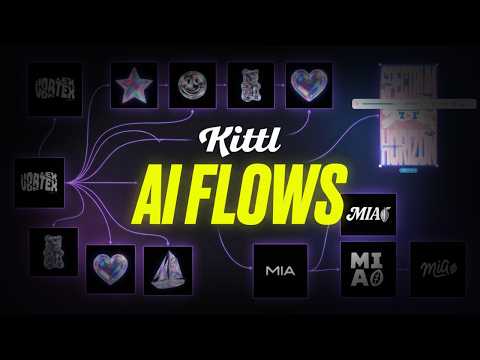 11:090:31Create consistent illustration sets with AIUsing the 'Nana Banana' model within Kittl, the user demonstrates generating a sailboat illustration that matches the specific 3D holographic style of existing brand assets.Kittl
- 44:050:54Restyle images using AICurrentDemonstrates the 'Image Restyle' tool to take an existing photo and transform it into a classical art style while retaining the original composition.Kittl