Transform illustration styles with Kittl Remix

 Kittl
Kittl
Demo summary
The user demonstrates how to use the Kittl editor to select an existing fox illustration and apply a 'washed cartoon graphic' style preset to generate a new version of the artwork.
Step-by-step
- Hover over the artboard or use the contextual taskbar to select the AI image board option
- Click 'Add an AI image board'
- Click on the 'Style' option on the left side of the prompt box
- Select a style category, such as 'Clip Art' for cutout-style illustrations
- Choose a specific style preset, like 'Washed cartoon graphic'
- Click 'Generate'
Options
- Access the AI image board via the artboard hover menu
- Access the AI image board via the contextual taskbar
- Choose 'Full artboard photo heavy' styles for images where you intend to keep the background
- Select 'Clip Art' styles for cutout-style images where you intend to remove the background
- Manually add a prompt or rely on the style reference alone
Tips
- Hover over the 'Generate' button before clicking to see how many credits the action will cost
- For simplicity, hover over the artboard directly to find the AI options
- Use the 'Clip Art' section if you plan on removing the background from the final product
All demos from “The New Kittl Remix Feature Is Unstoppable”
- 0:431:51Transform illustration styles with Kittl RemixCurrentThe user demonstrates how to use the Kittl editor to select an existing fox illustration and apply a 'washed cartoon graphic' style preset to generate a new version of the artwork.Kittl· AI Style Transfer
- 2:340:17Apply crochet style to graphics in KittlA demonstration of applying a 'crochet' AI style preset to an illustration of a lemon on a scooter using the Kittl Remix tool.Kittl· AI Style Transfer
- 4:110:23Apply photo remix styles in KittlThe video shows the application of the 'ethereal blur' photo preset to an image within the Kittl AI image board.Kittl· AI Photo Filter
- Watch “The New Kittl Remix Feature Is Unstoppable” →
AI Style Transfer
 13:321:19Style transfer using multiple artboard referencesThe user selects two different artboards to prompt the AI to recreate the design of the first in the visual style of the second.C.U.Online
- 0:431:51Transform illustration styles with Kittl RemixCurrentThe user demonstrates how to use the Kittl editor to select an existing fox illustration and apply a 'washed cartoon graphic' style preset to generate a new version of the artwork.Kittl
- 2:340:17Apply crochet style to graphics in KittlA demonstration of applying a 'crochet' AI style preset to an illustration of a lemon on a scooter using the Kittl Remix tool.Kittl
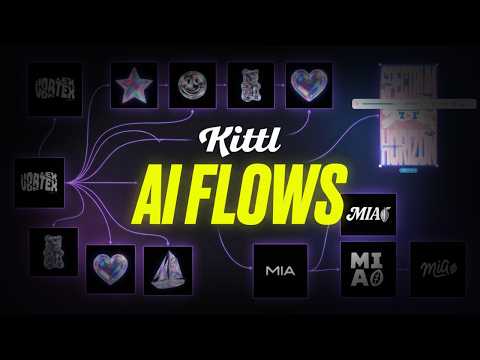 11:090:31Create consistent illustration sets with AIUsing the 'Nana Banana' model within Kittl, the user demonstrates generating a sailboat illustration that matches the specific 3D holographic style of existing brand assets.Kittl
 44:050:54Restyle images using AIDemonstrates the 'Image Restyle' tool to take an existing photo and transform it into a classical art style while retaining the original composition.Kittl