Kittl: Create consistent illustration sets with AI
 Kittl
Kittl
Demo summary
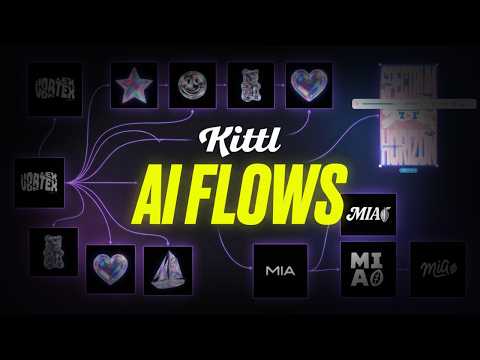
Using the 'Nana Banana' model within Kittl, the user demonstrates generating a sailboat illustration that matches the specific 3D holographic style of existing brand assets.
Step-by-step
- Click and drag the selection box to the desired location on the canvas
- Select the AI Image tool
- Enter a prompt for the new illustration, such as 'sailboat'
- Select the 'Nana Banana' model from the style options
- Set the tool to match the input style
- Click to generate the illustration
Tips
- Use the click and drag method to precisely position where you want the new AI generation to appear
Highlights
“it looks very much in line with the rest of them”
All demos from “How To Design, Create Mockups, and Animate Video With Kittl Flows | New Tutorial”
- 4:192:17Convert AI images to editable vectors in KittlThe video shows the process of taking an AI-generated logo, removing the background, and using the 'Vectorize' tool to create a fully scalable vector with editable nodes.Kittl· Image to Vector
- 11:090:31Create consistent illustration sets with AICurrentUsing the 'Nana Banana' model within Kittl, the user demonstrates generating a sailboat illustration that matches the specific 3D holographic style of existing brand assets.Kittl· AI Style Transfer
- 12:081:14Upscale images to 4K using Kittl RemixThe presenter uses the 'Remix Image' feature with the Nano Banana Pro 4K model to enhance the resolution and crispness of a generated graphic.Kittl· AI Image Upscaler
- 17:581:24Generate custom AI mockup environmentsThe user attaches a Smartboard to a standard mockup and uses a prompt to place the product in a specific 'golden hour' interior setting on a wooden coffee table.Kittl· AI Product Photography
- 24:190:43Animate static designs into videoThe presenter demonstrates the 'Generate Video' tool by selecting a start and end frame of a product bottle and using AI to create a 3D spinning animation with bubbles.Kittl· Image to Video
- 27:101:14Create AI video from a single frameThe video shows how to use an AI video panel and a long-form prompt to add motion to specific components of a poster design, such as a moving panther or stomping effects.Kittl· Image to Video
- Watch “How To Design, Create Mockups, and Animate Video With Kittl Flows | New Tutorial” →
AI Style Transfer
 13:321:19Style transfer using multiple artboard referencesThe user selects two different artboards to prompt the AI to recreate the design of the first in the visual style of the second.C.U.Online
 0:431:51Transform illustration styles with Kittl RemixThe user demonstrates how to use the Kittl editor to select an existing fox illustration and apply a 'washed cartoon graphic' style preset to generate a new version of the artwork.Kittl
- 2:340:17Apply crochet style to graphics in KittlA demonstration of applying a 'crochet' AI style preset to an illustration of a lemon on a scooter using the Kittl Remix tool.Kittl
- 11:090:31Create consistent illustration sets with AICurrentUsing the 'Nana Banana' model within Kittl, the user demonstrates generating a sailboat illustration that matches the specific 3D holographic style of existing brand assets.Kittl
 44:050:54Restyle images using AIDemonstrates the 'Image Restyle' tool to take an existing photo and transform it into a classical art style while retaining the original composition.Kittl