Kittl: Style transfer using multiple artboard references

 Kittl
Kittl
Demo summary
The user selects two different artboards to prompt the AI to recreate the design of the first in the visual style of the second.
Step-by-step
- Hold Shift on your keyboard
- Click the names of the two artboards you want to reference
- Click the AI image board button
- Verify both artboards are referenced and connected by purple lines in the prompt area
- Enter a prompt describing how to apply the style of the second image to the first
- Click Generate
Options
- Use ChatGPT for the generation
- Use Nano Banana for the generation
Tips
- Use this method to convert a design style into a different style without manually changing every element
Highlights
“instead of having to go in and change every single element in my design, so much faster to just do it with”
All demos from “Kittl Tutorial 2026 - Make Insane Tshirt Graphics in Seconds”
- 10:171:50Generate design variations with AI Image BoardThe user demonstrates using the AI Image Board with Nano Banana and ChatGPT models to automatically convert a pickleball design into a golf-themed version.Kittl· Image to Image
- 13:321:19Style transfer using multiple artboard referencesCurrentThe user selects two different artboards to prompt the AI to recreate the design of the first in the visual style of the second.Kittl· AI Style Transfer
- 17:301:26Generate custom mockups with Nano Banana AIThe user shows how to use a reference photo and AI prompting to generate a realistic image of a person wearing a specific custom shirt design.Kittl· AI Product Photography
- 18:563:54Create AI UGC videos with Seedance 2.0The creator uses ChatGPT to write a script and the Seedance 2.0 model within Kittl to generate a 10-second marketing video featuring the design.Kittl· AI UGC Video Generator
- Watch “Kittl Tutorial 2026 - Make Insane Tshirt Graphics in Seconds” →
AI Style Transfer
- 13:321:19Style transfer using multiple artboard referencesCurrentThe user selects two different artboards to prompt the AI to recreate the design of the first in the visual style of the second.C.U.Online
 0:431:51Transform illustration styles with Kittl RemixThe user demonstrates how to use the Kittl editor to select an existing fox illustration and apply a 'washed cartoon graphic' style preset to generate a new version of the artwork.Kittl
- 2:340:17Apply crochet style to graphics in KittlA demonstration of applying a 'crochet' AI style preset to an illustration of a lemon on a scooter using the Kittl Remix tool.Kittl
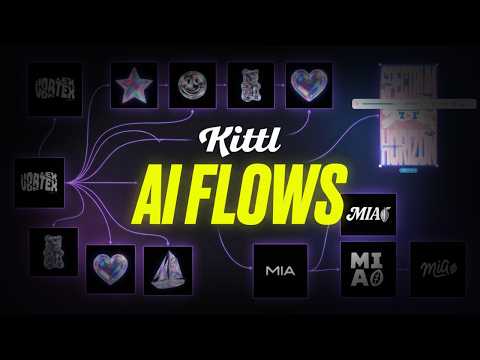 11:090:31Create consistent illustration sets with AIUsing the 'Nana Banana' model within Kittl, the user demonstrates generating a sailboat illustration that matches the specific 3D holographic style of existing brand assets.Kittl
 44:050:54Restyle images using AIDemonstrates the 'Image Restyle' tool to take an existing photo and transform it into a classical art style while retaining the original composition.Kittl