Object removal in Aftershoot
 AfterShoot
Demo summary
Manny uses the object removal tool in Aftershoot to highlight and delete a beauty dish that was visible in the top of the photo frame.
Step-by-step
- Identify the object to be removed in the frame
- Highlight the object using the selection tool
- Click the Remove Objects button
Highlights
“this software also has a pretty good object removal feature here”
All demos from “Photographers: Aftershoot Just Made Portrait Retouching Too Easy!”
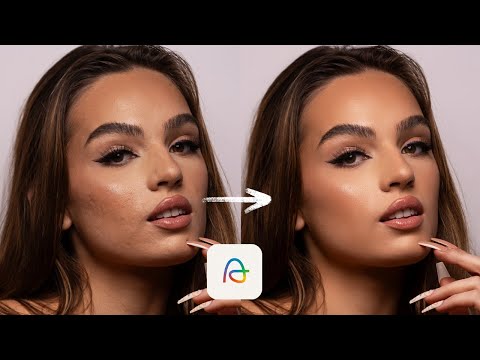
- 1:582:31Natural portrait retouching with AftershootManny demonstrates blemish removal, skin smoothing, and eye brightening on a client rebranding portrait using Aftershoot's feminine subject selection.AfterShoot· AI Image/Photo Enhancer
- 4:481:50Fashion skin retouching in AftershootThe video shows a more aggressive retouching workflow for a fashion edit, including maxing out blemish removal and adjusting skin smoothing masks.AfterShoot· AI Image/Photo Enhancer
- 7:410:16Object removal in AftershootCurrentManny uses the object removal tool in Aftershoot to highlight and delete a beauty dish that was visible in the top of the photo frame.AfterShoot· AI Object Remover/Eraser
- 8:171:31Outdoor portrait and hair flyaway removalDemonstration of blemish removal and the flyaway hair tool in Aftershoot to clean up stray hairs on an outdoor creative portrait.AfterShoot· AI Object Remover/Eraser
- 9:581:11Male portrait retouching with AftershootManny switches the software to masculine mode to demonstrate subtle blemish removal and eye brightening on a male client portrait.AfterShoot· AI Image/Photo Enhancer
- 11:150:44Natural headshot touchup for menA demonstration of using Aftershoot to perform minimal, natural-looking touchups on a male construction worker's headshot.AfterShoot· AI Image/Photo Enhancer
- 12:041:01Shadowed face brightening and retouchingManny shows how to use the face brighten and blemish removal tools in Aftershoot on a client portrait shot in heavy shadow.AfterShoot· AI Image/Photo Enhancer
- Watch “Photographers: Aftershoot Just Made Portrait Retouching Too Easy!” →
AI Object Remover/Eraser
- 7:410:16Object removal in AftershootCurrentManny uses the object removal tool in Aftershoot to highlight and delete a beauty dish that was visible in the top of the photo frame.Manny Ortiz
- 8:171:31Outdoor portrait and hair flyaway removalDemonstration of blemish removal and the flyaway hair tool in Aftershoot to clean up stray hairs on an outdoor creative portrait.Manny Ortiz