Mixboard: Mockup logos on apparel and accessories
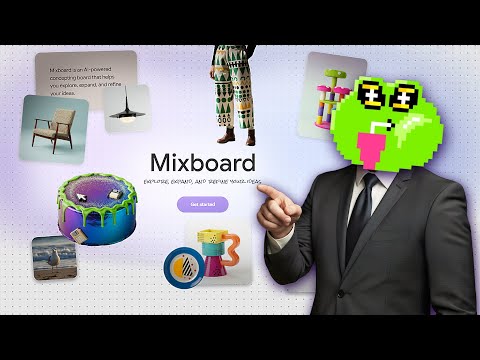
 Mixboard
Demo summary
The video shows Mixboard being used to place a custom logo onto realistic mockups of hats, t-shirts, and bags.
Step-by-step
- Upload a custom logo to the platform
- Select clothing items such as hats, hoodies, or t-shirts for the mockup
- Choose the bag category to generate pattern-based mockups
Options
- Generate embroidered textures for headwear
- Create repeating patterns using the uploaded logo for accessories
Watch out for
- Logo details may become blurry on certain bag mockup variations
- Pattern scales can vary, sometimes resulting in very small, though recognizable, logos
Tips
- Use the hat mockup for the most realistic results, as it effectively simulates embroidery
Highlights
“It looks 100% realistic. I would never say that this one is AI generated.”
All demos from “How to Use GOOGLE MIXBOARD (FREE)”
- 0:170:27Generate and iterate images from text in MixboardThe user demonstrates generating multiple 3D cartoon monster images from a text prompt and shows how to create variations of a selected image.Mixboard· Text to Image
- 1:050:24Combine multiple images into a single sceneThe user selects several generated monster images and uses Mixboard to merge them into a single cohesive scene.Mixboard· AI Image Combiner
- 1:290:29Generate character variations from an uploaded portraitThe user uploads a portrait of a woman and uses Mixboard to generate new images of the same person performing a morning routine.Mixboard· AI Person Generator
- 2:020:39Modify character attributes like hair and makeupThe demonstration shows how to use text prompts to change a subject's hairstyle to a bobcut and apply Halloween makeup while maintaining facial consistency.Mixboard· AI Inpainting
- 2:410:20Apply specific products to a person in MixboardThe user uploads an image of sunglasses and prompts Mixboard to generate images of a specific girl wearing those exact glasses.Mixboard· AI Clothing Try-on
- 3:280:40Mockup logos on apparel and accessoriesCurrentThe video shows Mixboard being used to place a custom logo onto realistic mockups of hats, t-shirts, and bags.Mixboard· AI Product Photography
- Watch “How to Use GOOGLE MIXBOARD (FREE)” →
AI Product Photography
 7:441:28Create consistent AI mockups and background swapsThe video shows how to generate multiple angles of the same model and room for a product mockup, then demonstrates swapping the background to a 'boho beach scene' across all generated images.Philip Anders
 10:480:59Testing logo placement on promotional productsThe user attempts to place an uploaded logo onto various items like mugs and pens, noting how the AI uses context like file names to interpret the logo text.Excelerator
- 3:280:40Mockup logos on apparel and accessoriesCurrentThe video shows Mixboard being used to place a custom logo onto realistic mockups of hats, t-shirts, and bags.Tutorials For You